

Set the policy boundaries before configuring sign-in
Start with a reception procedure, then ask vendors to demonstrate it. For visitor management for schools, the proposed decision sequence is: establish the purpose of the arrival, apply the school’s approved checks, obtain the appropriate staff decision, record the visit, and account for departure.
Recommended procedure, not a statement of legal duties: The workflow below is a template for local approval. Have district leadership identify the applicable policies and legal requirements before adopting it. Let local policy and authorized staff decisions govern entry—not a completed kiosk form, a printed badge or an automated result. Do not treat software as a safeguarding guarantee.
A concrete local example shows why arrival categories deserve separate treatment: Plymouth Elementary’s handbook directs guardians accompanying late students to sign them in at the office, while its morning-arrival instructions say guardians do not escort children to classrooms. These are that school’s procedures, not nationwide rules. Plymouth Elementary Family Handbook.
Unknowns to resolve locally: acceptable identification and alternatives, screening requirements by visitor category, entry-approval authority, student-release procedures, retention periods and emergency roles. This guide does not prescribe universal screening or custody-verification rules.
A reception workflow from arrival to sign-out
Recommended operating procedure: Before opening reception, name the receptionist, entry-decision lead and backup, host or facilities contact, records/privacy lead, and emergency-accountability lead. Assign named people to these roles; do not leave escalation addressed only to “the office.”
- Establish the arrival purpose. Reception asks whether the person is attending a meeting, accompanying a late student, collecting a student, making a delivery or performing work. Offer staffed assistance rather than requiring everyone to use a kiosk.
- Open the appropriate workflow. For an adult visit, propose only necessary fields: visitor name, category, host, purpose, arrival time and intended destination. Keep student arrival and release decisions distinct from adult visitor admission.
- Apply the approved checks. Follow the school’s documented identification and category-specific requirements. If a requirement cannot be met, leave the arrival pending and contact the designated decision-maker rather than inventing an alternative at the desk.
- Obtain the entry decision. Ask the authorized staff member to approve, decline or keep the arrival pending. Record the decision-maker and time. Confirm any destination or escort conditions before allowing the visit to proceed.
- Complete the handoff. Issue a badge if required by local policy, explain the permitted destination and sign-out process, and identify who is taking responsibility for the visitor. Give emergency instructions approved for that site.
- Close the visit. Record departure and recover temporary items where applicable. Route unresolved open visits to a named staff member; do not silently replace an unknown departure time with an assumed one.
Suggested reception wording: “I’ll contact the staff member responsible for your visit. Please wait here while we confirm the arrangements.”
For a general map of arrival, host handoff and confirmed departure, read the visitor-management decision guide alongside the district-approved school workflow.
- Arrival → What is the purpose? Classify Recommended procedure: reception identifies a meeting, late arrival, pickup, delivery or contractor visit. Provide a staffed route.
- Student arrival or release involved? → Use its approved procedure Separate Recommended procedure: send late arrival and pickup decisions to designated student-services staff. Process any adult visit separately.
- Student-linked record? → Apply the privacy checkpoint Assess Education records are directly related to a student and maintained by the institution, agency or a party acting for it. Recommended action: ask the privacy lead to assess student-linked visit records. Department of Education.
- Entry authorized? → No or unresolved: escalate Hold or hand off Recommended procedure: if approved checks or the staff decision remain unresolved, keep the visit pending and contact the designated backup. A declined visit follows the local response procedure.
- Entry authorized? → Yes: complete the handoff Admit Recommended procedure: after authorization, record the decision, complete any required badge or escort handoff, and explain destination and departure instructions.
- Visit ends or emergency occurs → Account for the visitor Reconcile Recommended procedure: record departure. During an emergency, follow the approved plan and reconcile the visitor list with people accounted for; report unresolved status through the designated chain.
Sources: Source 1
Rehearse guardian, pickup, contractor and delivery arrivals
Hypothetical scenarios and suggested handoffs: Use these cases to rehearse your locally approved procedure. They are not custody rules or screening mandates.
| Arrival scenario | Reception action | Decision owner and exception handoff | Suggested record |
|---|---|---|---|
| Guardian arrives for a scheduled conference | Confirm the intended meeting and complete the approved arrival checks; contact the host. | Authorized approver confirms entry; unavailable host routes to the named backup. Keep the visit pending meanwhile. | Host, decision, permitted destination, arrival and departure. |
| Guardian accompanies a late student | Use the student-arrival procedure. Ask separately whether the adult is requesting a visit beyond reception. | Attendance staff handle student arrival; the entry approver handles any adult visit. | Keep the student-arrival record and adult visit status distinct. |
| Adult requests early student pickup | Route the request through the school’s approved student-release process; do not use visitor sign-in as release approval. | Designated release staff review the request. Refer discrepancies or disputed authority to the authorized administrator without interpreting custody documents at the desk. | Record the release decision in the approved location; avoid sensitive details in a general visitor log. |
| Contractor arrives for a repair | Confirm the facilities contact, purpose, work area and any locally required prerequisites. | Facilities contact and authorized entry approver confirm the arrangements. An unexpected contractor remains pending until resolved. | Company, host, work area, approval, escort conditions and departure. |
| Courier brings an item for a student | Use the school’s approved office-delivery procedure rather than creating a classroom visit by default. | Office staff decide acceptance and onward delivery; escalate unclear arrangements. | Minimum delivery details required by local policy. |
For a contractor’s return visit, require staff to confirm the current appointment and authorization rather than treating a previous visit as standing permission. For a guardian conference, avoid recording the substance of the meeting in the general sign-in record.
Make exceptions a named handoff—not a receptionist judgment call
Recommended exception procedure: Give reception a short handoff sheet with the primary contact, backup, approved waiting location and action if neither contact responds.
- Missing or unacceptable identification: Ask the designated administrator to apply the school’s approved alternative process. Do not improvise a new identification rule or automatically admit the visitor.
- Unresponsive host: Contact the listed backup. Leave the entry decision pending until an authorized person resolves it.
- Conflicting pickup information: Refer the request to designated release staff or administration. Keep the discussion private and do not ask reception to resolve competing claims of authority.
- Automated alert or possible mismatch, if screening is locally required: Route the result privately to an authorized reviewer. Record the disposition in the approved restricted location, not on a visible badge or public-facing screen.
- Language, mobility or kiosk-access difficulty: Offer a staffed route and arrange assistance through the school’s approved process. Preserve the same approval decision without insisting on the same interface.
- Network or printer failure: Use the district-approved fallback. Keep a staff-controlled record of pending and admitted visitors; reconcile it after service returns. If required checks cannot be completed, refer the admission decision to the designated authority.
- Declined entry or escalating behavior: Use the school’s established response procedure. Record the authorized decision and handoff without adding speculative labels.
Suggested exception fields are the arrival reference, unresolved issue, staff member contacted, decision and time. Store sensitive supporting information separately under the approved access rules.
Compare the host-absence and assisted-arrival planning in the office sign-in and rollout guide when rehearsing handoffs, while retaining your district’s separate admission and release rules.
Decide who can access visitor and student-linked records
The U.S. Department of Education defines education records through two conditions: they directly relate to a student and are maintained by an educational institution or agency, or someone acting for it. The format is not decisive; the definition covers paper and electronic information. Department of Education: What is an education record?.
Recommended application: Ask the district privacy lead to assess student-linked sign-in, meeting and pickup records against that definition. Do not assume every adult visitor record is an education record, or that a record is outside the definition simply because a visitor platform stores it.
FERPA’s regulations address applicability, inspection and review, amendment, disclosure, and health-and-safety emergency disclosures. Applicability includes funding-related conditions; it should not be assumed solely from the label “K–12 school.” Department of Education: FERPA regulations.
Proposed record-access checklist for district approval:
- Define what reception needs to see to manage arrival and departure.
- Limit hosts’ proposed view to the visits they need to handle; test access using separate staff accounts.
- Reserve sensitive exception details for authorized decision-makers.
- Ask the records lead to approve any student identifiers or student-system integration before configuration.
- Keep student names, meeting details and sensitive notes off visitor-facing screens and badges unless specifically justified and approved.
- Route requests to inspect, correct or obtain records to the designated records official rather than exporting the visitor log at reception.
- Have the records lead establish retention and disposal rules, including treatment of exports, backups and paper fallback records.
- Ask vendors to document administrative access, support access, exports, deletion behavior and the history available for investigating changes.
Unknown: The cited material does not establish a school visitor-log retention period. Obtain a locally approved schedule rather than selecting a duration from this guide.
Test visitor accountability during an emergency drill
Suggested drill—not an emergency-response standard: Have the school’s emergency-planning lead approve this visitor-accountability exercise within the existing emergency plan.
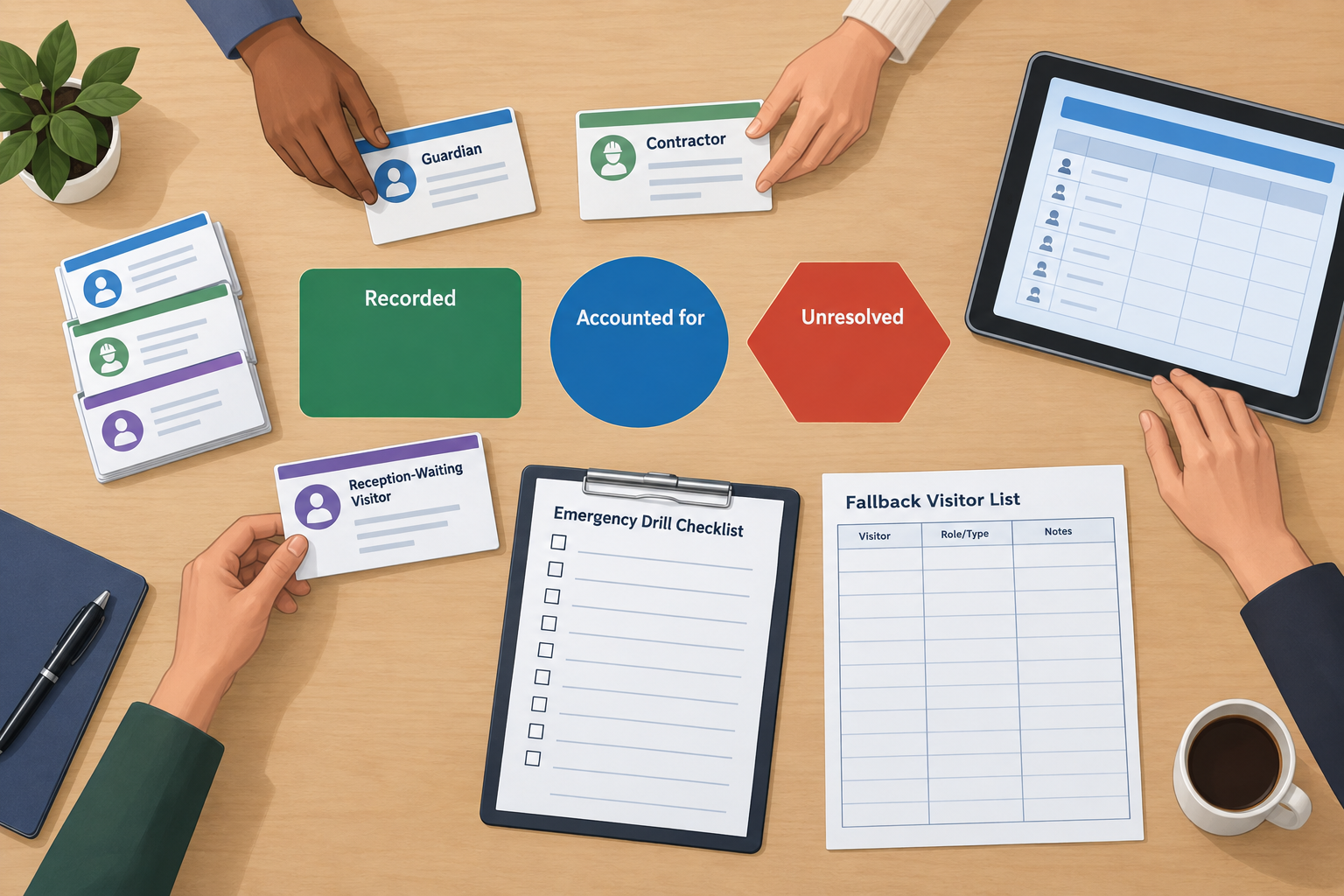
Create a hypothetical drill with an admitted guardian, an admitted contractor, a visitor still awaiting approval at reception and a visitor whose departure was not recorded. Give one authorized staff member responsibility for obtaining the visitor list, with a backup person and an approved fallback when the network is unavailable.
At the location and time specified by the emergency plan, ask assigned staff to reconcile the list with people actually accounted for. Keep “recorded as on-site,” “physically accounted for” and “status unresolved” as separate states during the exercise. Report unresolved names and available host or destination details through the designated emergency chain; do not send reception staff to search independently.
Include the person waiting in reception in the exercise, even though admission was still pending. Ask the facilities contact to account for the contractor under the approved plan. Do not use an automatic end-of-day sign-out as evidence that someone departed.
After the drill, record who obtained the list, whether the fallback worked, which statuses needed correction and who owns each corrective action. Test emergency student release separately under the school’s approved reunification procedure.
A school-specific evaluation checklist for vendor demonstrations
Procurement checklist: Give each finalist the same fictional visitor records and scenarios. Record each result as demonstrated, demonstrated with a workaround, failed or unknown. Ask for the configuration used and identify any dependency on another system or staff action.
| School-specific test | What to ask the vendor to demonstrate | Suggested acceptance evidence |
|---|---|---|
| Guardian conference versus student pickup | Separate visit admission from the student-release decision. | Walkthrough showing distinct approval steps and record locations. |
| Pending, approved and declined arrival | Keep an unresolved arrival pending; identify the approving staff member. | Decision history and a visible pending state for authorized reception staff. |
| Host unavailable | Route the request to the named backup without treating silence as approval. | Demonstrated handoff and documented manual fallback. |
| Contractor visit | Record the facilities contact, destination and locally approved conditions. | Completed arrival, escort handoff if required, and sign-out. |
| Identification exception or screening alert | Restrict exception handling to the approved roles. | Role-based demonstration using fictional data; no assumed automated clearance. |
| Privacy and record access | Test reception, host, administrator and records-official views separately. | Screenshots or test results showing allowed and blocked actions. |
| Student-linked records | Show which student fields are copied, displayed, exported and retained. | Field map for district privacy approval. |
| Assisted arrival | Complete sign-in without requiring the visitor to operate a kiosk or own a phone. | Staff-assisted walkthrough using the same approval rules. |
| Outage and recovery | Run the approved fallback, then reconcile pending visits and departures. | Reconciliation record identifying corrections and unresolved entries. |
| Emergency accountability | Produce the authorized visitor list and reconcile the drill’s unresolved visitor. | Drill results, list timestamp and tested fallback access. |
| Retention and contract exit | Demonstrate the requested export and explain deletion and backup treatment. | Written answers aligned with district-approved requirements. |
Use the general visitor-management comparison scorecard for overall weighting and cost evaluation rather than creating a second generic scoring model here. Add these school-specific demonstrations as acceptance criteria.
Before purchase, ask reception, administration, facilities, IT, privacy/records staff and the emergency-planning lead to review the results relevant to their responsibilities. Leave untested capabilities marked unknown. For an unresolved admission, release, privacy or emergency handoff, pause the purchase decision until the district accepts a documented solution.
Conclusion
Approve the human procedure before configuring the system. Give each arrival category an owner, each exception a backup and each unresolved visitor status a follow-up action. Then require finalists to demonstrate those decisions with fictional school scenarios, keeping unknowns visible until the district has an acceptable answer.
Sources
Source pages checked 21 September 2026.
Pricing and plan details can change; verify current terms with the vendor.