

Start with a shared evaluation method—not a preferred vendor
To compare visitor management systems fairly, give each finalist the same visitor journeys, configuration requirements, pilot tests and cost assumptions. Apply mandatory pass/fail gates first, then use weighted scores to choose among eligible systems.
Editorial method: The weights, rating scale, tests and decision rules below are original recommendations—not research findings, industry benchmarks or measured vendor scores. Adapt them to your workplace before inviting demonstrations, then keep them fixed throughout the evaluation.
Use the visitor management vendor shortlist to build your candidate list, not to determine the winner. If your team needs to agree on the scope of the purchase first, use the visitor management decision guide.
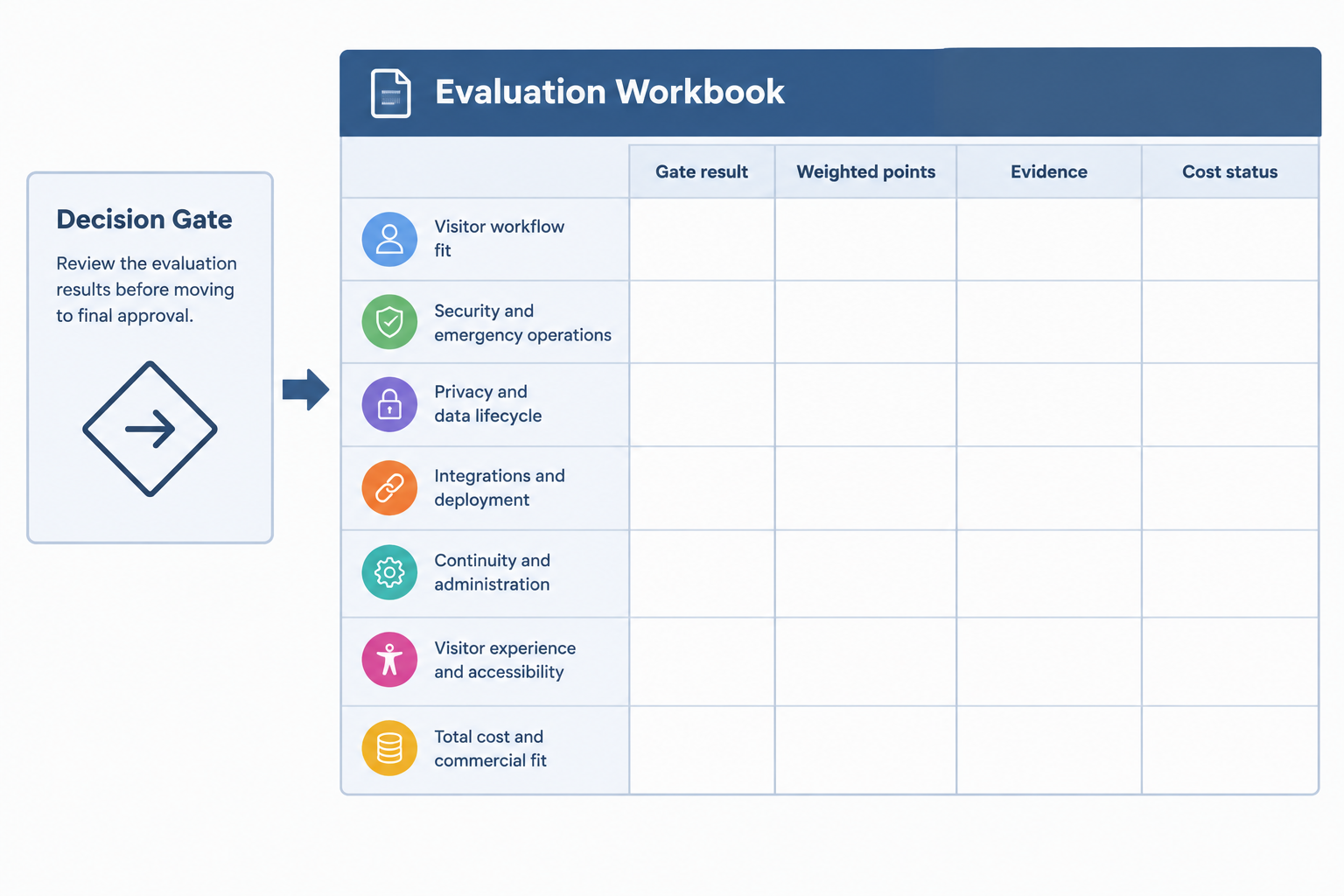
Your evaluation workbook should contain a requirements brief, mandatory gates, weighted scorecard, pilot evidence log, cost worksheet and final decision record. Keep product claims separate from what your team actually observes.
Freeze the requirements and mandatory gates
Editorial recommendation: Write a requirements brief that every vendor receives unchanged. Specify:
- Deployment: locations, entrances, reception hours, kiosk and printer models, network constraints and expected peak arrivals.
- Visitor journeys: scheduled guest, walk-in, contractor, delivery, returning visitor and assisted sign-in.
- Required outcomes: approval before admission, host notification, badge issuance, departure recording and emergency visitor reconciliation.
- IT and data requirements: identity provider, administrator roles, integrations, permitted data fields, retention policy, hosting requirements and export needs.
- Commercial scope: contract duration, anticipated growth, support hours, implementation responsibilities and purchasing currency.
Identify each requirement as mandatory, scored or out of scope. Assign facilities ownership of visitor journeys, IT ownership of technical tests, your privacy/security leads ownership of data requirements, and procurement ownership of quote normalization.
### Set gates that cannot be offset by a high score
The following are suggested gates; adopt only those required by your site policy:
| Suggested gate | Evidence required to pass | Decision owner |
|---|---|---|
| Required visitor approvals cannot be bypassed | Observed rejection or holding procedure for an unauthorized test visitor | Facilities/security |
| Visitor data access matches approved roles | Role tests, configuration record and data-flow review | IT/privacy |
| Emergency visitor accounting is workable | Reconciliation exercise, including missing sign-outs and an agreed outage fallback | Facilities |
| Essential integrations work in the quoted configuration | End-to-end test and responsibility matrix | IT |
| Commercial and contractual requirements are acceptable | Complete quote, agreed scope and approved contract terms | Procurement |
Record each gate as Pass, Fail or Unknown. Treat Unknown as pending—not as proof that the product lacks the capability, and not as permission to proceed. Hold the purchase until every mandatory gate passes or the accountable owner formally changes the requirement for all candidates.
Use this reusable 100-point scorecard
Editorial/example weights: This reusable scorecard allocates 100 points. Change the distribution before demonstrations if your priorities differ, keeping the total at 100. Evidence requests are procurement recommendations, not statements that every vendor supports these functions.
| Evaluation area | Weight | What to evaluate | Evidence to request |
|---|---|---|---|
| Visitor workflow fit | 20 | Invitations, walk-ins, contractor rules, absent hosts, badges and sign-out | Configured journey demonstration, sample visit records, approval and notification timestamps |
| Security and emergency operations | 20 | Admission decisions, restricted administrator actions, current visitor reconciliation and incident procedures | Role matrix, security documentation, approval logs and supervised emergency exercise |
| Privacy and data lifecycle | 15 | Required fields, record visibility, retention, deletion/anonymization and offboarding | Data-flow diagram, contractual data terms, retention configuration and before/after test records |
| Integrations and deployment | 15 | Identity provider, host directory, access system, notifications and actual badge hardware | Plan entitlement confirmation, connector documentation, network prerequisites and end-to-end test logs |
| Continuity and administration | 10 | Network/printer failure, recovery, site configuration, troubleshooting and support handover | Outage runbook, recovery results, configuration history and support responsibilities |
| Visitor experience and accessibility | 10 | Independent and assisted sign-in, language needs, error recovery and departure | Observed tasks on intended devices, accessibility documentation and assistance log |
| Total cost and commercial fit | 10 | Complete required configuration, rollout effort, renewal, support and exit terms | Itemized quote, completed cost worksheet and contract schedule |
| Total | 100 |
### Apply one rating scale consistently
Use the following editorial anchors for each category:
- 0 — Not demonstrated: no usable evidence, or the required outcome is absent. Mark missing evidence separately as Unknown.
- 1 — Claimed: written assertion, but no relevant working demonstration.
- 2 — Partially demonstrated: demonstration or partial pilot evidence, with material requirements unresolved.
- 3 — Acceptable with an approved workaround: required outcomes pass, but staff must use a documented, costed workaround.
- 4 — Meets requirements: all agreed category acceptance criteria pass in the quoted configuration.
- 5 — Meets requirements plus a predefined stretch target: a useful improvement specified before evaluation also passes.
Weighted points = category weight × rating ÷ 5. Add the weighted points for the total out of 100. Keep mandatory gate results alongside the total; never bury a failed gate inside an average.
For cost, define your budget and acceptable commercial terms beforehand. A low price alone should not earn a high rating: require a complete quote and acceptable terms. Define any cost stretch target in advance, such as meeting the approved expansion scenario within budget.
Copy this evidence-log structure into a spreadsheet: Vendor | Plan/modules | Category | Requirement | Test ID | Gate result | Rating | Weight | Weighted points | Evidence link | Workaround/cost | Owner | Date. Have evaluators score independently, then resolve differences by reviewing evidence.
Turn official documentation into evidence requests
Official documentation provides useful starting questions, but keep each claim tied to its configuration and scope.
### Offline operation: test the restrictions, not just the label
Envoy documents offline sign-in with entries queued on the iPad and uploaded after reconnection. It also says host notifications are not sent offline, registration details do not automatically appear, and badge printing may be affected by network configuration. Its documentation lists restrictions that prevent offline mode from working, including blocklists, ID scanning, required pre-registration and conditional rules. Envoy offline-mode documentation
Editorial test implication: Run the outage test with your required controls enabled. Decide beforehand whether the acceptable outcome is continued registration or a controlled stop with a staffed fallback. Do not require offline admission if your policy requires online verification.
### Retention: check new fields and new visitor flows
Envoy distinguishes location-level retention for Standard/Premium from field- and flow-specific configuration for Enterprise. For Enterprise, new fields and flows must be explicitly included in the retention policy; omitted fields remain accessible. The documentation also warns that shortening the retention period can immediately and irreversibly remove older data. Envoy retention documentation
Editorial test implication: Use synthetic records. Add a new contractor field and visitor flow, then verify their treatment under the intended retention policy. Request written confirmation of the exact entitlement in your quote rather than inferring it from a plan name.
### Printing: verify the complete dependency chain
Envoy Print uses a workstation connection rather than the traditional iPad connection. Its documentation requires the intended printer to be the workstation’s default printer and specifies firewall and allowlisting prerequisites. Envoy Print documentation
Editorial test implication: Include workstation configuration, IT approval, network setup and support ownership in both the pilot and cost worksheet. Print through your actual deployment path, not only through a vendor demonstration device.
### Security and administration: request evidence beyond feature names
Envoy describes role-based administration at global and location levels and SAML-based single sign-on. Envoy data-security documentation Teamgo lists features including visitor-specific flows, document uploads, data anonymization and multi-factor authentication. Teamgo feature documentation
Editorial test implication: Turn each required feature into an observable task. Ask a site administrator to attempt a prohibited cross-site action; ask reception to complete the contractor flow; ask IT to demonstrate the intended authentication configuration. These published descriptions do not establish pilot performance or your final plan entitlements, which remain unknown until verified.
- Check 1: Required controlsOutage behaviorEnvoy documents offline restrictions for controls including blocklists, required pre-registration and conditional rules. Editorial action: test with required controls enabled and record whether your approved fallback passes. Official documentation
- Check 2: Retention scopeNew fields and flowsEnvoy Enterprise retention requires new fields and flows to be explicitly included. Editorial action: add a synthetic contractor field and verify its retention treatment. Official documentation
- Check 3: Actual hardware pathPrinter dependenciesEnvoy Print documents a workstation connection, a default-printer requirement and network prerequisites. Editorial action: print a visitor badge through the intended reception setup. Official documentation
Run comparable pass/fail visitor-management pilots
Editorial pilot protocol: Use synthetic visitor details, the same scripts and the same acceptance criteria for every candidate. Test the plan, modules and integrations included in the proposed purchase. Record device models, software versions, enabled controls, network conditions and vendor assistance.
Before testing, fill in your own numeric limits for check-in completion, host escalation, visitor-list retrieval and recovery. These are buyer-set acceptance targets, not published performance benchmarks. Repeat each scenario using the same number of attempts across vendors; record every result rather than choosing the best run.
| Pilot scenario | Actions | Pass criteria | Evidence to retain |
|---|---|---|---|
| Scheduled visitor and walk-in | Complete invitation-to-departure journeys for both; create a returning visitor | Correct visitor type and required fields; approval, notification, badge and sign-out follow the agreed process within your targets | Timestamped visit records, badge sample and assistance count |
| Contractor missing a required document | Omit the document or approval, then provide it | Visitor is held or rejected as specified; progression occurs only after the authorized decision | Decision record and before/after status |
| Host unavailable | Suppress the host response | Agreed backup or receptionist escalation occurs within the target; visitor receives a clear waiting instruction | Notification timestamps and escalation record |
| Admission and credential lifecycle | Attempt an unauthorized visit; where integrated, issue a permitted test credential and then end the visit | Unauthorized admission is prevented by the agreed process; credential scope and expiry/revocation match requirements | Approval record and access-system events |
| Visitor-accounting exercise | Seed known arrivals and departures, including someone who forgot to sign out | Authorized staff retrieve the list within the target and reconcile it against the known roster, identifying unresolved departures | Export/list, discrepancy log and reconciliation time |
| Network outage and recovery | Disconnect connectivity with required controls enabled; attempt arrival and departure; reconnect | Agreed safe behavior occurs; limitations are visible; fallback records and any queued entries reconcile without unexplained loss or duplication | Device recording, fallback log and recovered records |
| Printer failure | Disconnect the printer during badge issuance, restore it and retry | Reception follows the approved hold or alternative-identification procedure; recovery produces the correct badge without an unexplained duplicate visit | Printer log, badge samples and staff actions |
| Privacy and role boundaries | Attempt cross-site access with a restricted role; apply retention to synthetic data; add a new field/flow | Unauthorized access is denied; data handling matches the approved policy; new fields/flows are explicitly checked | Role configuration and before/after records |
| Assisted sign-in | Use a visitor without a smartphone and a participant needing the planned language or assistance route | The visitor completes the approved alternative without bypassing admission or data requirements | Observed task results and assistance notes |
For each test, record Pass, Fail or Not tested separately from the category rating. A failure should identify the exact unmet criterion, whether remediation is possible, its cost and the retest date.
Editorial scoring discipline: Credit only what was demonstrated in the intended configuration. If a vendor enables an extra module to fix a failure, update the quote and rerun affected tests. If you alter an acceptance criterion, offer the same change to every finalist.
Normalize the quote with a hidden-cost worksheet
Editorial worksheet: Compare the full required deployment over the same evaluation period and in the same purchasing currency. Keep unknown amounts marked Unknown, not zero. Record an explicit written exclusion or inclusion for each line.
Published pricing structures illustrate why scope matters:
- VisitUs describes an ongoing free Core plan with unlimited visitor sign-ins. Paid modules are charged per month, per location, and each paid module has a seven-day trial. Confirm which modules are needed for your workflows. VisitUs pricing
- Envoy lists Basic as free with 100 entries per month, Premium at $362 per location per month billed annually, and Enterprise at custom pricing. The displayed dollar symbol does not identify the purchasing currency in this evidence; confirm it in the quote. Envoy pricing
- Teamgo describes subscription pricing based on plan and location count, hardware sold separately, no setup fees, and a 30-day trial. Its pricing page places integrations on subscriptions that include that functionality, typically mid- to higher-level plans. Teamgo pricing
These are purchasing inputs, not a like-for-like price ranking. The complete cost of your required deployment remains unknown until quoted.
| Worksheet line | Quantity or calculation to enter | Confirmation to request |
|---|---|---|
| Base subscription | Quoted rate × billable units × periods | Definition of location/site, minimum commitment and included capacity |
| Required modules and connectors | Each module’s rate × applicable locations/units × periods | Included integrations, prerequisites and third-party charges |
| Usage and overages | Expected usage above allowance × quoted rate | SMS, ID checks or other metered items; record “not applicable” only when confirmed |
| Hardware and installation | Tablets, stands, printers, workstations, cabling and setup | Supported models, ownership, warranties and replacement responsibility |
| Badge consumables | Expected badges × unit cost | Compatible stock and procurement responsibility |
| Implementation and migration | Vendor fees + internal hours × your loaded hourly rate | Configuration, imports, identity setup and acceptance support |
| Training and ongoing administration | Initial and recurring hours × your loaded hourly rate | Reception training, site changes, directory maintenance and refresher work |
| Support and continuity | Required support tier + spares + fallback-operation allowance | Coverage hours, escalation, service commitments and recovery responsibilities |
| Renewal and growth | Expected site/usage changes using quoted terms | Price review terms, discounts, renewal notice and expansion rates |
| Exit | Export, migration, overlap and decommissioning allowances | Export format, access window, deletion confirmation and termination terms |
Suggested formula: Evaluation-period total = one-time costs + recurring subscriptions/modules + usage + hardware/consumables + internal labor + support/continuity + exit costs. Avoid counting an included charge twice. Show taxes and any exchange-rate assumptions separately.
Run a baseline case and a clearly labeled growth scenario. For example, model an additional site or higher badge volume using your own assumptions. Do not present that scenario as a vendor forecast.
Worked hypothetical example: why 82 can lose to 77
Entirely hypothetical example: An office buyer evaluates fictional Vendors A and B using the editorial weights above. Its mandatory gates include preventing an unauthorized visitor from progressing without the required approval. Neither vendor represents a real product, and none of these scores is a research result.
Assume the buyer has completed the pilot, cost worksheet and contract review. Vendor A meets every gate, but needs approved workarounds for deployment and continuity. Vendor B earns stronger ratings in workflow, privacy and integrations, including predefined stretch targets, but fails the mandatory admission-approval test.
| Category | Weight | A rating / 5 | A weighted points | B rating / 5 | B weighted points |
|---|---|---|---|---|---|
| Visitor workflow fit | 20 | 4 | 16 | 5 | 20 |
| Security and emergency operations | 20 | 5 | 20 | 2 | 8 |
| Privacy and data lifecycle | 15 | 4 | 12 | 5 | 15 |
| Integrations and deployment | 15 | 3 | 9 | 5 | 15 |
| Continuity and administration | 10 | 3 | 6 | 4 | 8 |
| Visitor experience and accessibility | 10 | 4 | 8 | 4 | 8 |
| Total cost and commercial fit | 10 | 3 | 6 | 4 | 8 |
| Total | 100 | 77 | 82 | ||
| Mandatory gates | All pass | Eligible | Admission gate fails | Ineligible pending retest |
For example, Vendor A’s deployment score is 15 × 3 ÷ 5 = 9. Its hypothetical cost rating of 3 reflects a complete quote with an approved commercial workaround, not an assumed price advantage.
Editorial decision: Vendor B’s 82 does not override its failed gate. Vendor A is the eligible choice, subject to approval of its documented workarounds. Alternatively, pause the award and give Vendor B a defined remediation-and-retest opportunity under rules available to both vendors.
If both subsequently pass, compare their scores using the original weights and updated evidence. As a sensitivity check, model a separately labeled alternative weighting—for example, placing more emphasis on continuity. If the preferred vendor changes, discuss the tradeoff with the decision owners rather than silently replacing the agreed weights.
Make the award conditional on evidence and acceptance
Editorial decision criteria: Approve a purchase only when mandatory gates pass, the selected configuration has been tested, the cost worksheet is complete, and accountable owners accept every workaround.
For close eligible candidates, use a tie-break sequence agreed before evaluation: performance on your highest-priority visitor journey, fewer operational workarounds, then evaluation-period cost. If essential evidence remains unknown, defer the decision rather than awarding optimistic points.
Attach the following to the decision record:
- Selected vendor, plan, modules, integrations and hardware.
- Final weighted scorecard, gate results and pilot evidence.
- Accepted limitations, workarounds, costs and named owners.
- Contracted scope, support responsibilities and renewal/exit terms.
- Rollout acceptance tests, staff training plan and configuration handover.
Carry the pilot criteria into deployment acceptance. Before expanding to another location, rerun the affected visitor journeys and confirm that local configuration still meets the agreed requirements.
Conclusion
Choose the system that passes your mandatory requirements and performs best against your agreed visitor journeys—not the one with the longest feature list. Keep weights fixed, verify the quoted configuration, expose unknown costs and carry the pilot’s acceptance criteria into the purchase and rollout.
Sources
Source pages checked 21 September 2026.
Pricing and plan details can change; verify current terms with the vendor.