

Modern Workspace
www.avidsys.com/products/modern-workspace
- Last checked
- 1 Sept 2026
- Sources
- 7
- Evidence confidence
- Medium
Product media
Buyer notes
What to know about Modern Workspace
Modern Workspace is well suited for organizations already invested in the Microsoft 365 ecosystem and looking to centralize desk/room bookings and technical asset management. Its Azure hosting, Power Apps management backend and Dataverse data store make it a fit for enterprise and government customers that prioritize platform consistency and reporting via Power BI. Strengths include Exchange synchronization to reduce double bookings, QR-based check-ins for real-time occupancy, and an explicit FedRAMP-ready design useful for public-sector procurement.
- Best for
- Organizations standardised on Microsoft 365 and Power Platform
- Known strength
- Tight Microsoft integration (Azure, Exchange, Entra ID, Power Platform, Power BI) — supports centralized admin and reporting
Strengths
- Tight Microsoft integration (Azure, Exchange, Entra ID, Power Platform, Power BI) — supports centralized admin and reporting
- QR code check-in/out and automated reservation management reduce manual occupancy tracking
- FedRAMP design signals attention to government compliance requirements
Questions to ask
- Is there a native mobile app for employees and/or kiosks for visitor check-in?
- What pricing/licensing model applies (per user, per location, per asset) and are demos or pilots available?
- How well does Modern Workspace match your busiest visitor, contractor, or reception workflow?
- Which locations, teams, and visitor types should be included in the first rollout?
Implementation notes
- Expect integration work with Microsoft Entra ID, Exchange and Power Platform Dataverse; coordinate identity and data governance with IT.
- Plan reporting requirements upfront to leverage Power BI dashboards and custom reports.
Scoring criteria
How Modern Workspace scores
Every system is scored against the same published-data criteria. Public scores are intended as comparison prompts alongside your own procurement needs.
Customer review sentiment
No review score listed
18 point weighting · No public review count capturedVisitor and contractor workflows
4 visitor, contractor, badge, host, delivery, identity, and QR workflow signals
10 point weighting · Published vendor and profile signalsEvacuation management
2 evacuation, mustering, roll-call, occupancy, or emergency signals
7 point weighting · Published vendor and profile signalsAdvanced reporting
2 reporting, analytics, audit, export, or visitor-history signals
7 point weighting · Published vendor and profile signalsPublished feature breadth
8 documented capabilities
10 point weighting · Published vendor and profile signalsMobile and kiosk flexibility
No public evidence captured yet
8 point weighting · Published vendor and profile signalsOngoing free access
No public evidence captured yet
6 point weighting · Published vendor and profile signalsDeployment and integrations
6 published deployment and integration options
7 point weighting · Published vendor and profile signalsIndustry coverage
6 documented sectors
5 point weighting · Published vendor and profile signalsSource coverage
7 vendor pages analysed, 0 review sources captured
5 point weighting · 7 source pages analysedVisitor management focus
60% fit against visitor-management-specific positioning signals
5 point weighting · Published vendor and profile signalsAccess-control integrations
No access-control integration evidence captured
5 point weighting · Published vendor and profile signalsRegional hosting and data residency
Regional hosting signal published
3 point weighting · Published vendor and profile signalsPricing transparency
No public evidence captured yet
4 point weighting · Published vendor and profile signalsA lower score can mean the directory found less public evidence, not that a product cannot support the workflow. Use these criteria as shortlist prompts alongside your own procurement needs.
Overview
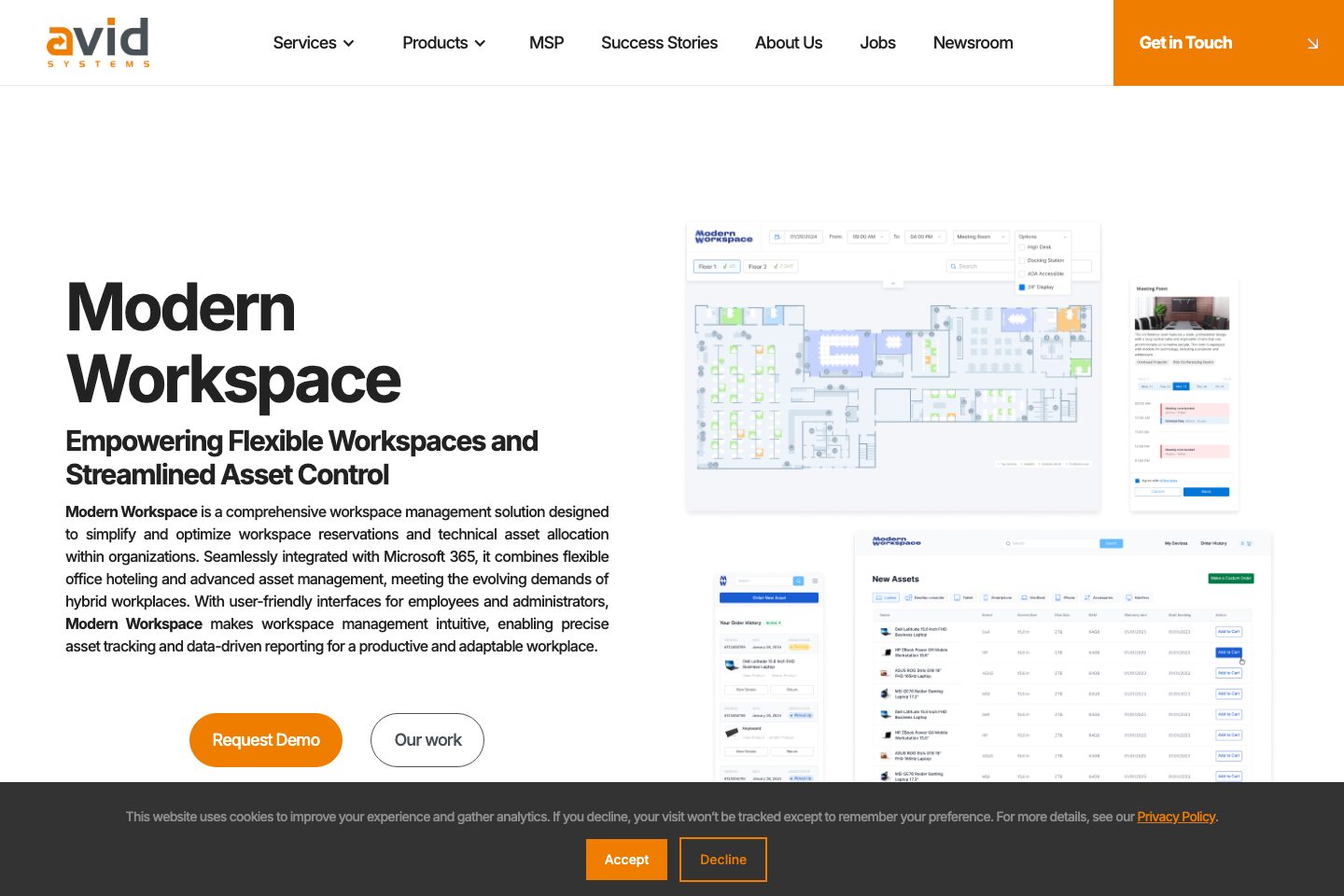
Modern Workspace is an integrated workspace management solution from Avid Systems that centralizes workspace reservations, technical asset lifecycle management, visitor registration, and reporting.
Built on Microsoft technologies (Azure, Power Apps, Power Platform Dataverse) it offers QR code check-in/out, Exchange synchronization for bookings, Power BI dashboards for utilization analytics, and Entra ID SSO with MFA.
The product emphasizes hybrid work enablement, automated reservation/asset workflows, and multi-location scalability for enterprises and government agencies seeking centralized control of space and equipment.
Best for
- Workplaces needing desk/room hoteling and occupancy tracking
- Enterprises seeking centralized asset lifecycle management
- Government agencies requiring Microsoft-aligned solutions
- IT teams wanting Power Platform–based admin tooling
- Organizations needing multi-location space optimisation
Target industries
Key capabilities
SSO with Microsoft Entra ID
Single sign-on authentication using Microsoft Entra ID, supporting MFA.
Compliance-Ready Design
Design stated to meet FedRAMP standards for government use.
Power BI Dashboards
Interactive dashboards for space utilization, occupancy trends and customizable reporting.
Flexible Workspace Reservations
Desk, meeting room and collaboration-space booking with a user-friendly reservation system and QR code check-in/out.
Exchange Synchronization
Synchronizes with Microsoft Exchange to avoid double bookings and manage reservations.
Asset Lifecycle Management
Centralized asset database with inventory tracking, status updates, automated alerts and reports.
Azure-based Web Application
Azure-hosted web app for employees to find and reserve available workspaces.
Power Apps Management Backend
Model-driven Power Apps application serves as the management backend with data in Dataverse.
Pricing
Custom pricing or quote-based sales process
Comparison data
Published signals used in the Overall Score ranking.
- Deployment complexity
- Enterprise rollout
- Hardware requirement
- Software only
Deployment & integrations
- Azure-based web application (cloud rollout signal)
- Microsoft 365 (Outlook, Teams)
- Microsoft Exchange
- Microsoft Entra ID (SSO/MFA)
- Power Platform Dataverse
Security, compliance & support
- Built to meet FedRAMP standards (compliance signal)
- Uses Microsoft Entra ID for SSO and MFA (authentication signal)
- Data stored in Power Platform Dataverse (data-handling signal)
- Management backend in Power Apps (administration tooling signal)
- Automated alerts and reporting for administrators (operational support signal)
