
Cloudbooking
cloudbooking.com
- Last checked
- 1 Sept 2026
- Sources
- 14
- Evidence confidence
- Medium
Product media
Buyer notes
What to know about Cloudbooking
Cloudbooking bundles visitor management into a broader workspace-management SaaS platform that emphasises hybrid work use cases. It offers pre-registration, self-service check-in (tablet/kiosk/QR), identity/nationality screening, configurable approval chains, host notifications and audit/report dashboards—features useful for security-sensitive and multi-location organisations. Pricing is presented as Micro and SMB monthly tiers (billed annually) and a custom Enterprise option that adds visitor management, SSO/Active Directory and a dedicated account manager. The vendor highlights integrations with calendars (Exchange/M365/Google) and directory/authentication systems and promotes microservices cloud architecture for enterprise IT teams.
- Best for
- Organisations needing integrated desk/room/visitor workflows across sites
- Known strength
- easy desk and meeting-room booking
Strengths
- easy desk and meeting-room booking
- user-friendly desktop and mobile interfaces
- interactive maps and floor plans for selecting desks/rooms
- quick, streamlined booking workflow
- responsive, fast, and helpful customer support
Fit considerations
- Curtail reminders can be disruptive or require confirming bookings
- clunky or cumbersome room navigation and view changes
- limited seat-number search and related booking controls
- inconvenient account-management tasks and settings
- limited ability to merge duplicate user accounts
Questions to ask
- What are the data hosting regions and do you offer regional data residency or dedicated tenancy?
- What SLAs, support response times and onboarding services are included in each plan?
- Which exact identity providers and calendar endpoints are supported and are connectors out-of-the-box or custom?
- How well does Cloudbooking match your busiest visitor, contractor, or reception workflow?
Implementation notes
- Enterprise customers should plan integration work for SSO/Active Directory and calendar sync during onboarding
- Kiosk/tablet rollouts and QR-code signage likely require onsite setup and coordination with reception teams for badge printers and wayfinding
Scoring criteria
How Cloudbooking scores
Every system is scored against the same published-data criteria. Public scores are intended as comparison prompts alongside your own procurement needs.
Customer review sentiment
4. 3/5 from 30 published reviews across 1 source, with 46 stored feedback themes
18 point weighting · 30 reviews across review sourcesVisitor and contractor workflows
5 visitor, contractor, badge, host, delivery, identity, and QR workflow signals
10 point weighting · Published vendor and profile signalsEvacuation management
1 evacuation, mustering, roll-call, occupancy, or emergency signal
7 point weighting · Published vendor and profile signalsAdvanced reporting
2 reporting, analytics, audit, export, or visitor-history signals
7 point weighting · Published vendor and profile signalsPublished feature breadth
8 documented capabilities
10 point weighting · Published vendor and profile signalsMobile and kiosk flexibility
iOS and Android; Optional kiosk
8 point weighting · Published vendor and profile signalsOngoing free access
Free trial published
6 point weighting · Published vendor and profile signalsDeployment and integrations
9 published deployment and integration options
7 point weighting · Published vendor and profile signalsIndustry coverage
12 documented sectors
5 point weighting · Published vendor and profile signalsSource coverage
14 vendor pages analysed, 1 review source captured
5 point weighting · 14 source pages analysedVisitor management focus
100% fit against visitor-management-specific positioning signals
5 point weighting · Published vendor and profile signalsAccess-control integrations
1 access-control integration signal
5 point weighting · Published vendor and profile signalsRegional hosting and data residency
No public evidence captured yet
3 point weighting · Published vendor and profile signalsPricing transparency
3 published pricing plans
4 point weighting · Published vendor and profile signalsA lower score can mean the directory found less public evidence, not that a product cannot support the workflow. Use these criteria as shortlist prompts alongside your own procurement needs.
Overview
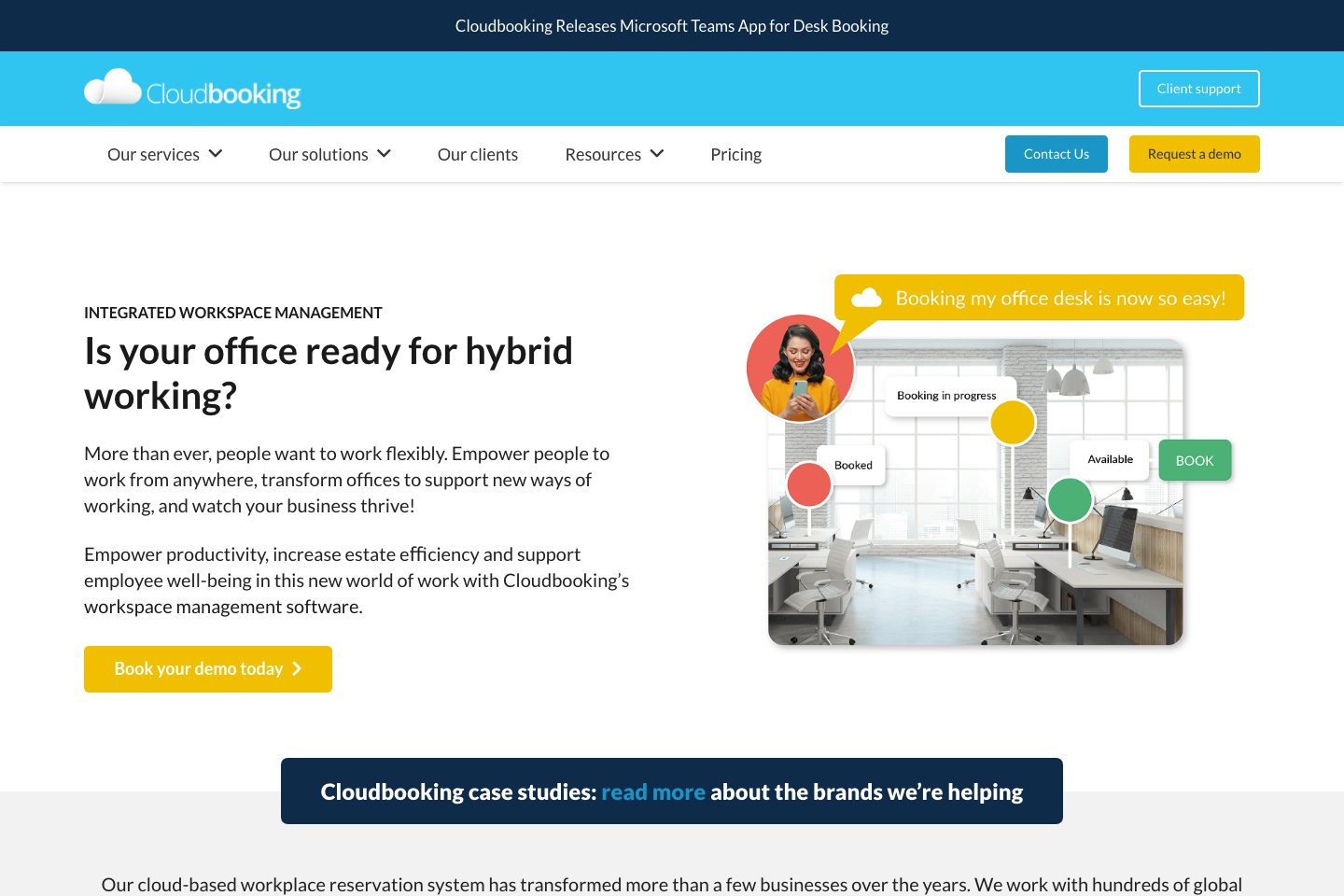
Cloudbooking is a cloud-based workspace and visitor management vendor offering multi-platform visitor registration, self-service check-in (tablet/kiosk/QR), identity checks, approval workflows and integrations with common calendar and directory services.
The product targets hybrid workplaces with features for pre-registration, health & safety screening, photo ID badge printing, access restriction by area, host notifications and audit/reporting dashboards.
Cloudbooking positions its solution for single sites through global, multi-location estates and highlights enterprise capabilities such as SSO/Active Directory and dedicated account management. Demos and tiered annual subscriptions are offered. com/,
Best for
- Organisations implementing hybrid-work policies (desk/room/visitor coordination)
- Facilities teams seeking integrated visitor and workspace scheduling
- Security-conscious enterprises needing approval workflows and ID checks
- Multi-site organisations requiring scalable, multi-location visitor controls
- Teams wanting calendar and directory integration for bookings/notifications
Target industries
Key capabilities
Analytics and audit trails
Dashboards and in-depth audit trails log visitor events, receptionist actions and approvals
Approval-based, multi-level workflows
Configurable approval workflows ensure visitors cannot access sites without prior authorisation
Identity & nationality checks
Supports pre-approved citizenship/nationality checks and country-based hold/approval rules for visits to secure areas
Pre-registration
Visitors can be pre-registered to reduce check-in time and trigger approval workflows
Self-service check-in and badge printing
Tablet/kiosk and QR-code check-in with on-site photographic ID badge printing
Host notifications
Automatic host alerts on visitor arrival via call, SMS or email
Access control restrictions
Ability to restrict bookings to areas/rooms based on required access permissions
Calendar & directory integrations
Integrates with calendars and authentication systems (Microsoft Exchange, M365, Outlook, Google Workspace, Active Directory) to connect bookings and users
Pricing
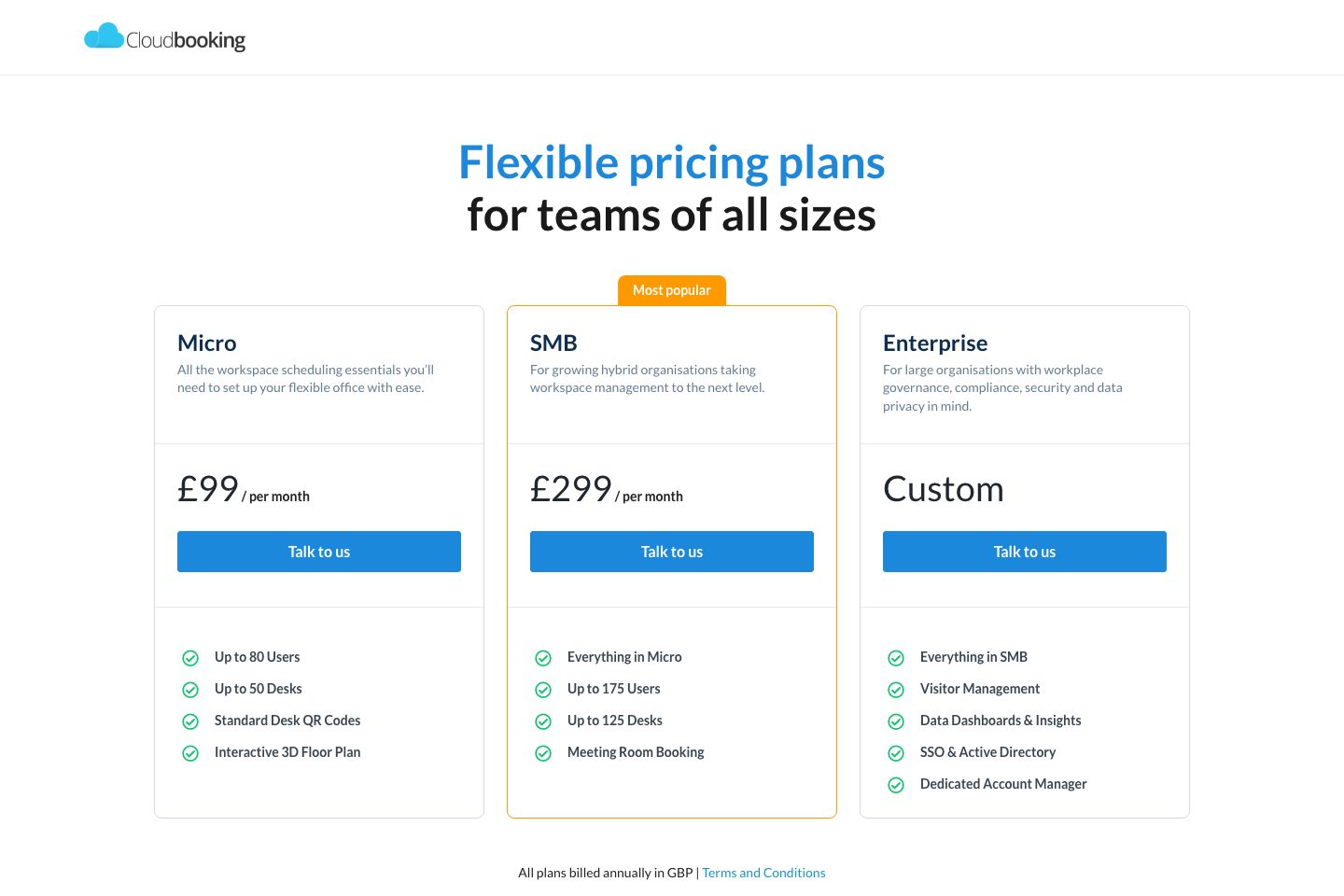
Plans are presented as monthly prices but billed annually in GBP; Enterprise is custom—contact sales.
Micro
Entry workspace scheduling essentials for small teams (up to 80 users / up to 50 desks).
- Up to 80 Users
- Up to 50 Desks
- Standard Desk QR Codes
- Interactive 3D Floor Plan
SMB
For growing hybrid organisations; includes meeting room booking and higher capacity limits.
- Everything in Micro
- Up to 175 Users
- Up to 125 Desks
- Meeting Room Booking
Enterprise
Enterprise offering with visitor management, dashboards, SSO/Active Directory and dedicated account manager.
- Visitor Management
- Data Dashboards & Insights
- SSO & Active Directory
- Dedicated Account Manager
Comparison data
Published signals used in the Overall Score ranking.
- Free access
- Free trial
- Mobile apps
- iOS and Android
- Pricing approach
- Fixed tiers
- Deployment complexity
- Guided setup
- Hardware requirement
- Optional kiosk
Customer review summary
What users like
- Easy to use
- Helpful support
- Useful reporting
- Customization limits
- Interactive maps and floor plans for selecting desks/rooms
- Mobile access
What users dislike
- Usability friction
- Curtail reminders can be disruptive or require confirming bookings
- Inconvenient account-management tasks and settings
- Limited ability to merge duplicate user accounts
- Limited reporting customization
- Limited seat-number search and related booking controls
Review sources
Deployment & integrations
- Cloud-based SaaS / multi-tenant (explicit cloud-based signal:
- Scalable from single-site to cross-continent, multi-location rollouts
- Annual subscription billing (plans billed annually in GBP:
- Microsoft Exchange / M365 / Outlook (calendar integration)
- Google Workspace (calendar integration)
Security, compliance & support
- Mentions GDPR-compliance as an expectation for visitor management (blog reference:
- SSO & Active Directory support on Enterprise plan
- Microservices cloud architecture referenced for IT/security teams (explicit microservices mention:
- Audit trails and restricted admin access for visitor data
- Pre-arrival health & COVID-19 self-certification screening
