
MyLobby
www.mylobby.co/visitor-management-software-app
- Last scraped (UTC)
- 1 Nov 2026
- Product analysis updated
- 1 Nov 2026
- Sources
- 12
- Evidence confidence
- High
Product media
Directory editorial analysis
What to know about MyLobby
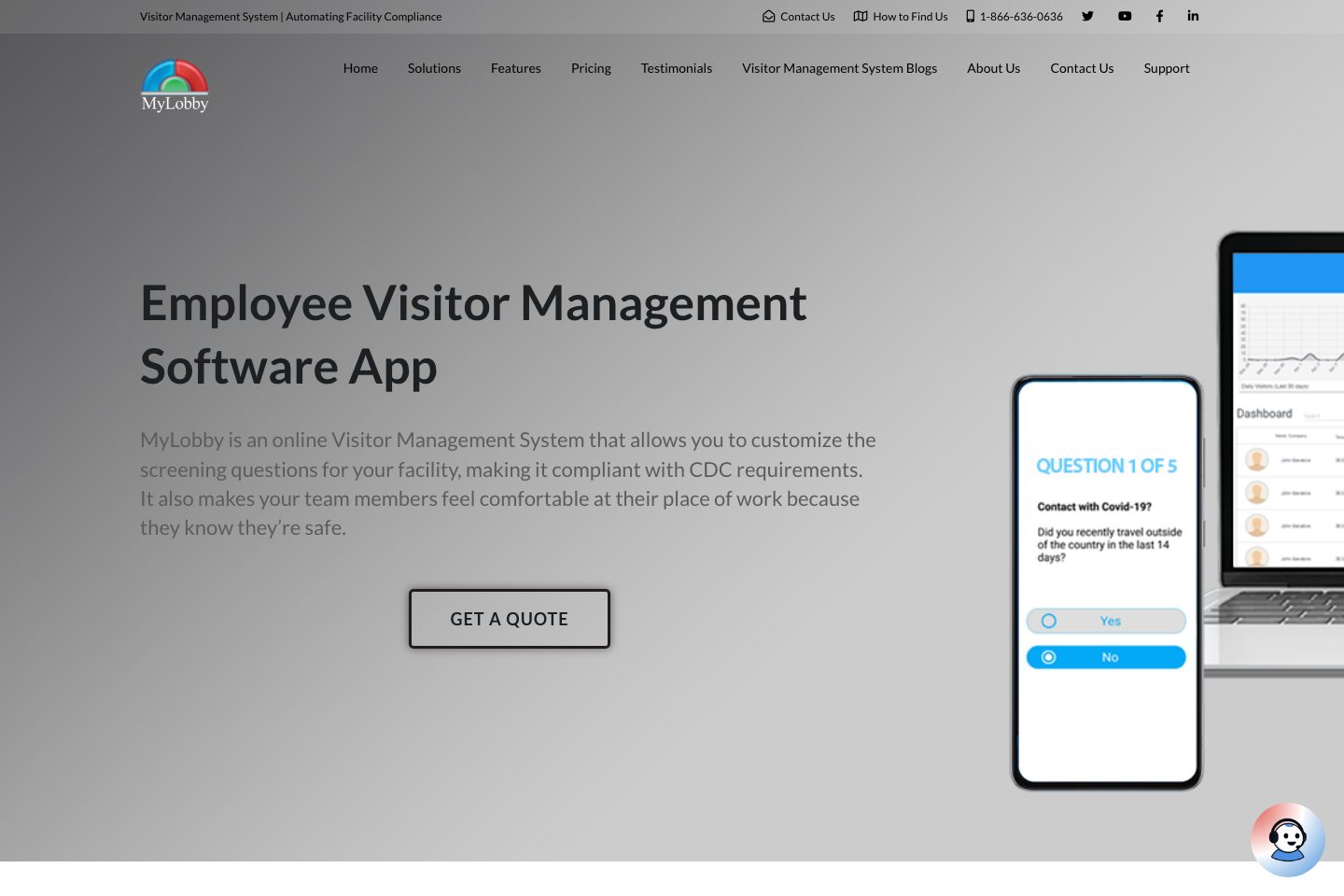
MyLobby is a cloud-first visitor management system offering mobile-first check-in (QR/code), customizable health screening and ID scanning, hosted dashboards for real-time occupant visibility, and an Android kiosk option. The vendor emphasizes rapid setup, phone/email support and an orientation call to configure screening questionnaires. MyLobby targets organizations that need contactless sign-in, host notifications and basic reporting for compliance and safety. The offering is positioned as configurable rather than fixed-tier public pricing; purchasing typically begins with trial/download and vendor engagement for quotes and hardware options.
- Best for
- Organizations needing quick, contactless visitor workflows and health screening
- Known strength
- Fast, easy visitor check-in — Review summaries describe visitor sign-in and self-service check-in as quick and easy.
Strengths
- Fast, easy visitor check-in — Review summaries describe visitor sign-in and self-service check-in as quick and easy.
- Customizable visitor workflows — Reviewers value configurable forms, questions, and workflows for different locations.
- Useful alerts and access controls — Users highlight notifications, permissions, and visitor tracking as strengths.
- Responsive support during onboarding — Reviewers report helpful support with onboarding, installation, and technical issues.
- Fast, efficient visitor check-in — Reviewers describe visitor signing and preregistration as quick, easy, and helpful for improving lobby flow.
Fit considerations
- Installation and deployment can be complex — Some reviewers report networking and setup troubleshooting during deployment.
- Limited integration flexibility — Some customers would like broader or more flexible integrations.
- Tablet and printer issues — Reviewers mention delayed tablet updates and printer compatibility or print-quality concerns.
- Forms could be more flexible — Some customers want more flexibility in forms and questionnaires.
- Administrator interface could be improved — Some users want a more modern interface and a simpler administrator experience.
Questions to ask
- Which access-control systems and CRM/scheduling platforms have working integrations and what data fields are synchronized?
- What is included in onboarding versus paid professional services for kiosk hardware setup?
- What are SLA, uptime and data-retention terms for the cloud service?
- Which authentication and ID-scan document types are supported and how is that data stored?
- How well does MyLobby match your busiest visitor, contractor, or reception workflow?
Implementation notes
- Vendor offers an orientation/support call to set up screening questionnaires—plan for that session during rollout.
- If using kiosks, coordinate hardware shipping, mounting (VESA) and peripheral integration (printer, barcode scanner) as noted on the kiosk product page.
Scoring criteria
How MyLobby scores
Scores follow an editorial model benchmarked against VisitUs, which has fixed category and overall scores. Other products are calculated from their captured data. Public scores are intended as comparison prompts alongside your own procurement needs.
Customer review sentiment
4. 9/5 from 16 published reviews across 3 sources, with 85 stored feedback themes
18 point weighting · 16 reviews across review sourcesVisitor and contractor workflows
5 visitor, contractor, badge, host, delivery, identity, and QR workflow signals
10 point weighting · Published vendor and profile signalsEvacuation management
3 evacuation, mustering, roll-call, occupancy, or emergency signals
7 point weighting · Published vendor and profile signalsAdvanced reporting
3 reporting, analytics, audit, export, or visitor-history signals
7 point weighting · Published vendor and profile signalsPublished feature breadth
17 documented capabilities
10 point weighting · Published vendor and profile signalsMobile and kiosk flexibility
iOS and Android; Optional kiosk
8 point weighting · Published vendor and profile signalsOngoing free access
Free trial published
6 point weighting · Published vendor and profile signalsDeployment and integrations
3 published deployment and integration options
7 point weighting · Published vendor and profile signalsIndustry coverage
13 documented sectors
5 point weighting · Published vendor and profile signalsSource coverage
12 vendor pages analysed, 3 review sources captured
5 point weighting · 12 source pages analysedVisitor management focus
100% fit against visitor-management-specific positioning signals
5 point weighting · Published vendor and profile signalsAccess-control integrations
1 access-control integration signal
5 point weighting · Published vendor and profile signalsRegional hosting and data residency
No public evidence captured yet
3 point weighting · Published vendor and profile signalsPricing transparency
1 published pricing plan
4 point weighting · Published vendor and profile signalsA lower score can mean the directory found less public evidence, not that a product cannot support the workflow. Use these criteria as shortlist prompts alongside your own procurement needs.
Overview
Visitor Management Software System and App | MyLobby Visitor Management Software System and App | MyLobby Visitor Management System | Automating Facility Compliance Contact Us How to Find Us 1-866-636-0636 Toggle navigation Home Solutions MyLobby Visitor Management Visitor Management Without Hardware ID Scanning MyAgent | MyLobby AI Call Agent MyLobby Visitor Q – Automating Queue MyLobby Hot Desking App Emergency Notification System Residential Visitor Management MyLobby Event Registration Third-party Compliance Visitor Management System for Schools Visitor Management System for Healthcare Visitor Management System AI Call Agent Ai Features Pricing Visitor Management System Pricing Pla
Best for
- Reception-less or low-staffed offices wanting contactless QR and mobile check-in
- Facilities needing daily health screening and CDC-aligned questionnaires
- Organizations seeking rapid setup and simple dashboards for visitor visibility
- Teams that require automated host notifications (SMS/email)
- Sites that want kiosk or mobile options for mixed visitor populations
Target industries
Key capabilities
Reporting
Real-time dashboard and visitor logs; reporting exports and audit-oriented data capture.
Notifications
Immediate SMS and email notifications to hosts on visitor arrival and noncompliance alerts.
Security and compliance controls
Collected vendor source text references security and compliance controls.
Security & compliance
Customizable screening questions and health screening forms intended to meet CDC/OSHA guidance.
Access control
Can send QR codes and door-access keys and mentions integration with access control systems.
Evacuation & safety
Real-time reports of who is in the building to support roll calls and emergency visibility.
Kiosk and badge workflows
Collected vendor source text references kiosk and badge workflows.
Reporting and audit trails
Collected vendor source text references reporting and audit trails.
Mobile visitor workflows
Collected vendor source text references mobile visitor workflows.
Deployment
Cloud service with options for mobile-first (no hardware) or kiosk/tablet deployments.
Contractor management
Collected vendor source text references contractor management.
Evacuation support
Collected vendor source text references evacuation support.
Pricing and plan limits
- Product analysis updated
- 1 Nov 2026
- Pricing checked
- Not separately checked
- Evidence refreshed
- 1 Nov 2026
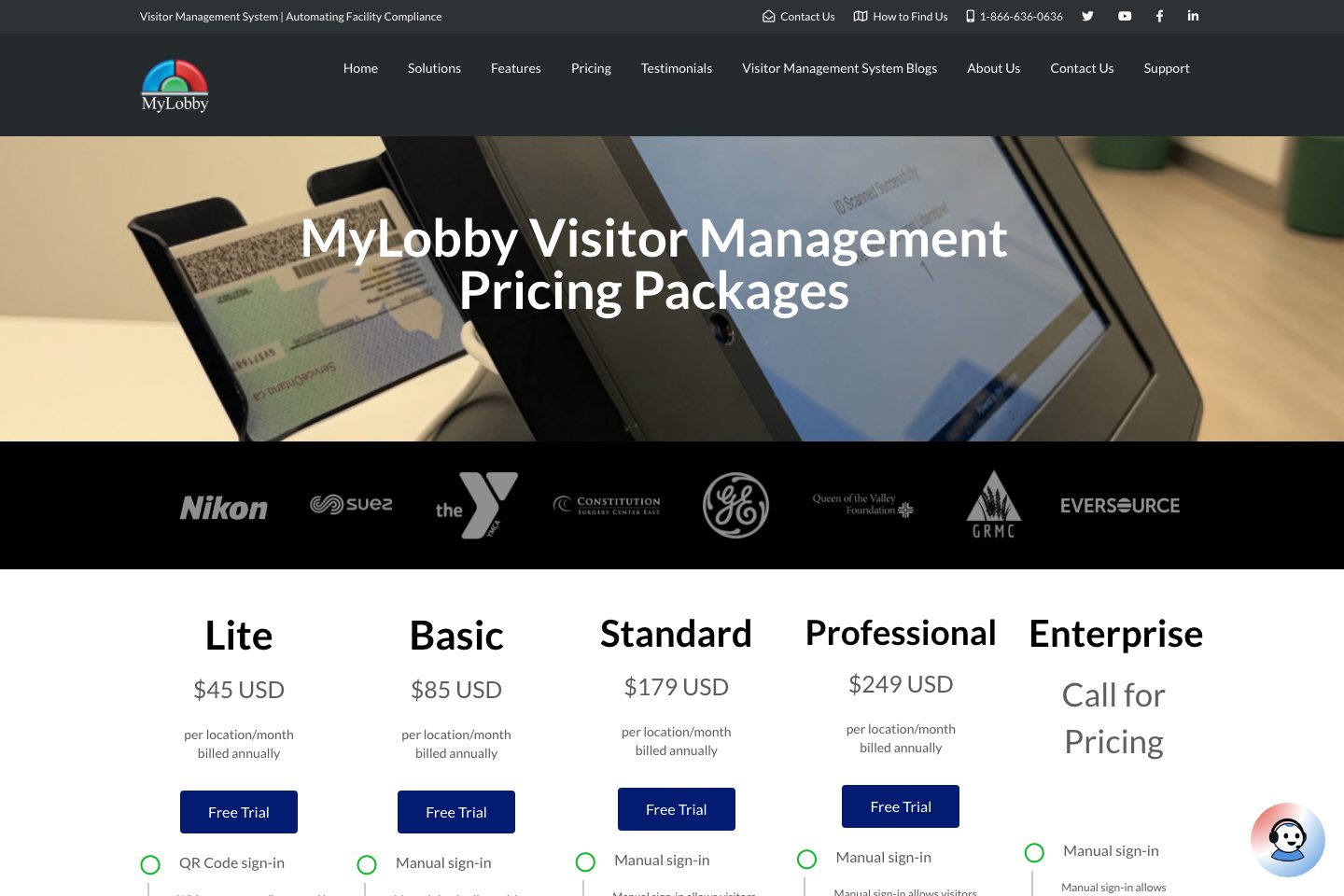
Pricing has not been separately verified. Confirm currency, billing term, hardware, SMS, onboarding, integrations and taxes.
Free trial / Download
Unknown — confirm with vendorCurrency not confirmed · Billing term not confirmed · Billing unit not confirmed
- 14-day trial for Health Screening form (page text)
- Free download/free trial messaging across site
- 90-day money-back guarantee
The site advertises a free trial (14-day referenced for Health Screening; general free trial/download statements) and a 90-day money-back guarantee; no public list prices shown on provided pages.
Subscription estimate
A comparable annual total needs a confirmed currency, price, billing term and location allowance.
Subscription only. Excludes hardware, taxes, SMS overages, onboarding and additional modules. No currency conversion.Evidence behind the profile
Documented means a public source makes the claim; it does not mean an independent product test. Inferred claims need confirmation.
7 documented · 0 inferred · 0 unresolved claims
- Documented claim — Supports visitor pre-registration and on-arrival check-in via QR codes and manual entry.
- Documented claim — Provides customizable health screening questionnaires aligned with CDC guidance.
- Documented claim — Offers email and phone support plus a support/orientation call for setting up questionnaires.
- Documented claim — Provides a free trial and a 90-day money-back guarantee; no public list prices published on supplied pages.
- Documented claim — Offers an Android-based industrial kiosk (Android 11) with VESA mounting and peripheral ports.
- Documented claim — Provides real-time reports of who is in the building to support roll calls and emergency visibility.
- Documented claim — States capability to integrate with access control, CRM and scheduling systems conceptually.
Comparison data
Published signals used in the Overall Score ranking.
- Free access
- Free trial
- Mobile apps
- iOS and Android
- Pricing approach
- Custom quote
- Deployment complexity
- Guided setup
- Hardware requirement
- Optional kiosk
- Identity checks
- Collected vendor source text references integration ecosystem., ID scanning, QR-code and manual entry
- Evacuation
- Collected vendor source text references evacuation support., roll-call/real-time occupant lists
- Contractors
- Collected vendor source text references contractor management., contractor self-service check-in and compliance screening
- Reporting
- Collected vendor source text references reporting and audit trails., real-time dashboard and visitor logs
Customer review summary
Captured themes from the linked review sources; these are summaries, not verbatim quotations or a representative customer survey. Source totals may overlap. Editorial strengths and fit considerations are shown separately in our buyer analysis.
What users like
- Fast, easy visitor check-in — Review summaries describe visitor sign-in and self-service check-in as quick and easy. (Source: Capterra)
- Customizable visitor workflows — Reviewers value configurable forms, questions, and workflows for different locations. (Source: Software Advice)
- Useful alerts and access controls — Users highlight notifications, permissions, and visitor tracking as strengths. (Source: GetApp)
- Fast, efficient visitor check-in — Reviewers describe visitor signing and preregistration as quick, easy, and helpful for improving lobby flow. (Source: Capterra)
- Reduced administrative effort and strong reporting — Customers report saving administrative time through streamlined workflows, visitor records, and detailed reports. (Source: Capterra)
- Customizable workflows and forms — Users value configurable questions, forms, visitor workflows, and support for multiple locations. (Source: Software Advice)
What users dislike
- Installation and deployment can be complex — Some reviewers report networking and setup troubleshooting during deployment. (Source: Capterra)
- Limited integration flexibility — Some customers would like broader or more flexible integrations. (Source: Software Advice)
- Tablet and printer issues — Reviewers mention delayed tablet updates and printer compatibility or print-quality concerns. (Source: Software Advice)
- Forms could be more flexible — Some customers want more flexibility in forms and questionnaires. (Source: Capterra)
- Administrator interface could be improved — Some users want a more modern interface and a simpler administrator experience. (Source: Capterra)
- Installation and deployment complexity — Some reviewers report that networking, tablets, printers, and deployment require more setup and troubleshooting than expected. (Source: Capterra)
Review evidence last checked: 1 Nov 2026. Individual theme capture dates are not recorded.
Review sources
Deployment & integrations
- cloud-hosted with optional on-site kiosk/tablet rollout
- Access control systems (integration stated)
- CRM and scheduling/booking systems (integration discussed conceptually)
Security, compliance & support
- Customizable health screening forms aligned with CDC guidance (site text)
- Email and SMS alerts for noncompliance and restricted-area entry
- Email and phone support
- Support and orientation call for questionnaire setup and training
