
Nibol
www.nibol.com
- Last checked
- 1 Sept 2026
- Sources
- 23
- Evidence confidence
- High
Product media
Buyer notes
What to know about Nibol
Nibol positions itself as a modular workplace management platform focused on desk/room booking, visitor reception and access controls for hybrid work. Strengths include multi‑platform availability (web, mobile, tablet), prebuilt integrations with common identity and calendar systems, and explicit GDPR and European hosting commitments. The product model blends fixed tiers (Base/Plus) with a catalog of add‑ons for reception kiosk, NFC passes and integrations, allowing phased rollouts. Buyers should validate specifics of advanced access‑control integrations, SLA details and which add‑ons are included vs paid. Pricing scales by resource and requires a 12‑month subscription as the listed billing rhythm.
- Best for
- Best for mid‑sized to large organisations needing integrated desk/room/visitor workflows with European data residency
- Known strength
- easy visitor sign-in
Strengths
- easy visitor sign-in
- user-friendly / intuitive interface
- clear visual booking design
- responsive and efficient customer support
- quick issue resolution
Fit considerations
- occasional bugs or app crashes
- limited customization options (including reporting customization)
- accessibility could be improved
- limited reporting customization
- recurring bugs / occasional app crashes
Questions to ask
- Which features and integrations are included in the quoted tier vs priced as add‑ons (for example, Nibol Welcome, Nibol Pass, Active Directory API)?
- How well does Nibol match your busiest visitor, contractor, or reception workflow?
- Which locations, teams, and visitor types should be included in the first rollout?
- What reporting, notifications, and emergency workflows matter most for your sites?
Implementation notes
- Plan a staged rollout: start with core desk/room booking and enable visitor kiosk, NFC passes or access integrations as separate add‑ons to avoid upfront complexity
Scoring criteria
How Nibol scores
Every system is scored against the same published-data criteria. Public scores are intended as comparison prompts alongside your own procurement needs.
Customer review sentiment
4. 6/5 from 119 published reviews across 6 sources, with 125 stored feedback themes
18 point weighting · 119 reviews across review sourcesVisitor and contractor workflows
5 visitor, contractor, badge, host, delivery, identity, and QR workflow signals
10 point weighting · Published vendor and profile signalsEvacuation management
2 evacuation, mustering, roll-call, occupancy, or emergency signals
7 point weighting · Published vendor and profile signalsAdvanced reporting
2 reporting, analytics, audit, export, or visitor-history signals
7 point weighting · Published vendor and profile signalsPublished feature breadth
8 documented capabilities
10 point weighting · Published vendor and profile signalsMobile and kiosk flexibility
iOS and Android; Optional kiosk
8 point weighting · Published vendor and profile signalsOngoing free access
Free trial published
6 point weighting · Published vendor and profile signalsDeployment and integrations
7 published deployment and integration options
7 point weighting · Published vendor and profile signalsIndustry coverage
7 documented sectors
5 point weighting · Published vendor and profile signalsSource coverage
23 vendor pages analysed, 6 review sources captured
5 point weighting · 23 source pages analysedVisitor management focus
80% fit against visitor-management-specific positioning signals
5 point weighting · Published vendor and profile signalsAccess-control integrations
2 access-control integration signals
5 point weighting · Published vendor and profile signalsRegional hosting and data residency
Regional hosting signal published
3 point weighting · Published vendor and profile signalsPricing transparency
3 published pricing plans
4 point weighting · Published vendor and profile signalsA lower score can mean the directory found less public evidence, not that a product cannot support the workflow. Use these criteria as shortlist prompts alongside your own procurement needs.
Overview
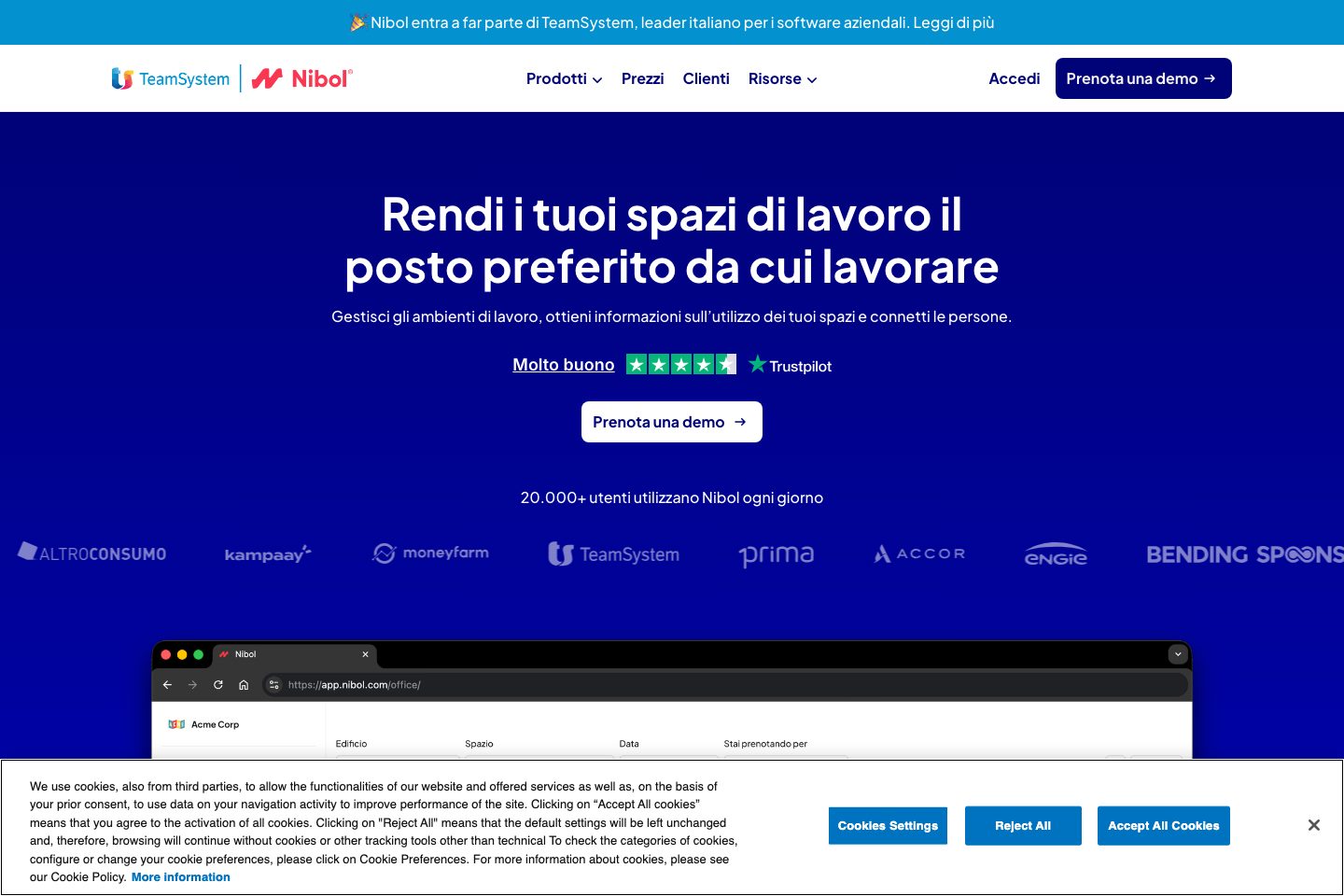
Nibol is a modular workplace platform for desk/room booking, visitor reception and access management used by organizations adopting hybrid work.
It provides self‑service visitor check‑in via tablet (Nibol Welcome) or app, digital NFC passes, visitor notifications to hosts, document signing for guests, package tracking and downloadable presence/evacuation lists.
The platform offers dashboards and exportable reports for occupancy and bookings and integrates with common identity, calendar and access-control systems. Nibol states GDPR compliance and stores data on servers located in Europe, with TLS encryption, backups and 24/7 monitoring.
Best for
- Office & workplace managers (desk/room/visitor workflows) — nibol. com/
- HR teams coordinating hybrid work policies
- Reception and facilities teams managing visitors and deliveries
- IT teams needing SSO and directory sync
- Organizations that require occupancy reporting for space optimisation — nibol. com/
Target industries
Key capabilities
Digital NFC badge (Nibol Pass)
Assigns an NFC digital pass to users on iOS and Android for presence registration and access.
GDPR compliance and European hosting
States GDPR compliance and stores customer data on servers located in Europe; uses TLS/SSL and encryption.
Occupancy dashboard and exports
Dashboards on space utilisation and downloadable reports/registries in. csv/. xlsx/. pdf formats including emergency presence lists.
Modular add‑ons and components
Core plans can be extended with add‑ons (for example, Nibol Welcome, Nibol Pass, Rooms, SSO and API integrations) to tailor the solution.
Visitor self check‑in (Nibol Welcome)
Tablet‑based kiosk app for visitors to self register and notify hosts; supports QR/badge check‑in and document signing.
Host notifications & package tracking
Automatic notifications to hosts on visitor arrival and notifications for incoming personal packages.
Integrations with calendars, identity & access systems
Prebuilt connectors for Google Workspace, Microsoft, Microsoft Entra, Workday, Teams, Outlook, Slack, Okta and access control tools like Kisi.
Multi‑platform access
Available via web, tablet (for reception/rooms) and mobile apps on iOS and Android.
Pricing
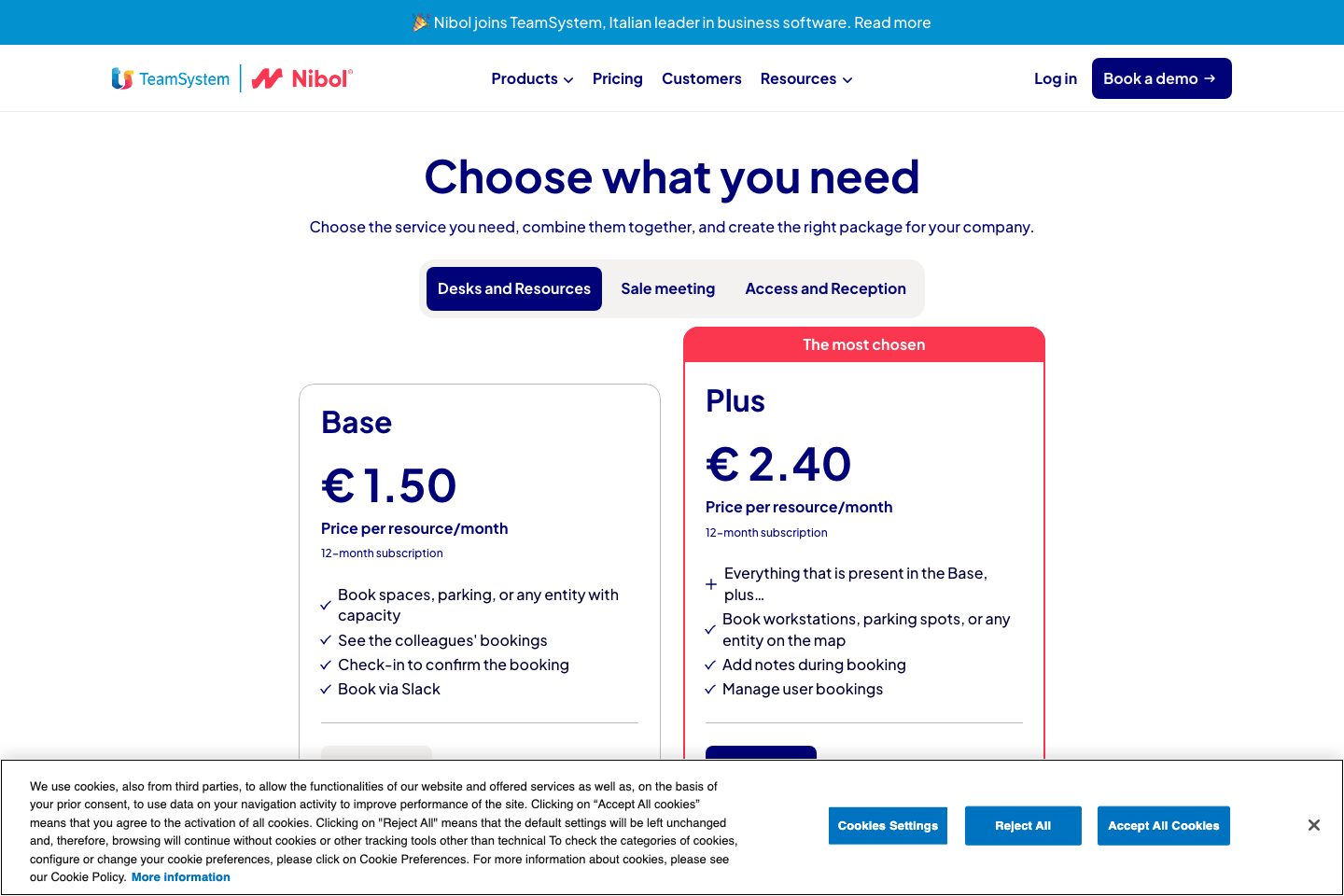
Pricing is presented per resource/month with Base and Plus tiers and additional add‑ons; 12‑month subscription shown.
Base
Core desk & resource booking features with basic check‑in, Slack booking and standard reports.
- Per resource/month pricing
- Includes check‑in, Slack booking and basic reporting
Plus
Adds map booking, user management, extended booking controls and extra booking capabilities on top of Base.
- Includes map bookings, notes and admin booking controls
- Per resource/month pricing
Free trial
Trial period available to evaluate the platform before selecting a paid plan.
- Nibol offers a trial period to test the platform
Comparison data
Published signals used in the Overall Score ranking.
- Free access
- Free trial
- Mobile apps
- iOS and Android
- Pricing approach
- Fixed tiers
- Deployment complexity
- Guided setup
- Hardware requirement
- Optional kiosk
Customer review summary
What users like
- Easy to use
- Helpful support
- Useful reporting
- Smooth visitor check-in
- Quick issue resolution
- Strong security and compliance workflows
What users dislike
- Reliability or performance issues
- Accessibility could be improved
- Half-day desk booking is unavailable
- Limited reporting and customization
- Occasional bugs or app crashes
- Usability friction
Review sources
Deployment & integrations
- Modular rollout using core plan + add‑ons (supports staged activation of modules)
- Google Workspace
- Microsoft / Microsoft Entra
- Workday
- Microsoft Teams / Outlook
Security, compliance & support
- GDPR compliant
- Data stored on servers in Europe
- TLS/SSL encryption for data in transit
- Regular automated backups and redundancy
- 24/7 monitoring and security updates
