

Start with an approved fallback—not an improvised bypass
For a warehouse visitor sign-in network outage, use this suggested sequence: pause new admissions, get the designated manager’s authorization, select an approved recording method, confirm each host’s approval, control entry and reconcile records after recovery.
This is a suggested local procedure, not a universal product capability or a statement of legal compliance. Have your warehouse operations, security, safety and privacy owners approve it before use. If required checks cannot be completed through an approved alternative, the suggested default is to hold or reschedule the visit—not waive the checks.
Keep the approved procedure, blank forms, host escalation contacts and temporary badge supplies available without relying on the affected network. Specify a staffed waiting location away from loading and vehicle-movement areas in your local plan.
Outage decision tree: continue, switch to paper or hold
Suggested local decision tree:
- Is there an emergency? Follow the site emergency plan rather than troubleshooting sign-in. Use the roster handoff described below only as that plan permits.
- Can reception complete the normal workflow? Ask IT to establish the affected scope: kiosk connection, warehouse network, visitor service, notifications or connected equipment. Record when the problem was detected and the last confirmed successful transaction. Do not assume a visitor’s repeated attempts failed without checking.
- Is offline operation documented, tested for this configuration and locally approved? If yes, use it with the approved host-contact and roster fallback. If no—or unknown—request the approved paper procedure.
- Has the designated duty manager authorized paper operation? Record the manager, start time, affected entrances and permitted visitor categories. Without authorization, hold new admissions and escalate.
- Can required checks, host approval, controlled entry and visitor accountability still be maintained? If yes, record and admit under the approved procedure. If not, hold or reschedule the visit.
- Has service returned? Keep the fallback active until IT and the operational owner complete the recovery checks and announce a common cutover time.
Do not disable screening or other required controls merely to make an offline mode available.
- Pause and assessEmergency → site emergency planEditorial recommendation: otherwise hold new admissions while the duty manager establishes the fallback scope.
- Check the product boundaryOffline eligibility must be checkedEnvoy documents configuration restrictions and no offline host notifications. Do not assume offline capture preserves the full workflow. Envoy documentation.
- Select the fallbackApproved offline capture or authorized paperEditorial recommendation: record the authorizer, affected entrances and start time. If neither method is approved, hold admissions.
- Control each visitChecks + host approval + controlled entryEditorial recommendation: admit only when every locally required step can be completed; otherwise hold or reschedule.
- Maintain accountabilityBaseline + arrivals − confirmed departuresEditorial recommendation: maintain a working roster, label gaps and hand it over through the site emergency procedure.
- Reconcile after recoveryVerify → match → resolve → closeEditorial recommendation: check queued uploads before entering paper-only visits, resolve exceptions and obtain closure approval.
Sources: Source 1
Check what “offline” actually preserves
Offline behavior must be checked against the actual product and configuration. Envoy-specific evidence: Envoy documents that eligible offline iPad sign-ins are stored on the device until connectivity returns. Its documentation says offline mode does not work with enabled security features or integrations, naming examples including visual compliance, block lists, required registration, ID scanning, videos in legal documents and conditional rules. Envoy: Offline mode.
Envoy also states that host notifications are not sent while offline, registration details do not automatically appear on the iPad, and badge printing may be affected by the network configuration. These are distinct limitations from whether the kiosk accepts a sign-in. Envoy: Offline mode.
Suggested local application: record which functions your approved configuration can perform during the outage. Test host contact, required checks, badge issuance, sign-out and roster access separately. For products other than Envoy, and for functions not described here, offline behavior remains unverified in this article. Do not infer support.
Assign authorization, entry and reconciliation owners
Suggested responsibility checklist—replace these role names with named people and backups in your local policy.
| Owner | During the outage | Recovery responsibility |
|---|---|---|
| Warehouse duty manager | Authorize fallback, define its scope and decide when admissions must stop | Approve return to normal operation and own unresolved exceptions |
| Reception or gatehouse lead | Maintain the controlled log, obtain approvals, issue approved temporary badges and record departures | Account for forms and match fallback visits to digital records |
| Host or approved delegate | Confirm the visit, destination and escort arrangement | Confirm departures or unresolved visitor status |
| Security or designated entry controller | Apply the approved entry boundary and manage badge or credential exceptions | Check outstanding temporary credentials |
| IT or visitor-system administrator | Diagnose the failure and verify documented offline behavior | Confirm connectivity, queued uploads and normal workflow operation |
| Emergency-accountability lead | Receive the working roster and its known gaps | Resolve roster exceptions through the site procedure |
| Records or privacy owner | Approve fields, custody and access | Apply the approved retention and disposal decision |
At shift change, suggest a signed handover covering people still recorded on-site, pending approvals, issued badges, missing departure information and the location of all forms. Give every active entrance the same fallback status and cutover instruction.
Use a minimum paper record with controlled custody
Editorial template: these are suggested minimum fields for local approval, not legally mandated fields. Remove or adapt fields that your policy does not need, and add a field only for an approved purpose.
Outage cover sheet
Site / affected entrance(s): ____
Outage reference: ____ Detected at: ____ Last confirmed normal transaction: ____
Fallback authorized by: ____ Authorized start: ____
Recording method: paper / approved offline capture Log custodian: ____
Individual visitor record
| Suggested field | What reception should enter |
|---|---|
| Record reference | Outage reference plus a unique local visit reference |
| Visitor name | Name needed to identify the visitor |
| Organization and visit category | If needed to route the visit under local policy |
| Host and destination | Responsible host and approved warehouse area |
| Approval | Approver, decision, time and contact method |
| Required-check status | Approved checklist reference, result and staff initials; avoid copying unnecessary document details |
| Arrival and admission | Arrival time, admission time if different, or held/declined status |
| Badge and escort | Temporary badge reference and escort, where required |
| Departure | Actual departure time and who confirmed it; otherwise mark unknown |
| Reconciliation | Matching digital record reference, action taken and reconciler initials |
Suggested data-minimization practice: do not add home addresses, personal contact details, ID numbers or document copies merely because the digital form is unavailable. Have the policy owner justify any additional collection. Keep completed records under staff control rather than displaying earlier visitors’ details to new arrivals.
For a US business privacy review, consult the Federal Trade Commission’s Protecting Personal Information: A Guide for Business. The template and handling recommendations above are editorial suggestions, not attributed FTC requirements. The applicable retention period is unknown here: have the records owner approve it, including any incident-preservation requirements, before disposing of paper or duplicate records.
Require host approval before controlled entry
Suggested admission checklist:
- Keep the visitor at the locally designated waiting point until approval is recorded.
- Contact the host through an approved channel that is working. Record an explicit approval or refusal, not simply that a message was sent.
- If the host is unavailable, contact the designated delegate. If nobody authorized responds, hold or reschedule the visit.
- Complete locally required identity, induction, document and safety checks through an approved alternative. If that alternative is unavailable, do not admit the visitor under this fallback.
- Record the permitted destination and escort arrangement. Apply the separate local door or gate authorization procedure; do not treat a completed paper form as permission to unlock an entrance.
- Issue an approved temporary badge if required, record its reference and explain where to sign out.
- Record departure and account for the badge or temporary credential under local policy.
Hypothetical warehouse example: a maintenance contractor arrives for work near a loading area. The host cannot be reached, and the required induction status cannot be checked. Under this suggested procedure, reception holds the contractor at the designated waiting point and escalates; a completed paper form alone does not authorize entry.
When documenting the normal and fallback workflows together, use the visitor-management rollout checklist as a companion planning tool.
Label the emergency roster’s gaps explicitly
For Envoy, offline entries remain on the iPad until they can upload to the visitor log. Consequently, those queued arrivals are not yet represented in that central log. Envoy: Offline mode.
Suggested local roster procedure: designate a custodian to assemble the last available pre-outage visitor list, outage arrivals and confirmed departures into a working roster. Label the baseline with its retrieval time and mark any missing entrances or uncertain records. If no baseline is available, label pre-outage occupancy unknown and escalate to the emergency-accountability lead.
Keep separate statuses for awaiting admission, admitted, confirmed departed and unresolved. During an emergency, hand over the working roster and its limitations through the site emergency plan. Do not label everyone without a sign-out as physically confirmed present, or everyone absent from a list as accounted for elsewhere.
Safety scope: this checklist does not establish applicable warehouse emergency-accountability requirements or a complete evacuation procedure. Those requirements are unverified here. Have the site safety lead approve the roster arrangement, including how it connects to employee, contractor and driver accountability. Do not delay evacuation to retrieve paperwork or troubleshoot equipment.
Reconcile queued and paper records after recovery
Suggested recovery procedure: do not close the incident merely because the kiosk reconnects.
- Verify the workflow. Have IT and reception check sign-in, required checks, host contact, badges where used, sign-out and visibility in the central log. Keep any failed function on the exception list.
- Announce a cutover. Record the authorized return-to-normal time and notify every affected gatehouse or reception point. Stop starting new fallback records at that boundary, while continuing to track unresolved fallback visits.
- Check queued entries before re-entering visits. For Envoy, queued entries upload automatically after Wi-Fi reconnects, oldest first, and retain the original sign-in time. Uploading may take several minutes. Its documented queue count is in iPad Settings under the Envoy Visitors application, at “Entries queued for upload.” Envoy: Offline mode.
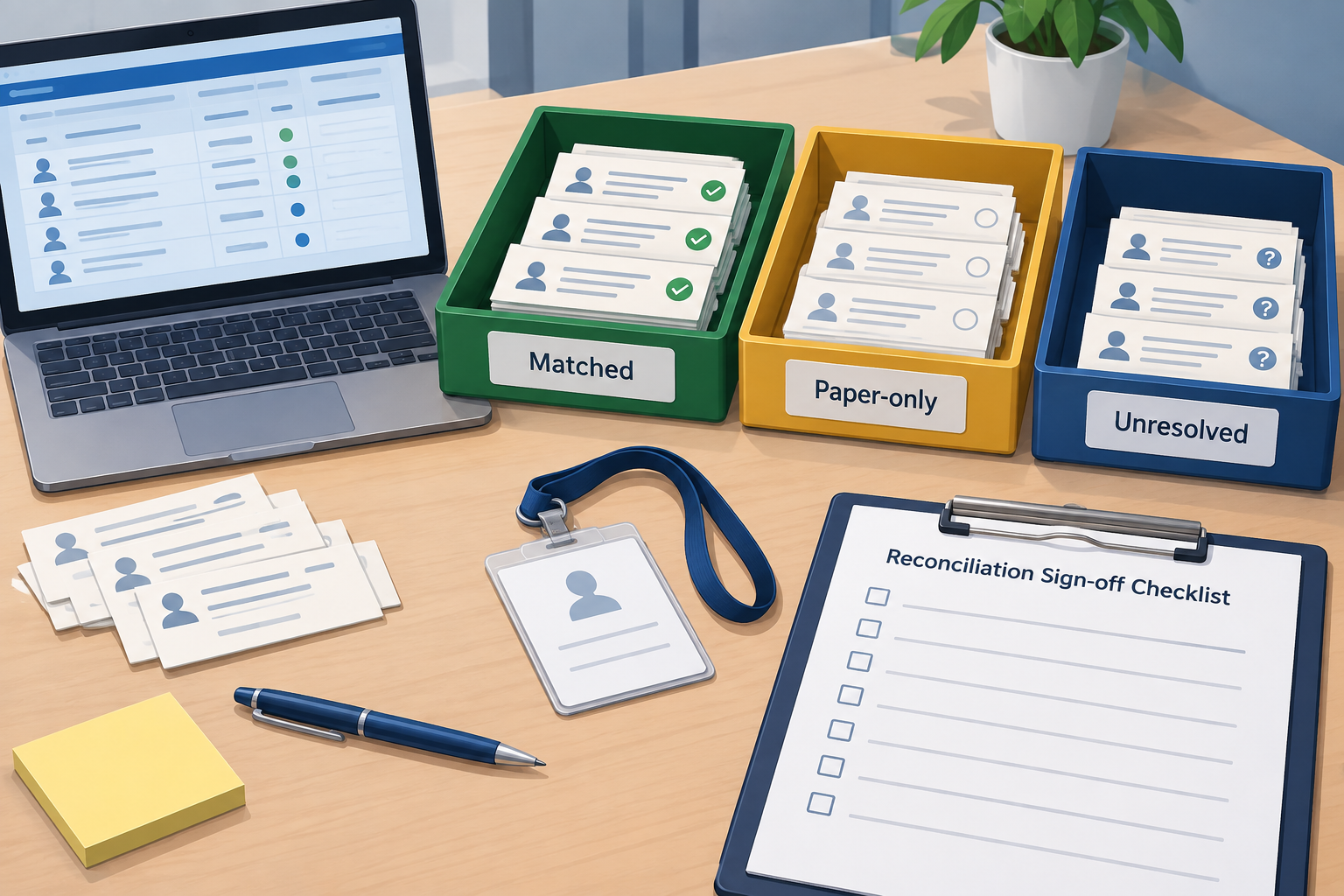
- Match each fallback record. Compare visitor, host, date, arrival time and local reference. Mark each as matched to an uploaded record, paper-only or unresolved. Do not create another record simply because an upload has not appeared yet.
- Transfer paper-only visits using an approved method. First verify whether your system supports the required historical entry or import. That capability is unknown here. Preserve actual event times and distinguish them from transcription time; if the system cannot represent them accurately, retain a linked outage record under policy rather than inventing timestamps.
- Resolve departures and credentials. Ask the host or entry controller to confirm uncertain departures. Leave unknown times marked unknown. Handle duplicate records and outstanding badges through the approved correction process.
- Close with an exception record. Account for every fallback form, confirm current visitor status as far as possible and assign owners to unresolved items. Record manager approval and apply the locally approved retention decision.
Suggested reconciliation worksheet: Fallback reference | Digital reference | Matched / paper-only / unresolved | Arrival | Departure or unknown | Credential status | Correction | Owner | Checked by.
Rehearse the fallback before the next outage
Suggested drill: rehearse the procedure with fictional visitor records in a locally approved test. Include a visitor already on-site when connectivity fails, an arriving contractor, an unavailable host, an unavailable required check, a departure during the outage and recovery with both paper and queued records.
Use these editorial acceptance checks:
- Staff can identify who authorizes fallback and who can stop admissions.
- Each admitted test visitor has recorded approval and completed required checks.
- Reception can explain the working roster’s gaps.
- Departure information survives the shift handover.
- Reconciliation accounts for each test visit without unexplained duplicates or invented times.
- The records owner can explain where forms go and when their retention is reviewed.
For a broader test script, adapt the workflow exercises in How to Compare Visitor Management Systems. Keep this outage drill focused on your deployed configuration and warehouse entrances rather than a generic feature comparison.
Conclusion
Approve the fallback before using it, preserve required checks during the outage and reconcile records before closing it. Give reception a clear hold rule, named decision-makers and a controlled record. Treat unknown approvals, occupancy and departure times as unresolved items—not assumptions to fill in.
Sources
Source pages checked 21 September 2026.
Pricing and plan details can change; verify current terms with the vendor.