
Start with separate arrival, access and work decisions
Build your warehouse driver sign in workflow around separate decisions: record the arrival, approve the visit, authorize movement to a named bay, and confirm departure. Treat equipment operation as a separate authorization process—not something granted by signing in or acknowledging a message.
Editorial operating template: The procedure below is a recommended starting point for a US warehouse, not a legal requirement, a technical loading procedure or a guarantee of safety. The suggested roles, fields, statuses and escalation rules are editorial recommendations, not claims that every visitor-management product implements them.
Safety boundary: No primary US safety guidance is available in the evidence supporting this article. Consequently, this guide does not specify OSHA requirements for loading, vehicle securement, dock equipment, PPE or powered industrial truck operation. Have your safety lead validate those parts of the site procedure against applicable OSHA or other relevant primary US guidance before putting this workflow into service.
Use the sign-in system to record who made each decision and when. Do not make a successful kiosk transaction the instruction to proceed to a loading bay.
Assign owners and configure the driver record
Before launch, assign the following responsibilities. These are proposed roles; combine them where appropriate, but preserve the separate decisions.
| Role | Proposed responsibility | Record to leave |
|---|---|---|
| Receiving or shipping coordinator | Prepare expected arrivals and confirm the intended destination and shipment reference | Expected visit, operational contact and appointment reference |
| Gatehouse operator | Record arrival, check destination, contact the approver and communicate the waiting instruction | Arrival time, discrepancies and current disposition |
| Receiving or shipping approver | Accept, defer or reject the visit | Decision, name, time and conditions |
| Dock lead | Assign the bay, confirm the operational handoff and later release the vehicle under the local procedure | Bay, handoff confirmation and release reference |
| Safety lead | Approve the site-specific briefing and technical loading procedures | Current briefing version and procedure references |
| Shift supervisor | Resolve escalations and unfinished records | Exception owner, action and next review |
| Gatehouse or exit operator | Verify departure and close the visit | Observed departure and reconciliation notes |
Use a named backup for the approver and dock lead on every shift. Choose a local escalation interval and a waiting location before arrivals begin; do not leave the gatehouse to invent these during a queue.
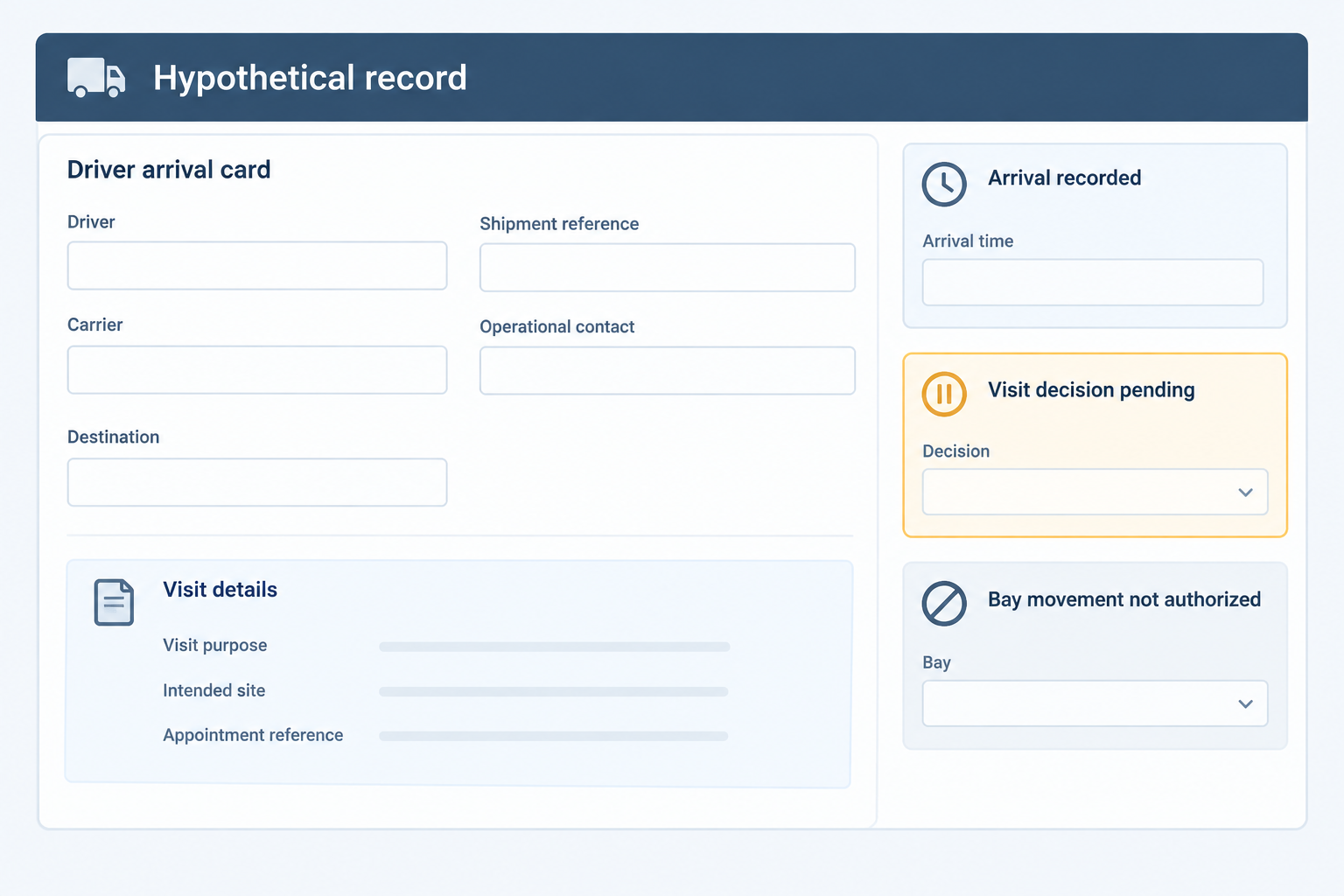
For the record design, use a driver visit category rather than collecting unrelated information. Suggested fields are driver name, carrier, tractor and trailer identifiers where relevant, shipment or appointment reference, intended site, visit purpose, operational contact and arrival time. Record additional occupants individually under your site procedure rather than treating a vehicle record as a record of everyone inside.
Documented configuration example: Sign In App supports questionnaires built from custom fields, fields applied to selected groups, required answers and questionnaire responses in history exports. Its documentation also describes response-based rejection for yes/no and dropdown fields. These capabilities support form design; they do not establish shipment verification or bay authorization. See Sign In App’s questionnaire documentation.
For each field, decide why you need it, who may view it and how long to retain it. Where a proposed operational status is unavailable in your software, use a linked controlled log rather than implying that a notes field is an automated approval engine.
Hand the driver over to a named loading-bay owner
Use this proposed sequence as the operating map: Expected → Arrived/awaiting authorization → Visit accepted → Bay movement authorized → At bay → Released → Departed/reconciled. Branch to deferred, redirected or denied when appropriate. These are editorial status labels, not documented native product states.
Recommended owner: dock lead. Before the gatehouse communicates a movement instruction, complete a named handoff:
- Confirm the driver, vehicle or trailer reference and shipment reference.
- Specify the assigned bay and the approved route under the site traffic procedure.
- Specify where the driver should wait and who will meet or contact them.
- Identify the current site briefing and whether assistance or an escort is needed.
- Confirm who controls the next instruction and how a change of bay will be communicated.
- Record the dock lead’s name, confirmation time and applicable operational procedure reference.
Ask the driver to repeat the bay and waiting instruction. If the driver cannot explain the instruction, pause the handoff and arrange assistance. If the bay changes, issue a new instruction and update the record rather than leaving competing destinations visible.
For briefing delivery, Sign In App documents group-specific messages, attachments, mandatory checkbox or signature actions, and configurable redisplay for repeat visitors. See site message configuration. Use those features, where available, to present the approved site information and record acknowledgement.
Keep the boundary explicit: In this operating template, acknowledgement is a record of the briefing step—not equipment authorization or a dock-readiness decision. Have the safety lead supply the technical instructions for vehicle movement, loading, unloading and equipment use; those requirements remain unverified here.
At the bay, ask the dock lead to confirm receipt of the driver handoff. Keep loading commencement and equipment-operation approval within the separate site operating procedure.
- Expected arrivalPrepareCoordinator: create the expected visit and arrival instructions. Sign In App documents site/group pre-registration and optional invitations: Activity guide.
- Gatehouse sign-inRecord and holdGatehouse: confirm destination and capture the arrival; keep bay movement pending. Custom questionnaires and required responses are documented in Sign In App’s questionnaire guide.
- Visit authorizationAccept, defer or rejectApprover: make an explicit visit decision. Envoy documents configurable unexpected-visitor approval and approval history: walk-up approvals. Editorial branch: unresolved arrivals stay pending.
- Safety-information handoffBrief and hand overGatehouse and dock lead: communicate the approved site briefing and record the handoff. Group-specific messages and acknowledgement actions are documented in Sign In App’s site configuration guide.
- Loading-bay handoffAuthorize movement separatelyEditorial control: dock lead confirms the bay, route, waiting instruction and receiving contact. Keep technical loading and equipment authorization in the separately validated site procedure.
- Departure closureRelease, verify, reconcileEditorial control: dock lead releases under the local procedure; exit staff verify departure. Manual sign-out, notes and status filters are documented in Sign In App’s Activity guide.
Resolve unexpected arrivals, wrong destinations and absent hosts
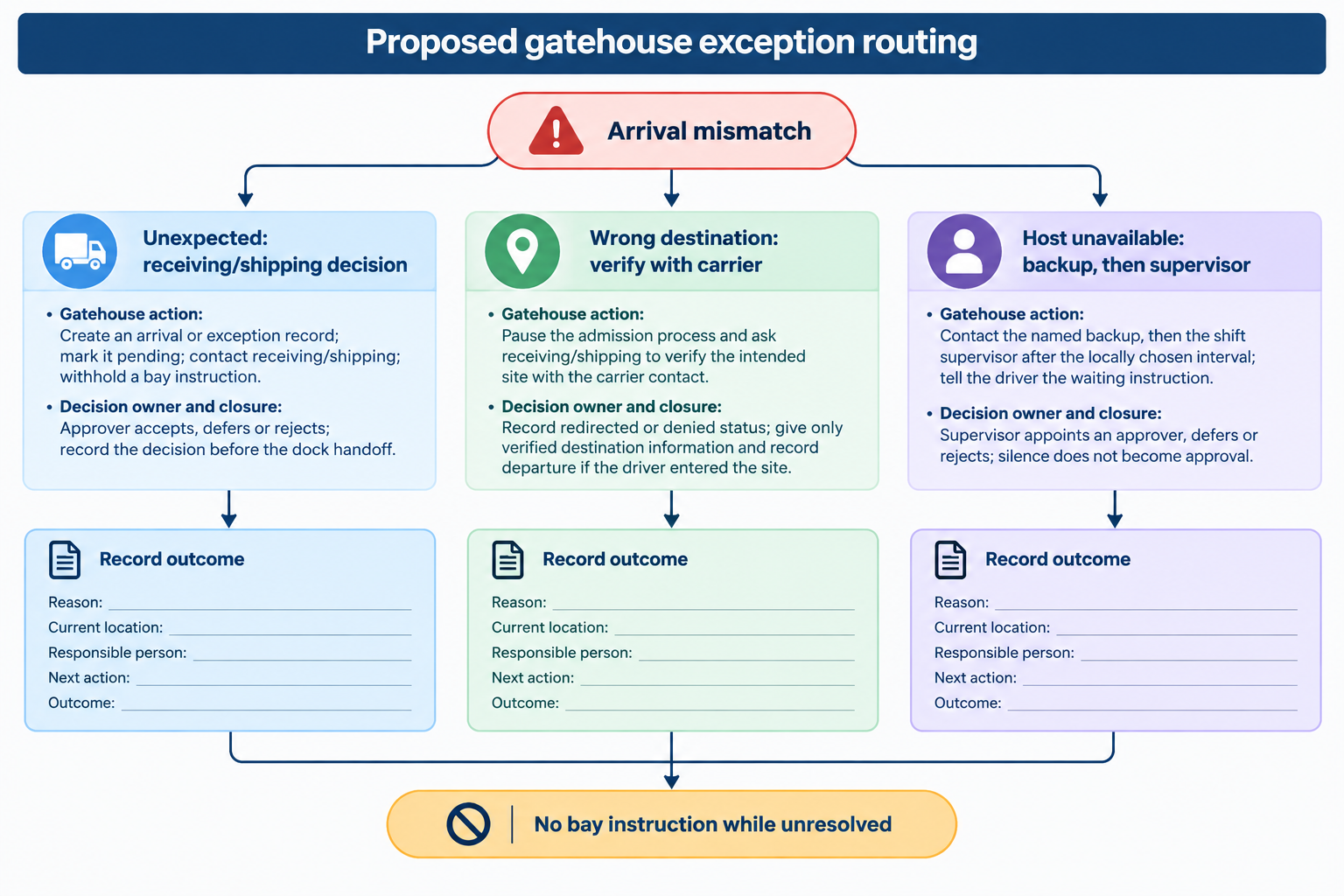
Use the following editorial exception rules. For every exception, record the reason, current location, responsible person, next action and outcome.
| Exception | Gatehouse action | Decision owner and closure |
|---|---|---|
| Unexpected arrival | Create an arrival or exception record; mark it pending; contact receiving/shipping; withhold a bay instruction | Approver accepts, defers or rejects; record the decision before the dock handoff |
| Wrong destination | Pause the admission process and ask receiving/shipping to verify the intended site with the carrier contact | Record redirected or denied status; give only verified destination information and record departure if the driver entered the site |
| Host unavailable | Contact the named backup, then the shift supervisor after the locally chosen interval; tell the driver the waiting instruction | Supervisor appoints an approver, defers or rejects; silence does not become approval |
| Bay unavailable or changed | Keep or return the visit to awaiting bay assignment; obtain replacement instructions | Dock lead confirms the new bay and handoff; gatehouse updates the record |
| Briefing cannot be completed | Arrange staffed or language assistance and pause the handoff | Designated site owner resolves the issue or defers the visit |
| System unavailable | Use the approved fallback log with arrival, approval, location and departure fields | Supervisor reconciles fallback entries after recovery, preserving the original event times |
Documented approval example: Envoy’s walk-up approval feature can require approval for unexpected kiosk or static-QR arrivals. Its documentation says walk-ups do not require administrator approval by default; enabling the feature changes that process. It also describes approval history and an optional host-approval route through Slack. See Envoy’s walk-up approval guide.
If using that feature, test the enabled behavior at the actual entrance. Do not assume that the existence of an approval feature means your location has activated it.
Hypothetical example: An unscheduled driver arrives with paperwork naming another warehouse. The gatehouse records the mismatch without assigning a bay. Receiving verifies the destination with the carrier, the gatehouse communicates the verified information, and the operator closes the exception after confirming departure. Do not record a completed delivery at the original site.
Reconcile departure instead of merely clearing the screen
Separate the dock release from the final exit record. Under this recommended procedure, a completed shipment does not automatically close the driver’s visit.
Dock lead: Confirm release under the local loading procedure and record the release time or reference. Communicate the exit instruction through the agreed channel.
Exit operator: Match the departing driver and vehicle to the visit. Confirm the release with the dock lead when required by the site procedure, collect issued visitor items where applicable, and record actual departure. Keep a trailer left on site in the relevant yard or shipment record rather than leaving the departed driver signed in solely to represent that trailer.
Shift supervisor: At shift handover, compare open driver visits with gatehouse observations, dock confirmations and the local yard or shipment log. For each mismatch:
- Driver still present: confirm location and the responsible contact.
- Driver departed but still signed in: verify departure, then document the correction and its basis.
- Visit signed out but driver still present: restore or create the appropriate active record under your system procedure and investigate the mismatch.
- Whereabouts unknown: mark the discrepancy unresolved and escalate; do not invent a departure time.
Sign In App’s Activity guide documents manual sign-out, required sign-out questions where configured, editable internal notes, status filters and CSV exports. It also warns that bulk sign-out cannot be undone. See Activity record and sign-out controls.
Use those controls deliberately: filter the driver group, inspect unresolved visits and reconcile records individually. Do not use bulk sign-out simply to make the end-of-shift screen empty. When documenting a late correction, distinguish the verified event time from the time staff entered the correction.
Pilot the handoffs—not just the kiosk
Before rollout, run a staffed pilot using the proposed workflow. Treat the results as your own operational test, not vendor evidence or proof of regulatory compliance.
Test an expected driver, unexpected arrival, wrong destination, unavailable host, changed bay, briefing-assistance request, system outage and missing sign-out. For each scenario, check whether staff can answer:
- Who owns the next decision?
- Where should the driver wait?
- What instruction has the driver received?
- Is the visit accepted, and has bay movement been separately authorized?
- What record shows the decision and handoff?
- Who confirms departure and resolves discrepancies?
Use the journey mapping and pilot approach in How to Compare Visitor Management Systems when testing the software against these cases. For wider reception and sign-out planning, consult the practical visitor-management decision guide.
Unknowns to resolve before deployment: automatic escalation behavior, native bay-assignment support, links to yard or warehouse systems, physical gate integration, offline behavior and the ability to preserve correction history are not established by the product documentation cited here. Ask for demonstrations rather than assuming those capabilities.
Approve the workflow only after the gatehouse, receiving/shipping, dock and safety owners have agreed their respective procedures and responsibilities.
Conclusion
Make each handoff explicit: the gatehouse records arrival, the operational approver accepts the visit, the dock lead authorizes bay movement under the site procedure, and exit staff verify departure. Use the sign-in system to preserve those decisions—not to substitute for them. Validate the technical safety procedures separately, then pilot the normal journey and every exception before rollout.
Sources
Source pages checked 21 September 2026.
Pricing and plan details can change; verify current terms with the vendor.