
inspace
inspace.app/hybrid-workplace-software-platform
- Last checked
- 1 Sept 2026
- Sources
- 24
- Evidence confidence
- Medium
Product media
Buyer notes
What to know about inspace
inspace positions its visitor management as part of a broader hybrid workplace platform that combines check-in, pre-registration, host notification, badge printing and Wi‑Fi provisioning with AI-driven desk/room booking and workplace analytics. This integrated approach benefits organisations wanting a single system for desks, rooms and visitors and who need SSO and directory integrations. The product requires no proprietary hardware and provides APIs and ready-made connectors for calendars, conferencing and Wi‑Fi systems.
- Best for
- Enterprises seeking combined desk/room/visitor workflows with SSO and analytics
- Known strength
- accurate office and floor-plan visual maps
Strengths
- accurate office and floor-plan visual maps
- easy/intuitive desk, room, and space reservations
- user-friendly booking experience (desktop and mobile)
- responsive and helpful customer support
- supports hybrid workplace coordination with integrations and analytics
Fit considerations
- buggy or slow app behavior and date/time selection issues
- inconsistent booking visibility across devices and lost reservations
- clunky or awkward check-in flow (issues when NFC unavailable)
- limited multi-room/multi-seat booking workflows
- plan-based user limits and limited administrative booking alerts
Questions to ask
- Where are customer data hosted (regions) and which compliance certifications does inspace hold?
- Can the visitor management produce evacuation/roll-call reports and how are visitor records retained and exported?
- How well does inspace match your busiest visitor, contractor, or reception workflow?
- Which locations, teams, and visitor types should be included in the first rollout?
- What reporting, notifications, and emergency workflows matter most for your sites?
Implementation notes
- Plan for SSO and directory integration (Google, Microsoft, ADFS/OKTA) during rollout
- Optional NFC devices/displays are supported but the platform also works with existing hardware
Scoring criteria
How inspace scores
Every system is scored against the same published-data criteria. Public scores are intended as comparison prompts alongside your own procurement needs.
Customer review sentiment
4. 1/5 from 14 published reviews across 3 sources, with 109 stored feedback themes
18 point weighting · 14 reviews across review sourcesVisitor and contractor workflows
4 visitor, contractor, badge, host, delivery, identity, and QR workflow signals
10 point weighting · Published vendor and profile signalsEvacuation management
1 evacuation, mustering, roll-call, occupancy, or emergency signal
7 point weighting · Published vendor and profile signalsAdvanced reporting
1 reporting, analytics, audit, export, or visitor-history signal
7 point weighting · Published vendor and profile signalsPublished feature breadth
8 documented capabilities
10 point weighting · Published vendor and profile signalsMobile and kiosk flexibility
iOS and Android; Software only
8 point weighting · Published vendor and profile signalsOngoing free access
Free trial published
6 point weighting · Published vendor and profile signalsDeployment and integrations
7 published deployment and integration options
7 point weighting · Published vendor and profile signalsIndustry coverage
6 documented sectors
5 point weighting · Published vendor and profile signalsSource coverage
24 vendor pages analysed, 3 review sources captured
5 point weighting · 24 source pages analysedVisitor management focus
60% fit against visitor-management-specific positioning signals
5 point weighting · Published vendor and profile signalsAccess-control integrations
No access-control integration evidence captured
5 point weighting · Published vendor and profile signalsRegional hosting and data residency
No public evidence captured yet
3 point weighting · Published vendor and profile signalsPricing transparency
3 published pricing plans
4 point weighting · Published vendor and profile signalsA lower score can mean the directory found less public evidence, not that a product cannot support the workflow. Use these criteria as shortlist prompts alongside your own procurement needs.
Overview
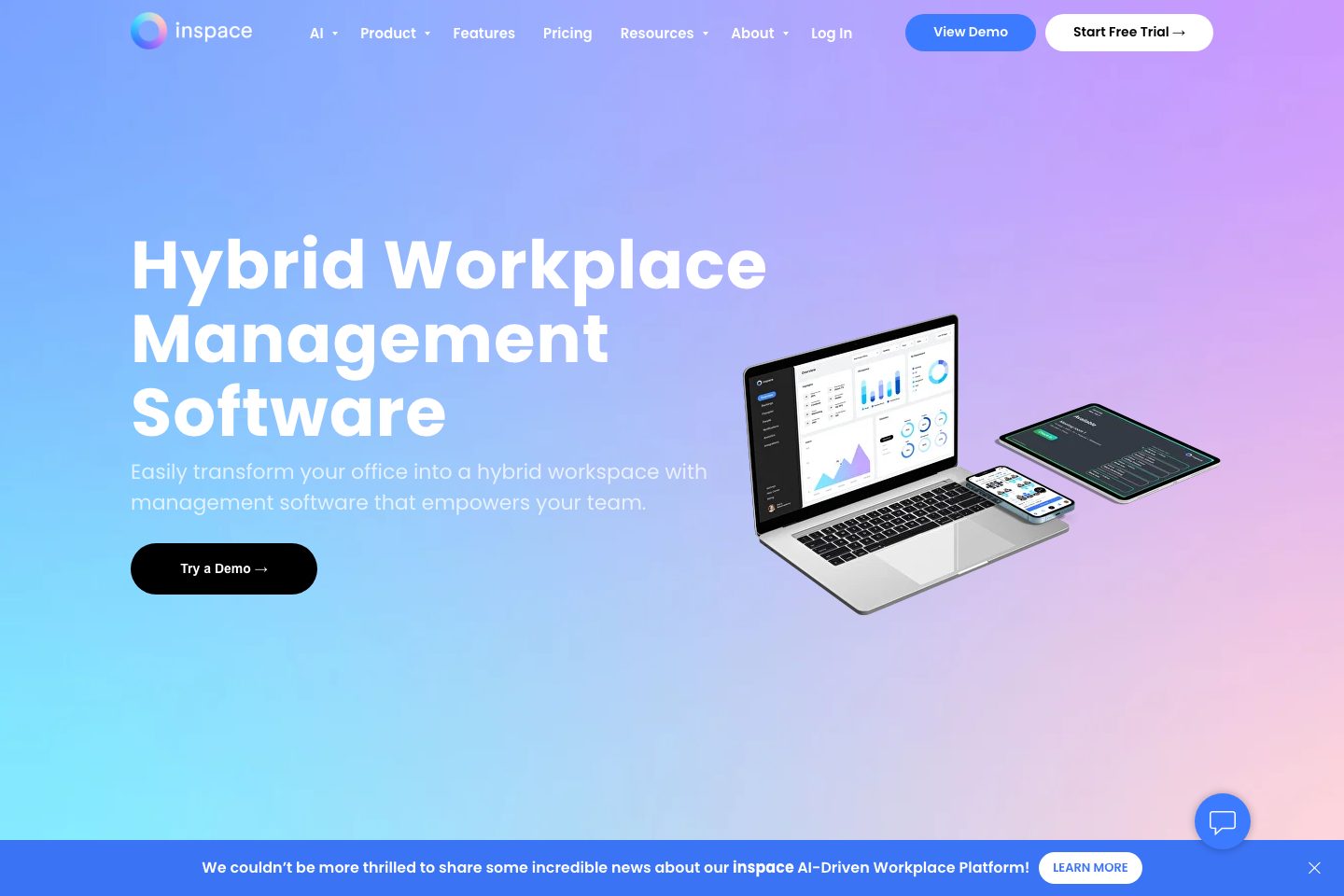
inspace is an AI-driven hybrid workplace platform that includes a visitor management module to streamline guest check-in, pre-registration, host notifications, badge printing and Wi‑Fi provisioning.
The product is designed to work without proprietary hardware (supports displays and NFC devices optionally) and integrates with calendar, SSO and communication tools. inspace emphasizes workplace analytics, automatic desk and meeting suggestions using AI, multi-location management, and customizable branded visitor experiences.
The platform targets organizations that need unified space, visitor and contractor workflows across hybrid offices and offers APIs and ready-made integrations for SSO, calendar and Wi‑Fi provisioning.
Best for
- Facility managers running hybrid offices
- HR / People teams managing visitors and candidates
- IT teams needing SSO and directory integration
- Workspace operators with multi-location sites
- Organizations seeking analytics-driven space optimisation
Target industries
Key capabilities
Pre-registration & host notifications
Pre-registration, branded workflows and real-time host notifications via app, Slack or email (visitor product page).
Contractor & visitor types handling
Supports different visitor types (contractors, job candidates, deliveries) with tailored workflows (visitor product page).
Workplace analytics & reporting
Real-time occupancy dashboards, heatmaps and analytics to inform space planning and optimisation (overview and AI pages).
APIs and ready-made integrations
Provides a public API, Zapier, Webhooks and many built-in integrations for calendars, SSO, Wi‑Fi and conferencing (integrations page).
Self check-in & badge printing
Self check-in for guests with automatic badge printing and Wi‑Fi assignment during check-in (visitor product page).
Multi-location management
Manage visitor processes, branding and policies across multiple locations from the platform (visitor product page).
AI-driven automatic booking suggestions
AI suggests and automatically reserves desks/rooms based on calendar status, meeting needs and user preferences (workplace AI page).
No proprietary hardware required
Platform works with existing devices and optional inspace NFC/devices or displays; does not require special panels (homepage and overview).
Pricing
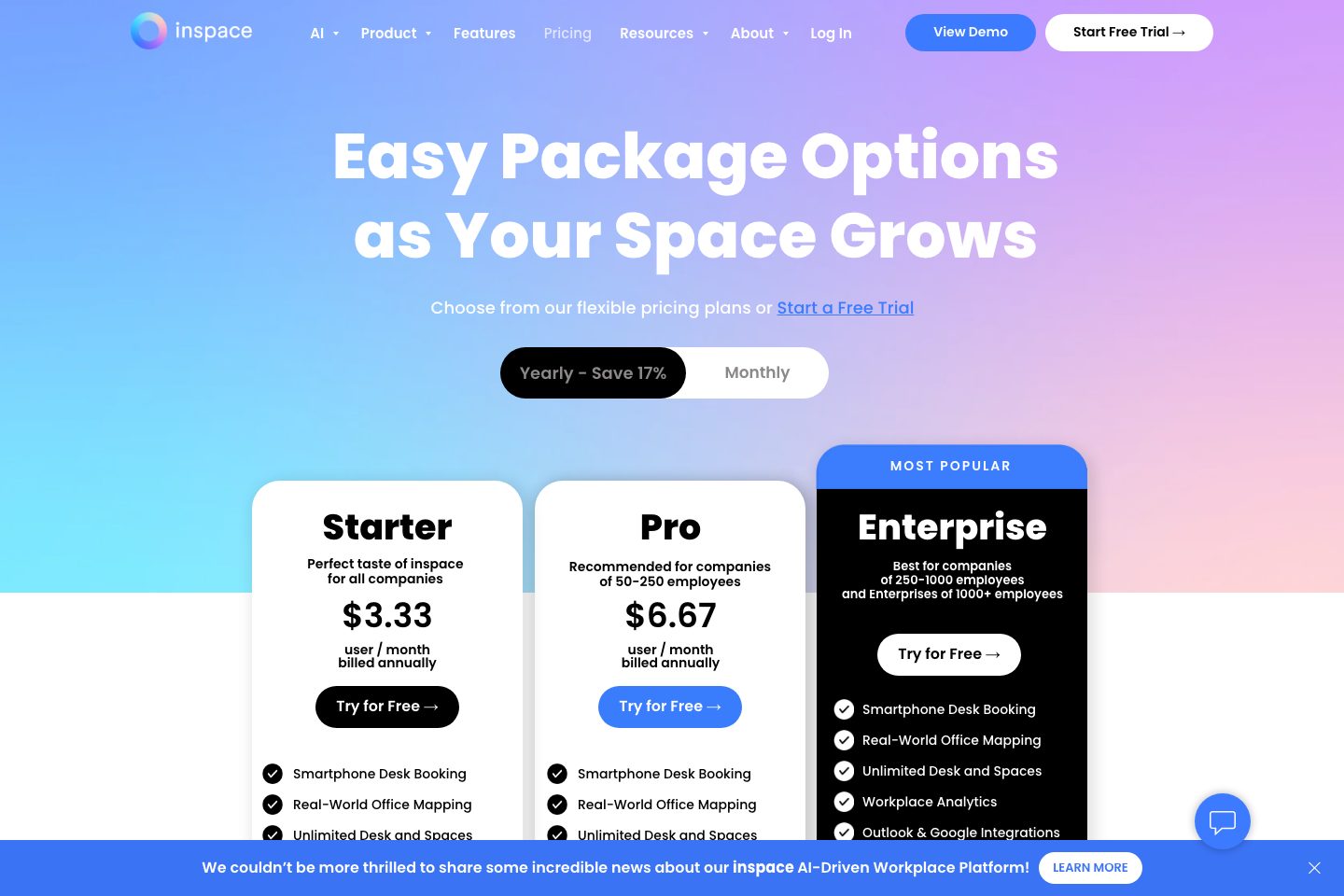
Site shows Starter, Pro and Enterprise tiers; some features and SSO/Integrations vary by tier. Explicit pricing shown for Pro on the pricing page.
Starter
Entry-level plan including smartphone desk booking, real-world office mapping, unlimited desks/spaces and workplace analytics.
- Smartphone Desk Booking
- Workplace Analytics
Pro
Adds integrations and features beyond Starter; listed price on pricing page.
- Pro price listed on pricing page
- Includes visitor management on some plans
Enterprise
Enterprise tier with unlimited spaces, advanced integrations, custom branded interfaces and 24/7 support.
- Custom branded interface and displays
- 24/7 Support (Enterprise mention)
Comparison data
Published signals used in the Overall Score ranking.
- Free access
- Free trial
- Mobile apps
- iOS and Android
- Pricing approach
- Fixed tiers
- Deployment complexity
- Guided setup
- Hardware requirement
- Software only
Customer review summary
What users like
- Easy to use
- Useful reporting
- Helpful support
- Smooth visitor check-in
- Accurate office and floor-plan visual maps
- Accurate office maps
What users dislike
- Reliability or performance issues
- Usability friction
- Awkward check-in and cancellation flows
- Booking and check-in friction
- Booking multiple rooms could be easier
- Dashboards, summaries, and reporting/customization could be improved
Review sources
Deployment & integrations
- software-only (works with existing displays and optional NFC devices) — (overview),
- Google SSO
- Microsoft SSO / ADFS
- Zoom / Google Meet / Cisco conferencing
- Active Directory / OKTA / SAML
Security, compliance & support
- SSO support (Google, Microsoft, SAML, Microsoft ADFS, OKTA)
- Directory integration / Active Directory support
- Provisioning Wi‑Fi access per visitor/session (Wi‑Fi integrations)
- 24/7 Support available on some plans (pricing page)
- Contact sales / trial onboarding available (pricing & product pages)
