
InstaCheckin
instacheckin.io
- Last checked
- 1 Sept 2026
- Sources
- 24
- Evidence confidence
- Medium
Product media
Buyer notes
What to know about InstaCheckin
InstaCheckin is a cloud-first, iPad-centric visitor management product suited to organizations that want a fast, self-serve front-desk replacement with badge printing, photo capture, NDA/waiver capture, and multi-location dashboards. The product emphasizes quick setup (download from the App Store, mount an iPad in kiosk mode, import an employee list) and provides tiered pricing that scales by location and employee-contact limits. Built-in analytics, searchable logs, and export capabilities support audit and emergency workflows. The feature set aligns well for offices, schools, healthcare clinics, manufacturing sites, events, and government facilities that need structured, auditable visitor records.
- Best for
- Small-to-medium offices that want a low-effort front-desk kiosk
- Known strength
- easy visitor sign-in / intuitive UI
Strengths
- easy visitor sign-in / intuitive UI
- fast setup and implementation
- responsive and helpful customer support
- visitor photos and badge printing
- configurable forms and digital signatures
Fit considerations
- limited reporting and data-sharing/customization
- check-in controls and completion screen less optimal for high-volume traffic
- limited support for some sign-out workflows (school-specific needs)
- requests for additional customization (thank-you screen, phone formatting)
- check-in controls can be unintuitive during high-volume traffic
Questions to ask
- Where are customer data hosted (region / cloud provider) and can you supply security / compliance certifications?
- Does badge printing require specific printers or drivers and which models are supported?
- Can SMS delivery use customer accounts or is it vendor-managed; what are costs/limits for SMS?
- How well does InstaCheckin match your busiest visitor, contractor, or reception workflow?
- Which locations, teams, and visitor types should be included in the first rollout?
Implementation notes
- Typical setup path: install app from App Store, mount iPad in kiosk mode, import employee directory via Excel, customize badges/NDAs, start sign-ins
- Plan selection should consider employee-contact limits and number of locations (pricing is per-location)
Scoring criteria
How InstaCheckin scores
Every system is scored against the same published-data criteria. Public scores are intended as comparison prompts alongside your own procurement needs.
Customer review sentiment
4. 8/5 from 26 published reviews across 4 sources, with 66 stored feedback themes
18 point weighting · 26 reviews across review sourcesVisitor and contractor workflows
6 visitor, contractor, badge, host, delivery, identity, and QR workflow signals
10 point weighting · Published vendor and profile signalsEvacuation management
2 evacuation, mustering, roll-call, occupancy, or emergency signals
7 point weighting · Published vendor and profile signalsAdvanced reporting
3 reporting, analytics, audit, export, or visitor-history signals
7 point weighting · Published vendor and profile signalsPublished feature breadth
8 documented capabilities
10 point weighting · Published vendor and profile signalsMobile and kiosk flexibility
iOS; Optional kiosk
8 point weighting · Published vendor and profile signalsOngoing free access
Published ongoing free plan
6 point weighting · Published vendor and profile signalsDeployment and integrations
6 published deployment and integration options
7 point weighting · Published vendor and profile signalsIndustry coverage
15 documented sectors
5 point weighting · Published vendor and profile signalsSource coverage
24 vendor pages analysed, 4 review sources captured
5 point weighting · 24 source pages analysedVisitor management focus
100% fit against visitor-management-specific positioning signals
5 point weighting · Published vendor and profile signalsAccess-control integrations
No access-control integration evidence captured
5 point weighting · Published vendor and profile signalsRegional hosting and data residency
No public evidence captured yet
3 point weighting · Published vendor and profile signalsPricing transparency
4 published pricing plans
4 point weighting · Published vendor and profile signalsA lower score can mean the directory found less public evidence, not that a product cannot support the workflow. Use these criteria as shortlist prompts alongside your own procurement needs.
Overview
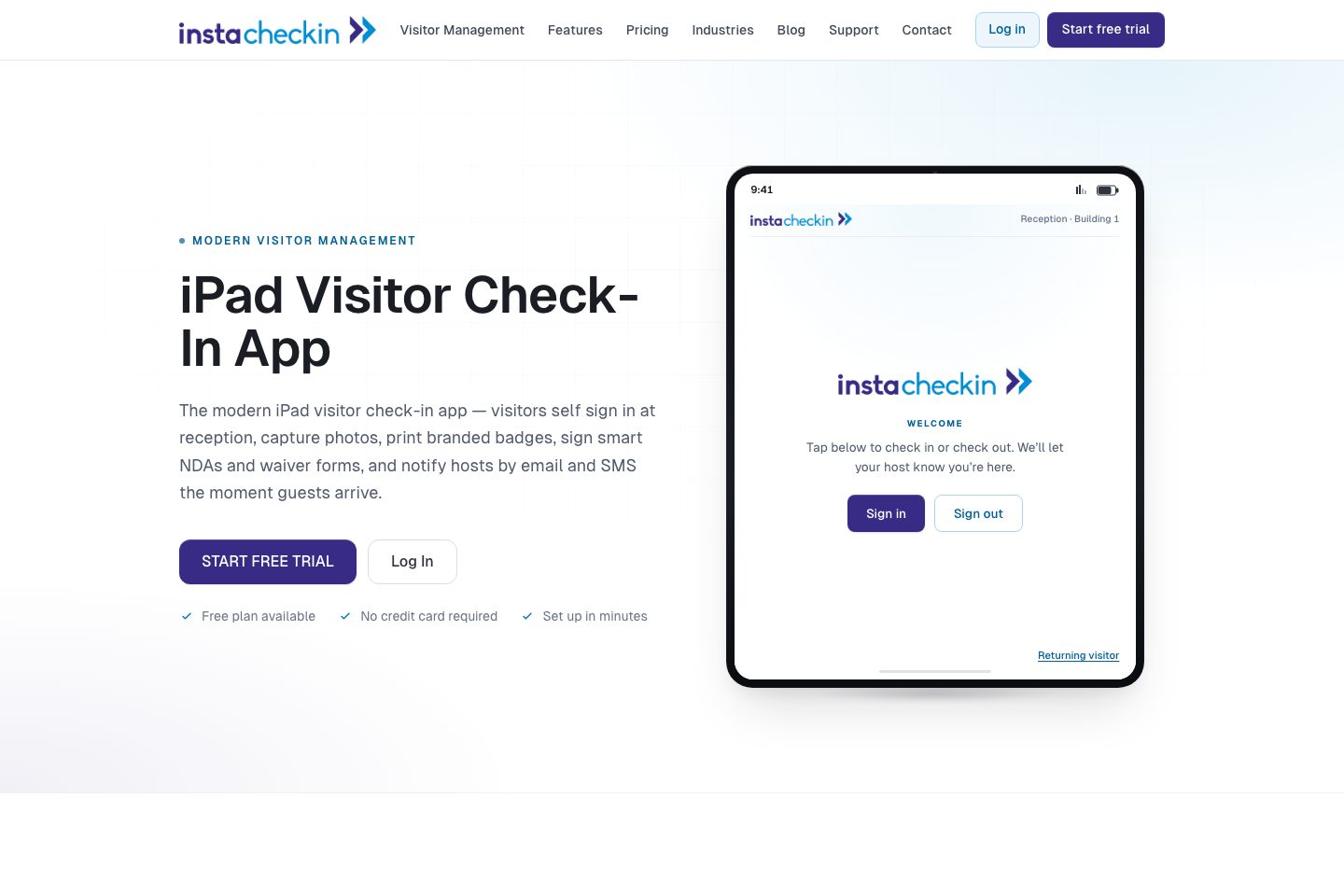
InstaCheckin is an iPad-first visitor management SaaS that converts any iPad into a self-service kiosk backed by a cloud dashboard.
Typical capabilities include touch sign-in, front-camera photo capture, branded badge printing, NDAs/waivers, host notifications via email and SMS, visitor pre-registration (bulk Excel import), searchable visit logs, and built-in analytics.
The vendor positions the service as quick to deploy (set up in minutes), suitable for single-site to multi-location rollouts, and offers a free plan to start. io/,
Best for
- Reception automation / front-desk replacement
- Organizations needing audit-ready visitor logs
- Sites requiring NDAs or waiver capture
- Multi-location teams wanting centralized dashboards
- Event and check-in use cases
Target industries
Key capabilities
NDAs and waiver capture
Collect signed NDAs and waivers as part of the check-in flow, tailored by visit purpose.
Searchable visitor logs & exports
Cloud dashboard stores structured visit records, searchable across locations and exportable to Excel/CSV.
Built-in analytics
Built-in daily/weekly/monthly visitor trend reporting across locations.
iPad sign-in kiosk
Turns any iPad into a kiosk-mode sign-in surface for visitors (name, host, purpose, photo).
Pre-registration & bulk import
Pre-register visitors individually or via bulk Excel upload; pre-registered guests appear on the kiosk.
Branded badge printing
Automatically prints customizable visitor badges (logo, photo, host, time, custom message).
Returning visitor express check-in
Express sign-in for returning visitors using phone or email to auto-fill previous visit details.
Host notifications
Instant arrival notifications to hosts via email and SMS; per-host preference settings.
Pricing
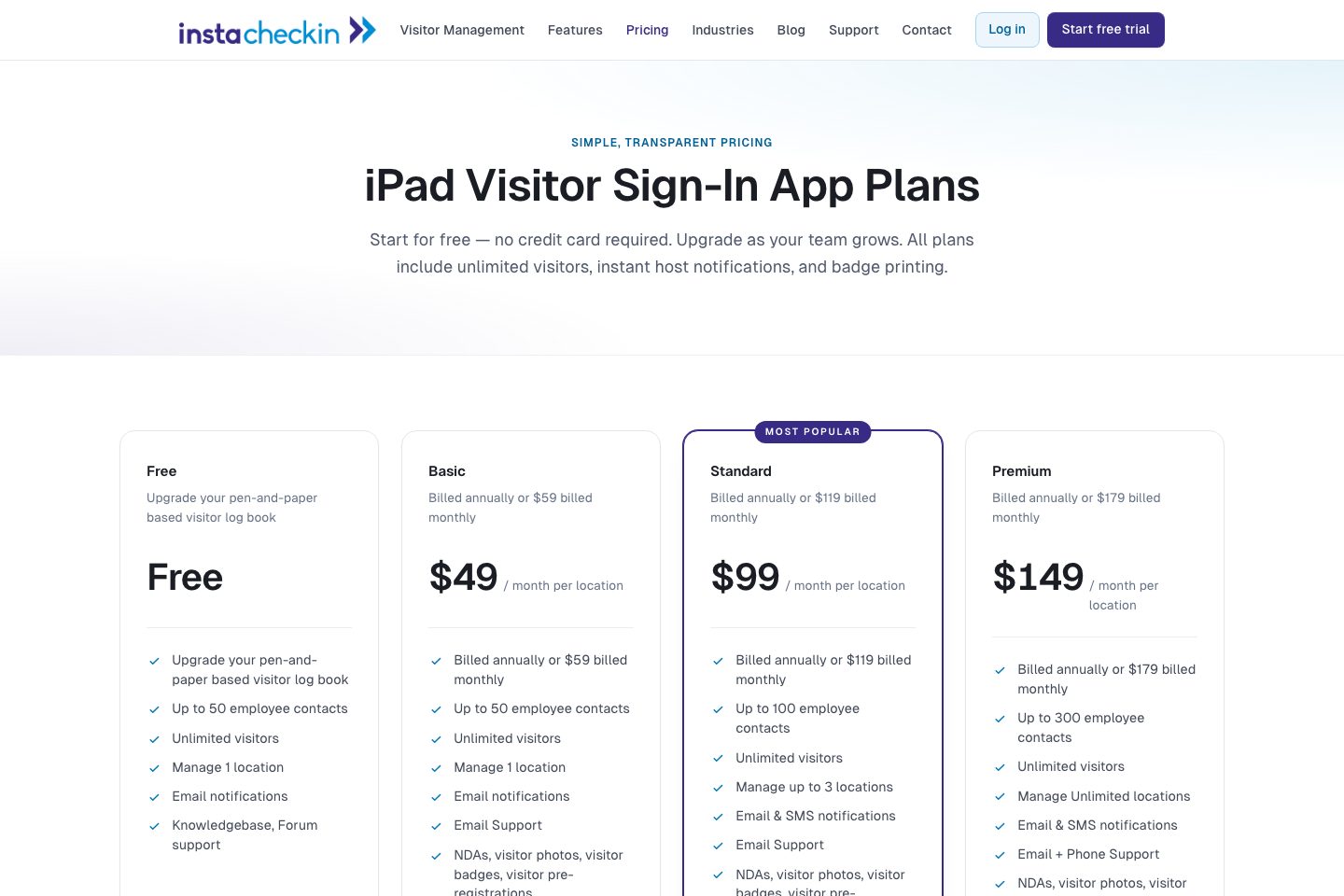
Free plan available; paid monthly or annual per-location pricing with increasing employee-contact limits and multi-location support. See vendor pricing page for details and contact sales for larger deployments.
Free
Starter plan for pen-and-paper replacement: up to 50 employee contacts, unlimited visitors, single location, email notifications.
- Unlimited visitors
- Manage 1 location
- Knowledgebase & forum support
Basic
Adds NDAs, visitor photos, badges, pre-registration; up to 50 employee contacts, email support.
- NDAs, visitor photos, visitor badges, pre-registrations
Standard
Supports up to 3 locations, SMS notifications, larger employee-contact limit, email support.
- Manage up to 3 locations
- Email & SMS notifications
Premium
Enterprise tier with unlimited locations, higher employee-contact limit, phone support, full feature set.
- Manage unlimited locations
- Email + Phone support
Comparison data
Published signals used in the Overall Score ranking.
- Free access
- Ongoing free plan
- Mobile apps
- iOS
- Pricing approach
- Fixed tiers
- Deployment complexity
- Self serve
- Hardware requirement
- Optional kiosk
Customer review summary
What users like
- Easy to use
- Helpful support
- Smooth visitor check-in
- Accessible interface
- Makes work easier
- Saves time
What users dislike
- Limited ability to share data with many people
- Check-in controls and completion screen less optimal for high-volume traffic
- High-volume check-in flow could be faster
- Limited data sharing capacity
- Limited reporting and data-sharing/customization
- Limited support for certain sign-out workflows
Review sources
Deployment & integrations
- iPad kiosk (software runs on iPad; deploy kiosk mode)
- Cloud SaaS dashboard for central management and multi-location rollout
- Apple App Store (iOS app distribution)
- Excel bulk import / CSV export (employee import & visitor export)
- CSV export for CRM lead workflows (trade-show / lead capture)
Security, compliance & support
- Cloud-hosted SaaS (no on-prem servers)
- Audit-ready visitor logs with export to Excel for emergency roll call
- Signed NDAs / waivers captured as part of check-in (e-signature capture)
- Visitor photo capture for ID verification and host identification
- ITAR / defense-focused logging and foreign-national flags referenced for controlled facilities
