
OneTap
www.onetapcheckin.com
- Last checked
- 1 Sept 2026
- Sources
- 16
- Evidence confidence
- Medium
Product media
Buyer notes
What to know about OneTap
OneTap presents as a focused attendance/check-in product aimed at educational institutions, nonprofits and small-to-medium organizations that need reliable, auditable attendance records. Its strengths are rapid deployment, straightforward QR and kiosk-based workflows, geolocation and time-based restrictions to reduce proxy check-ins, and a familiar Excel-style admin grid plus exports for reporting and grant/audit work. Integrations (Zapier, JotForm, REST API/webhooks) enable automation with existing systems. The vendor lists US eastern hosting, TLS/AES encryption, Cloudflare protection and SSO options—useful for buyers with basic security requirements.
- Best for
- Best-fit buyer signal: schools, universities, nonprofits and membership organizations needing quick rollout and auditable attendance exports
- Known strength
- easy to use / intuitive check-in
Strengths
- easy to use / intuitive check-in
- saves time vs. paper-based attendance
- works across multiple devices
- suitable for classes, student events, nonprofits, and other events
- fast one-tap / quick check-in workflows
Questions to ask
- Can the vendor provide detailed SLA, data retention policy, and export/backup guarantees for enterprise deployments?
- How well does OneTap match your busiest visitor, contractor, or reception workflow?
- Which locations, teams, and visitor types should be included in the first rollout?
- What reporting, notifications, and emergency workflows matter most for your sites?
Implementation notes
- Expect a self-serve annual subscription rollout with optional vendor walkthroughs; basic setup described as under 10 minutes for core check-ins but enterprise integrations will require API/webhook work
Scoring criteria
How OneTap scores
Every system is scored against the same published-data criteria. Public scores are intended as comparison prompts alongside your own procurement needs.
Customer review sentiment
5. 0/5 from 1 published reviews across 3 sources, with 45 stored feedback themes
18 point weighting · 1 review across review sourcesVisitor and contractor workflows
5 visitor, contractor, badge, host, delivery, identity, and QR workflow signals
10 point weighting · Published vendor and profile signalsEvacuation management
2 evacuation, mustering, roll-call, occupancy, or emergency signals
7 point weighting · Published vendor and profile signalsAdvanced reporting
3 reporting, analytics, audit, export, or visitor-history signals
7 point weighting · Published vendor and profile signalsPublished feature breadth
15 documented capabilities
10 point weighting · Published vendor and profile signalsMobile and kiosk flexibility
iOS and Android; Optional kiosk
8 point weighting · Published vendor and profile signalsOngoing free access
Published ongoing free plan
6 point weighting · Published vendor and profile signalsDeployment and integrations
14 published deployment and integration options
7 point weighting · Published vendor and profile signalsIndustry coverage
9 documented sectors
5 point weighting · Published vendor and profile signalsSource coverage
16 vendor pages analysed, 3 review sources captured
5 point weighting · 16 source pages analysedVisitor management focus
60% fit against visitor-management-specific positioning signals
5 point weighting · Published vendor and profile signalsAccess-control integrations
1 access-control integration signal
5 point weighting · Published vendor and profile signalsRegional hosting and data residency
Regional hosting signal published
3 point weighting · Published vendor and profile signalsPricing transparency
4 published pricing plans
4 point weighting · Published vendor and profile signalsA lower score can mean the directory found less public evidence, not that a product cannot support the workflow. Use these criteria as shortlist prompts alongside your own procurement needs.
Overview
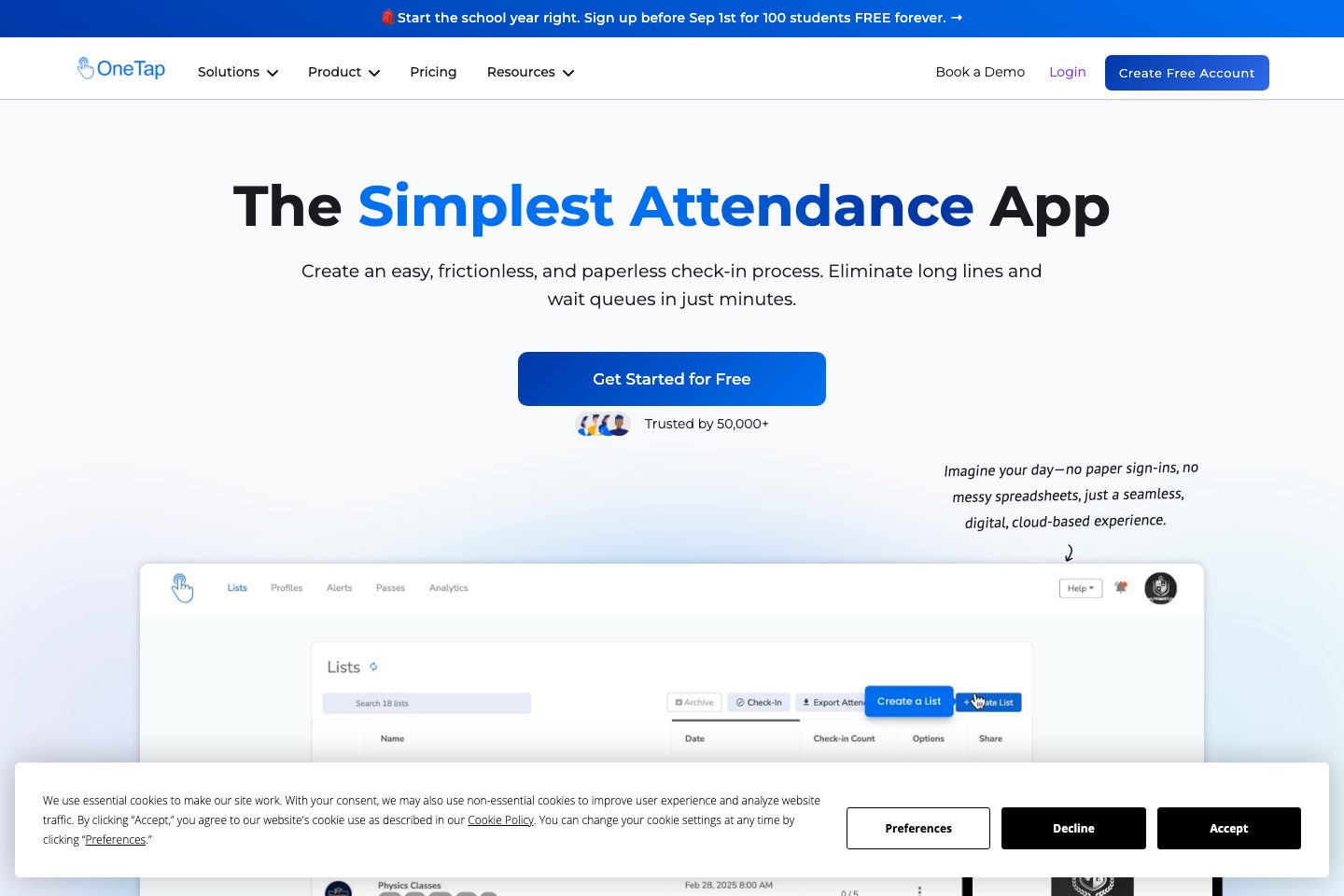
OneTap is a cloud-based check-in and attendance platform focused on QR, kiosk and location-verified check-ins for schools, events, memberships and workplaces.
It provides quick roster import (Excel/CSV), personal QR/barcode passes, self‑serve iPad kiosk mode, geofencing/IP/time restrictions to reduce proxy check-ins, check-in/check-out timestamps, attachments (photos/signatures/surveys), real-time dashboards and exportable reports.
Plans use profile (unique visitor) limits and include a free tier; higher tiers add collaborators, SMS credits, API access and SSO. OneTap states US‑region hosting, TLS in transit, AES‑256 at rest, Cloudflare WAF/DDoS and a public REST API plus Zapier/JotForm connectors for automation.
Best for
- K-12 and higher-education attendance tracking
- Event and guestlist check-in
- Nonprofit/grant reporting and program attendance
- Membership clubs, gyms and class-based businesses
- Small-to-medium workplaces wanting simple onsite check-in
Target industries
Key capabilities
Access Control & Collaboration
Collaborator roles, SSO (SAML) support and account-level controls for team access.
Check-in restrictions and time windows
Restrict check-ins by time, date, location or custom fields to control valid check-in windows
QR Code & Barcode Check-in
Create and print QR/barcode passes for profile or event-based self check-in using phones or kiosks.
iPad/Web Kiosk Mode
Turn iPads or web browsers into self-service kiosks that let attendees search names, scan passes, or register on arrival.
Real-time Reports & Exports
Generate and download custom attendance reports (PDF/Excel/CSV) and per-profile history for audits and grant reporting.
Integrations & API
Public REST API, webhooks and Zapier/JotForm connectors to sync registrations and export check-ins.
QR code & QR passes
Create and print public or personalized QR/barcode passes for attendees; supports Apple Wallet passes (site text) and QR kiosk scanning
iPad / Web Kiosk and visitor app
Turn iPads into self-check-in kiosks; visitor-facing mobile app and web links for touchless check-in
Real-time dashboards & exports
Real-time sync across devices, reporting by date ranges, and downloadable PDF/Excel reports for audits and grant submissions
Check-in / Check-out & Attachments
Record timestamps and collect optional photos, signatures or quick surveys at check-in/checkout.
Excel/CSV Import & Profile Database
Bulk import attendee profiles from Excel/CSV and maintain a searchable roster across devices.
Custom check-in attachments
Collect photos, signatures or survey responses at check-in or check-out and attach to records
Pricing
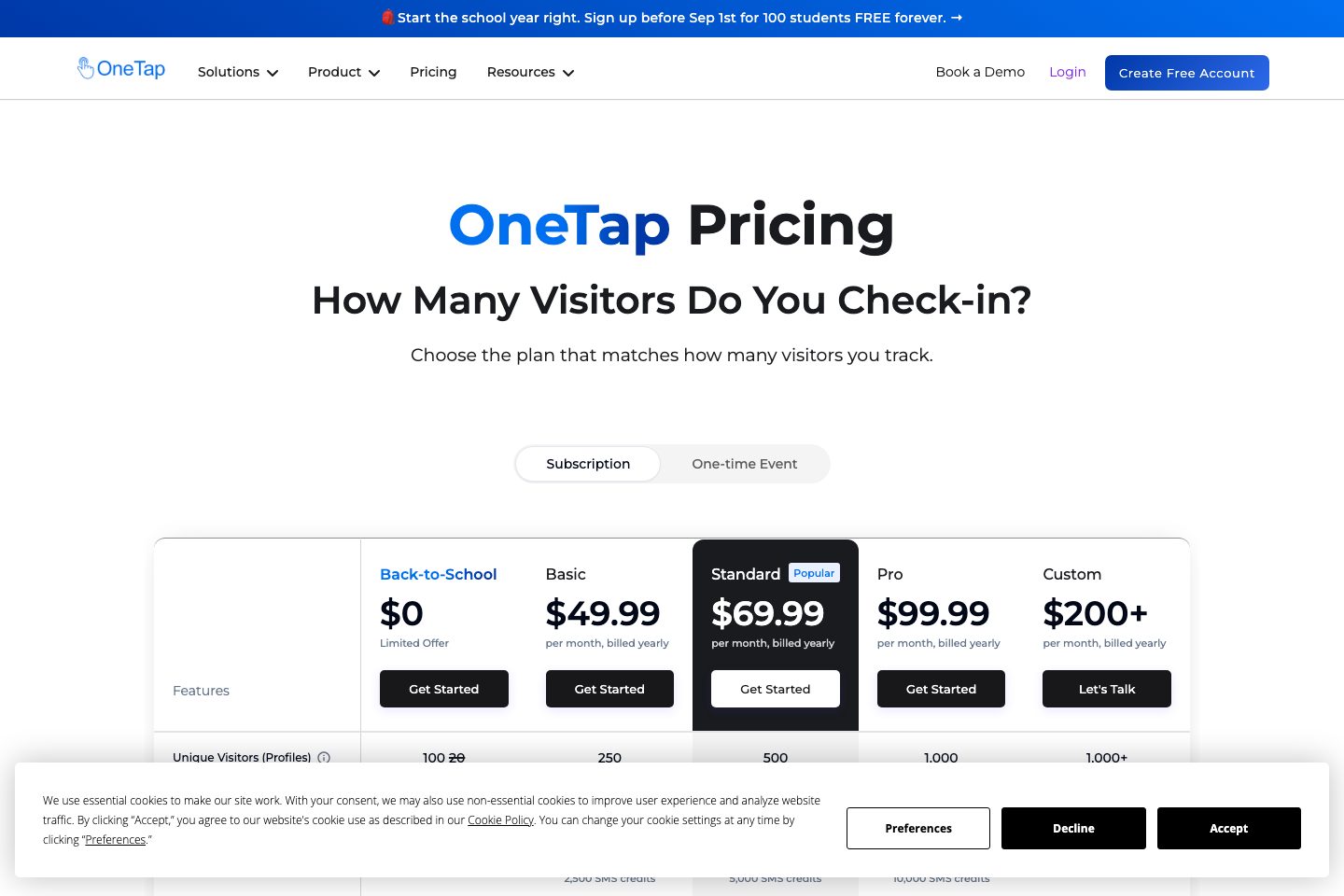
Vendor lists a free plan (up to 20 profiles) and paid annual plans (for example, Basic $49. 99/yr billed monthly-equivalent display, Standard $69. 99, Pro $99. 99, Custom $200+ per month billed yearly) on the pricing page — see source for exact tiers and profile limits
Free
Free plan with up to 20 profiles and core tools (QR codes, kiosk, exports) (
- Up to 20 profiles
- Core check-in tools
- Excel/CSV import available
Basic (Annual)
Annual plan tier with larger profile allowance and collaborator seats (
- Up to 250 profiles
- QR passes, kiosk, check-in restrictions
Pro (Annual)
Higher-tier annual plan with increased profiles, collaborator access and integrations (
- Up to 1,000 profiles
- API integrations, custom barcodes, collaborator access
Custom / Enterprise
Custom enterprise options with SSO, custom reports and SSO login; vendor asks to contact sales for details (
- SSO Login (SAML)
- Custom reports and access control
Comparison data
Published signals used in the Overall Score ranking.
- Free access
- Ongoing free plan
- Mobile apps
- iOS and Android
- Pricing approach
- Fixed tiers
- Deployment complexity
- Self serve
- Hardware requirement
- Optional kiosk
- Identity checks
- geolocation (GPS), time-based check-in windows, IP/device restriction and unique QR/check-in codes
Customer review summary
What users like
- Easy to use
- Smooth visitor check-in
- Helpful support
- Works across multiple devices
- Eliminates paper attendance tracking
- Features
What users dislike
No negative review themes have been captured yet.
Review sources
Deployment & integrations
- Self-serve (set up in minutes; Excel import and QR generation) - supports multi-device rollout and kiosk reuse
- Software-only cloud rollout: web dashboard plus iOS apps and web kiosks; vendor states setup can be done in minutes and requires no dedicated hardware beyond repurposed iPads
- Zapier
- JotForm
- REST API (public API)
Security, compliance & support
- HTTPS/TLS connections (TLS 1. 2+ / 1. 3) in transit
- AES‑256 encryption at rest
- Cloudflare WAF and DDoS protection
- Data centers / databases located in US eastern region
- SSO (SAML) login support (Google, Microsoft, Okta referenced)

