
Qminder
www.qminder.com
- Last checked
- 1 Sept 2026
- Sources
- 16
- Evidence confidence
- High
Product media
Buyer notes
What to know about Qminder
Qminder is a feature-rich, cloud-hosted visitor and queue management system suitable for organizations that want to unify appointments, walk-ins and remote sign-ins into a single operational flow. It provides staff dashboards, configurable kiosk/remote check-in flows, two-way messaging, virtual queue displays and analytics, plus APIs/webhooks for syncing with CRMs and healthcare EHRs. The vendor emphasizes enterprise compliance (SOC 2 Type II, HIPAA, GDPR, TX-RAMP), guided rollouts and dedicated enterprise support.
- Best for
- Organizations requiring multi-location queue orchestration and appointment/check-in unification
- Known strength
- easy visitor sign-in and streamlined check-in
Strengths
- easy visitor sign-in and streamlined check-in
- convenient appointment scheduling and remote/online check-in
- simple, user-friendly interface and straightforward setup
- real-time queue, wait‑time, and visitor-flow visibility
- improved service efficiency, reduced wait times, and organized queues
Fit considerations
- occasional freezing, lag, or need to reload displays
- limited front-end customization and visual/design options
- difficulty editing visitor profiles
- limited/custom reporting or data‑export depth
- some queue assignment, reassignment, and filtering limitations
Questions to ask
- What is included in Enterprise onboarding and what are SLA response/uptime commitments for multi-site rollouts?
- Which EHR/EMR integrations are turnkey vs requiring custom development, and are there reference implementations for Epic/Cerner?
- How well does Qminder match your busiest visitor, contractor, or reception workflow?
- Which locations, teams, and visitor types should be included in the first rollout?
Implementation notes
- Qminder supports quick rollouts (vendor cites setup taking a few days) with vendor-guided setup and training — factor vendor support level into rollout schedule
- Optional hardware (iPads for kiosks, Apple TV for displays) can be sourced locally; vendor can assist for enterprise deployments
Scoring criteria
How Qminder scores
Every system is scored against the same published-data criteria. Public scores are intended as comparison prompts alongside your own procurement needs.
Customer review sentiment
4. 7/5 from 791 published reviews across 6 sources, with 163 stored feedback themes
18 point weighting · 791 reviews across review sourcesVisitor and contractor workflows
5 visitor, contractor, badge, host, delivery, identity, and QR workflow signals
10 point weighting · Published vendor and profile signalsEvacuation management
No evacuation management evidence captured
7 point weighting · Published vendor and profile signalsAdvanced reporting
2 reporting, analytics, audit, export, or visitor-history signals
7 point weighting · Published vendor and profile signalsPublished feature breadth
8 documented capabilities
10 point weighting · Published vendor and profile signalsMobile and kiosk flexibility
iOS and Android; Optional kiosk
8 point weighting · Published vendor and profile signalsOngoing free access
Free trial published
6 point weighting · Published vendor and profile signalsDeployment and integrations
7 published deployment and integration options
7 point weighting · Published vendor and profile signalsIndustry coverage
6 documented sectors
5 point weighting · Published vendor and profile signalsSource coverage
16 vendor pages analysed, 6 review sources captured
5 point weighting · 16 source pages analysedVisitor management focus
80% fit against visitor-management-specific positioning signals
5 point weighting · Published vendor and profile signalsAccess-control integrations
1 access-control integration signal
5 point weighting · Published vendor and profile signalsRegional hosting and data residency
No public evidence captured yet
3 point weighting · Published vendor and profile signalsPricing transparency
3 published pricing plans
4 point weighting · Published vendor and profile signalsA lower score can mean the directory found less public evidence, not that a product cannot support the workflow. Use these criteria as shortlist prompts alongside your own procurement needs.
Overview
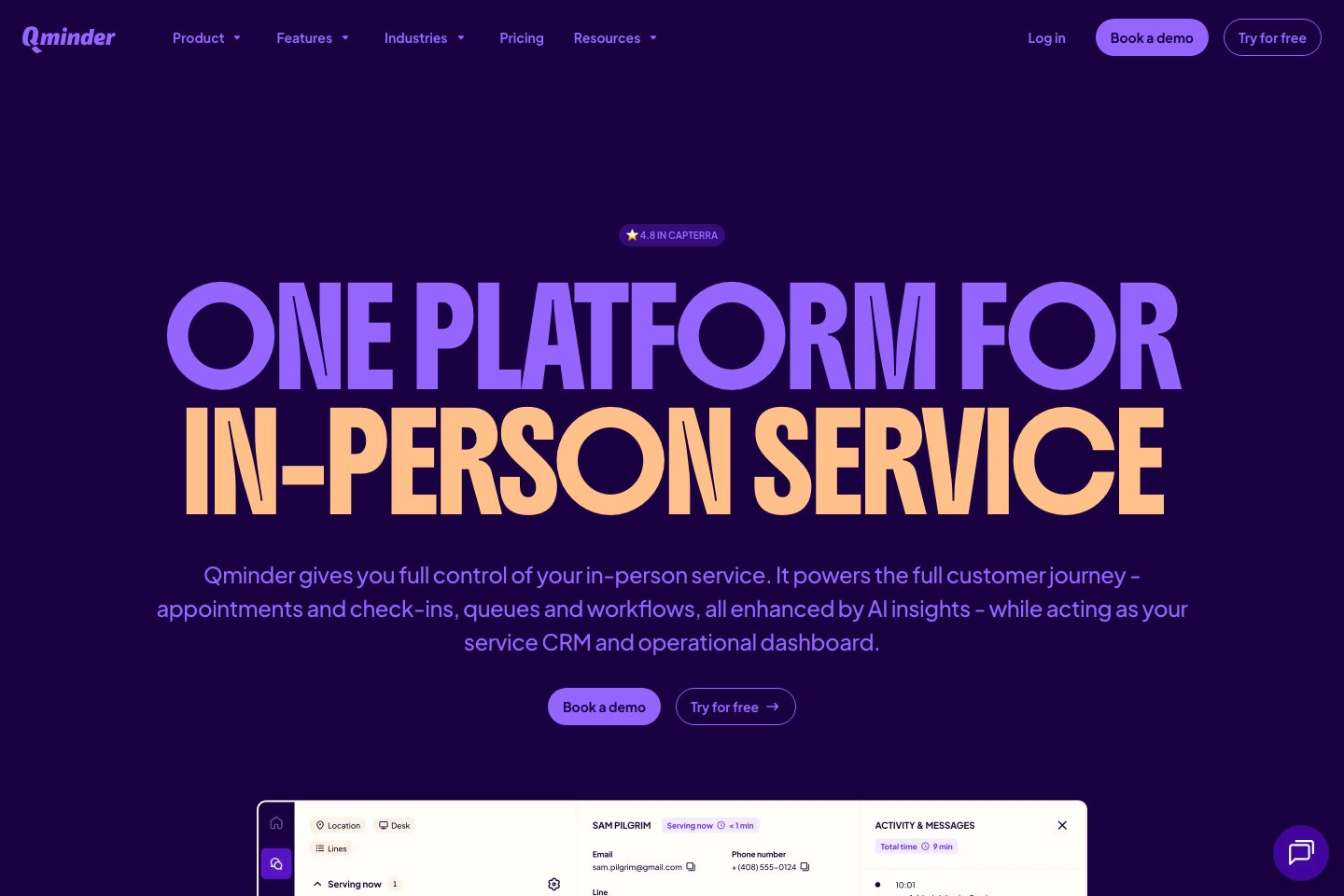
Qminder: Queue Management, Appointments & Service Analytics Qminder: Queue Management, Appointments & Service Analytics Product Queue Management System Manage, serve and track your customers across multiple locations. Service Intelligence Track service data and measure staff performance.
Appointment Scheduling Easily receive bookings and manage changes in real-time. Patient check-in system Contactless patient check-in via kiosk or mobile sign-in. Service Analyst Ask questions about your service data and get instant AI-powered answers. MCP Connect Qminder with you
Best for
- Reception and front-desk teams wanting to reduce lobby congestion and no-shows (appointments + walk-ins)
- Healthcare clinics and hospitals needing contactless patient check-in and EHR/EMR sync
- Government service desks (DMVs, city halls) with multi‑desk queuing and public notifications
- Retail or banking branch networks that need queue displays, SMS alerts and analytics
- Multi-location enterprises rolling out standardized in-person service workflows
Target industries
Key capabilities
Configurable check-in logic
Customizable multi-step sign-in flows (different flows per visitor type and service line).
Service dashboard
Real‑time staff dashboard to manage queues, reassign visitors, view visitor history and call next customers.
Check-in kiosk
iPad-based self-service kiosk with configurable sign-in flows and multilingual support.
Remote sign-in & Visitor website
Web visitor pages and QR/links for remote check-in, appointment booking and live visit status.
Integrations & API / Webhooks
APIs, webhooks and native connectors to CRM, calendars and EHR/EMR platforms for data syncing.
Analytics & Service Intelligence
Real‑time and historical analytics on wait times, throughput, no-shows and staff performance.
Customer messaging
Two-way SMS/RCS/email/WhatsApp messaging for automated reminders, 'it's your turn' alerts and manual follow-ups.
Waiting room TV
Virtual queue display (Apple TV supported) showing live queue status, names and desk assignments.
Pricing
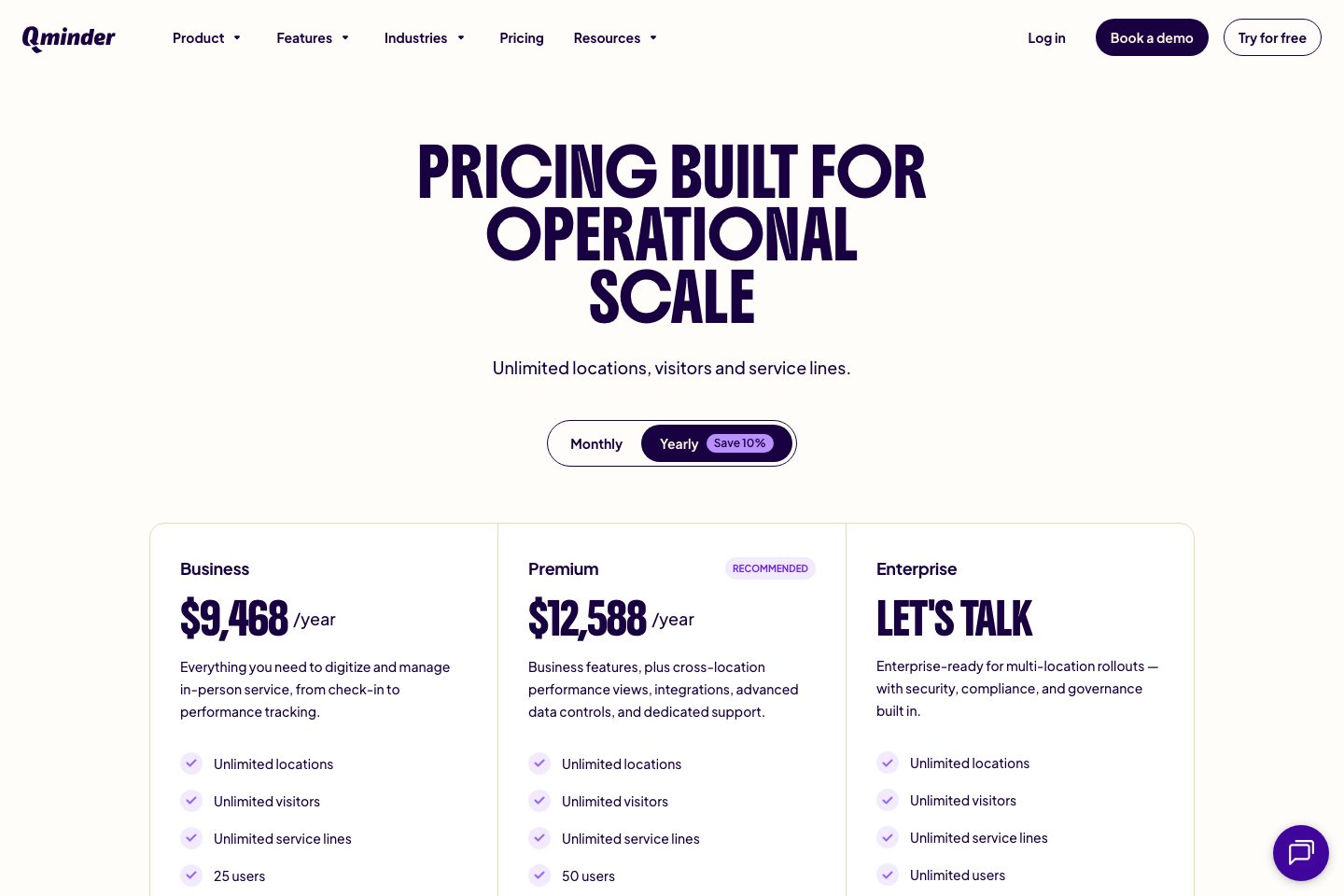
Qminder publishes Business, Premium and Enterprise tiers on product pages with example monthly prices; vendor also offers free trial options (see pricing and feature pages).
Business
Core queue management, visitor notifications and analytics for growing teams.
- Unlimited locations
- Unlimited visitors
- Included service dashboard, remote sign-in, visitor website and waitlist TV
Premium
Business features plus branding, data controls and dedicated support.
- Branding & data controls
- Recommended for larger teams
Enterprise
Custom plan for large-scale rollouts with tailored integrations, SLAs and onboarding.
- Custom integrations and onboarding
- Enterprise-grade security and support
Comparison data
Published signals used in the Overall Score ranking.
- Free access
- Free trial
- Mobile apps
- iOS and Android
- Pricing approach
- Fixed tiers
- Deployment complexity
- Guided setup
- Hardware requirement
- Optional kiosk
Customer review summary
What users like
- Helpful support
- Easy to use
- Smooth visitor check-in
- Useful reporting
- Customization limits
- User-friendly interface
What users dislike
- Reliability or performance issues
- Limited reporting
- Adjustment challenges after feature changes
- Difficulty editing profiles
- Difficulty editing visitor profiles
- Difficulty filtering certain visitors
Review sources
Deployment & integrations
- Guided rollout with vendor support; Qminder states deployments typically take a few days and the vendor provides setup support and training
- Salesforce (explicitly mentioned)
- HubSpot (explicitly mentioned)
- Zendesk (explicitly mentioned)
- Google Calendar (explicitly mentioned)
Security, compliance & support
- SOC 2 Type II (explicit)
- HIPAA (explicit)
- GDPR (explicit)
- TX-RAMP (explicit)
- Data encryption, role-based access controls and regular security audits (security controls language)
