

The Receptionist
thereceptionist.com
- Last checked
- 1 Sept 2026
- Sources
- 23
- Evidence confidence
- Medium
Product media
Buyer notes
What to know about The Receptionist
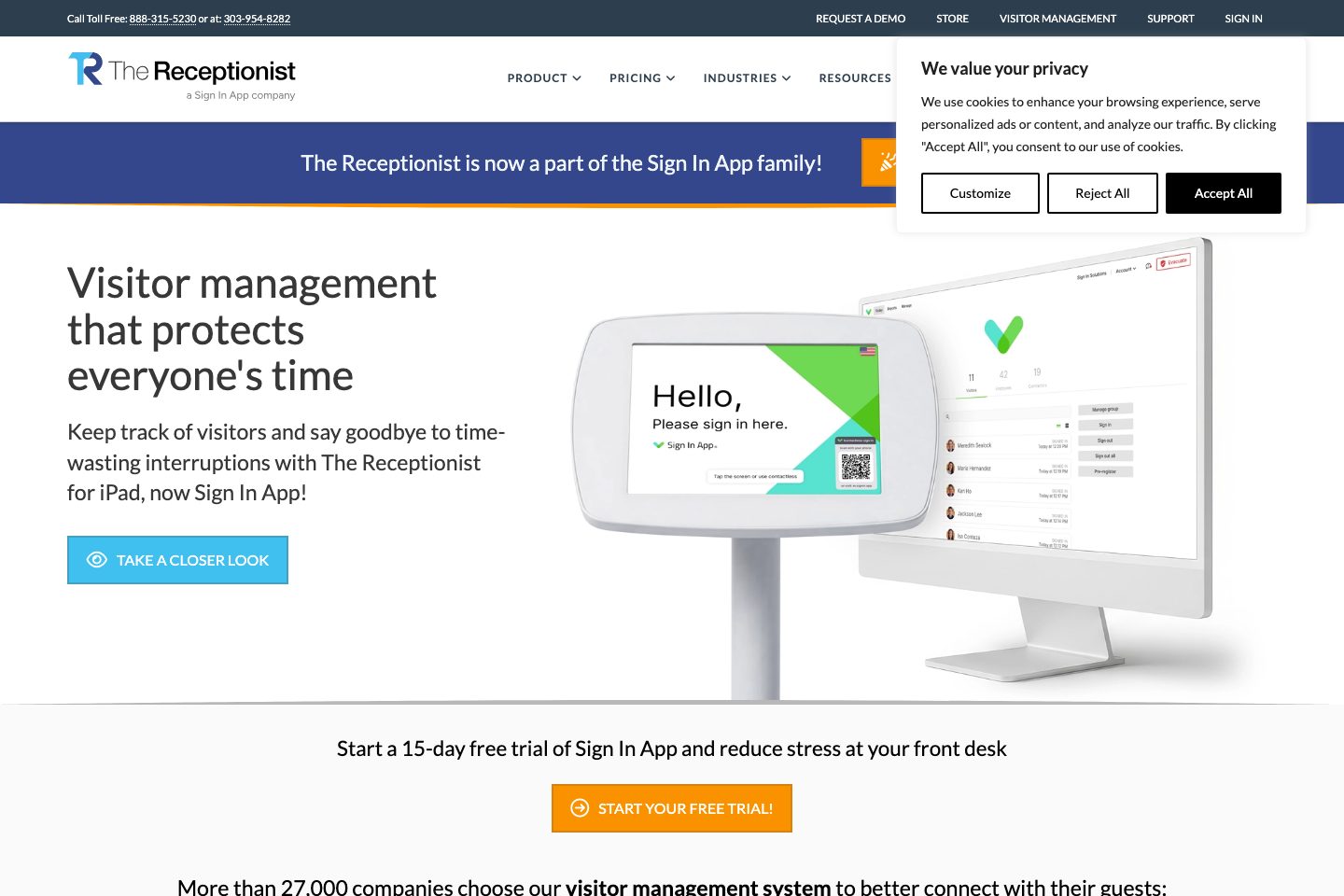
The Receptionist brands itself as a turnkey iPad-first visitor management platform with options to bring your own iPad or buy a Receptionist in a Box kiosk. It emphasizes customizable workflows, pre-registration, contactless sign-in, badge printing, ID capture, and evacuation reporting—features suitable for organizations wanting an on-premise kiosk experience backed by cloud-hosted logs. Security and compliance describes are supported by a GDPR page describing AWS/Heroku hosting, AES encryption, penetration testing, and a SOC2 mention on product pages. Pricing is presented as site-based annual tiers (Core/Enhanced/Pro) with onboarding and higher-touch enterprise options.
- Best for
- Organizations that need a quick-to-deploy kiosk with cloud visit logs
- Known strength
- user-friendly / easy to use
Strengths
- user-friendly / easy to use
- quick setup / easy implementation
- responsive, helpful customer support
- digital visitor check-in / replaces paper logs
- visitor tracking and check-out
Fit considerations
- pricing can feel high / expensive
- printer connection and printing difficulties
- initial setup may require troubleshooting
- limited customization or branding options
- limited features or analytics/reporting
Questions to ask
- What are the options and costs for multi-site or bulk kiosk hardware purchases and deployment support?
- Where exactly are production data hosted geographically and what residency options exist?
- How well does The Receptionist match your busiest visitor, contractor, or reception workflow?
- Which locations, teams, and visitor types should be included in the first rollout?
Implementation notes
- Receptionist in a Box allows rapid deployment; customers can also use existing iPads and configure workflows via the admin console (product/pricing pages).
- Enhanced and Pro plans include onboarding sessions and expanded feature capacity that can simplify multi-site rollouts (pricing page).
Scoring criteria
How The Receptionist scores
Every system is scored against the same published-data criteria. Public scores are intended as comparison prompts alongside your own procurement needs.
Customer review sentiment
4. 8/5 from 1079 published reviews across 5 sources, with 99 stored feedback themes
18 point weighting · 1,079 reviews across review sourcesVisitor and contractor workflows
6 visitor, contractor, badge, host, delivery, identity, and QR workflow signals
10 point weighting · Published vendor and profile signalsEvacuation management
2 evacuation, mustering, roll-call, occupancy, or emergency signals
7 point weighting · Published vendor and profile signalsAdvanced reporting
3 reporting, analytics, audit, export, or visitor-history signals
7 point weighting · Published vendor and profile signalsPublished feature breadth
33 documented capabilities
10 point weighting · Published vendor and profile signalsMobile and kiosk flexibility
iOS and Android; Optional kiosk
8 point weighting · Published vendor and profile signalsOngoing free access
Free trial published
6 point weighting · Published vendor and profile signalsDeployment and integrations
20 published deployment and integration options
7 point weighting · Published vendor and profile signalsIndustry coverage
9 documented sectors
5 point weighting · Published vendor and profile signalsSource coverage
23 vendor pages analysed, 5 review sources captured
5 point weighting · 23 source pages analysedVisitor management focus
100% fit against visitor-management-specific positioning signals
5 point weighting · Published vendor and profile signalsAccess-control integrations
No access-control integration evidence captured
5 point weighting · Published vendor and profile signalsRegional hosting and data residency
Regional hosting signal published
3 point weighting · Published vendor and profile signalsPricing transparency
4 published pricing plans
4 point weighting · Published vendor and profile signalsA lower score can mean the directory found less public evidence, not that a product cannot support the workflow. Use these criteria as shortlist prompts alongside your own procurement needs.
Overview
The Receptionist for iPad is now part of the Sign In App family and provides cloud-based visitor management through an iPad kiosk.
Organizations can configure visitor check-in workflows, collect visitor information, capture photos or IDs, obtain signatures for NDAs and other legal agreements, print badges, and notify hosts through email, SMS, Slack, or Microsoft Teams.
The platform supports visitor pre-registration, QR-code and contactless check-in, employee and contractor sign-in, delivery notifications, multilingual experiences, and emergency evacuation reporting.
Administrators can access searchable visitor records, active visitor dashboards, scheduled exports, configurable data retention, and visitor logs from the cloud. It offers integrations with Azure AD/Entra ID, Google Workspace, Microsoft Teams, Slack, custom webhooks, and a documented API.
Best for
- Organizations replacing paper visitor logs with digital check-in
- Workplaces needing configurable visitor workflows and host notifications
- Schools and campuses tracking visitors and improving front-office security
- Manufacturing and logistics facilities managing visitors, contractors, and deliveries
- Behavioral health and private practices prioritizing client privacy
Target industries
Key capabilities
Emergency and evacuation lists
View active visitors and shared evacuation reports during emergencies.
Photo and ID capture
Capture visitor photos and scan IDs during check-in.
Badge printing
Print configurable visitor badges after check-in.
Photo & ID capture and ID scanning
Capture visitor photos and scan IDs as part of the check-in process.
Badge printing & customizable badges
On-demand badge printing with drag-and-drop badge designer for personalized visitor badges.
Emergency evacuation & live reports
Active visitor dashboard and live/shared evacuation reports to know who is onsite during emergencies.
Employee and contractor sign-in
Track employee and contractor arrivals and departures.
Legal agreement signatures
Present NDAs and other legal agreements for digital signature.
Configurable data retention
Set retention periods and remove or permanently delete visit records.
SOC 2 compliance
The product page identifies the platform as SOC 2 compliant.
Microsoft Teams and Slack integrations
Send visitor notifications through Microsoft Teams and Slack.
Active visitor dashboard
See who is currently signed in.
Pricing
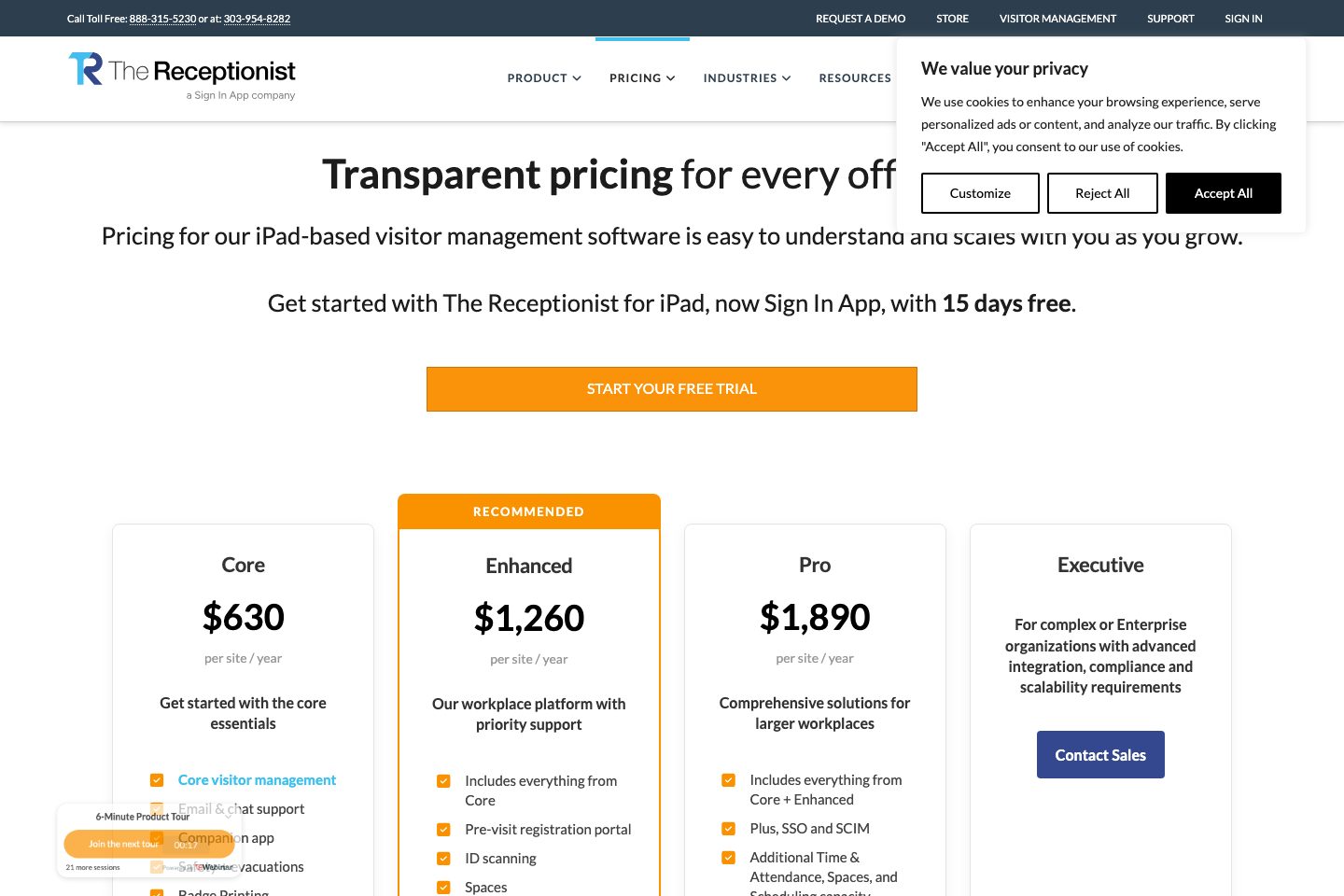
Site-based annual pricing tiers with Core, Enhanced, Pro and custom Executive/Enterprise options; 15-day free trial available.
Core
Core visitor management essentials including email & chat support, companion app, badge printing and evacuation tools.
- Core visitor management
- Email & chat support
- Companion app
- Badge Printing
Enhanced
Adds pre-visit registration, ID scanning, Spaces, Time & Attendance, onboarding sessions and unlimited SMS.
- Pre-visit registration portal
- ID scanning
- Onboarding sessions
- Unlimited SMS
Pro
Includes SSO, SCIM, additional capacity for scheduling/Spaces/Time & Attendance, account manager and telephone support.
- SSO and SCIM
- Account manager
- Telephone support
- Expanded Time & Attendance capacity
Executive / Enterprise
Custom plan for enterprise organizations with advanced integrations, compliance and scalability requirements.
- Custom integrations & compliance support
- Enterprise rollout assistance
Comparison data
Published signals used in the Overall Score ranking.
- Free access
- Free trial
- Mobile apps
- iOS and Android
- Pricing approach
- Fixed tiers
- Deployment complexity
- Guided setup
- Hardware requirement
- Optional kiosk
Customer review summary
What users like
- Easy to use
- Helpful support
- Smooth visitor check-in
- Customization limits
- Useful reporting
- Visitor arrival notifications
What users dislike
- Pricing concerns
- Limited reporting
- Difficulty claiming visitors in some workflows
- Limited hardware flexibility
- Customization limits
- Inability to mass-delete pre-registered guests
Review sources
Deployment & integrations
- Cloud-based software
- iPad kiosk
- Existing iPad deployment
- Receptionist in a Box hardware bundle
- iOS, Android, and web access for the Companion app
Security, compliance & support
- SOC 2 compliant
- GDPR support
- Secure AWS hosting through Heroku
- Encrypted application traffic
- Third-party penetration testing
