
YAROOMS
www.yarooms.com
- Last checked
- 1 Sept 2026
- Sources
- 1
- Evidence confidence
- Medium
Product media
Buyer notes
What to know about YAROOMS
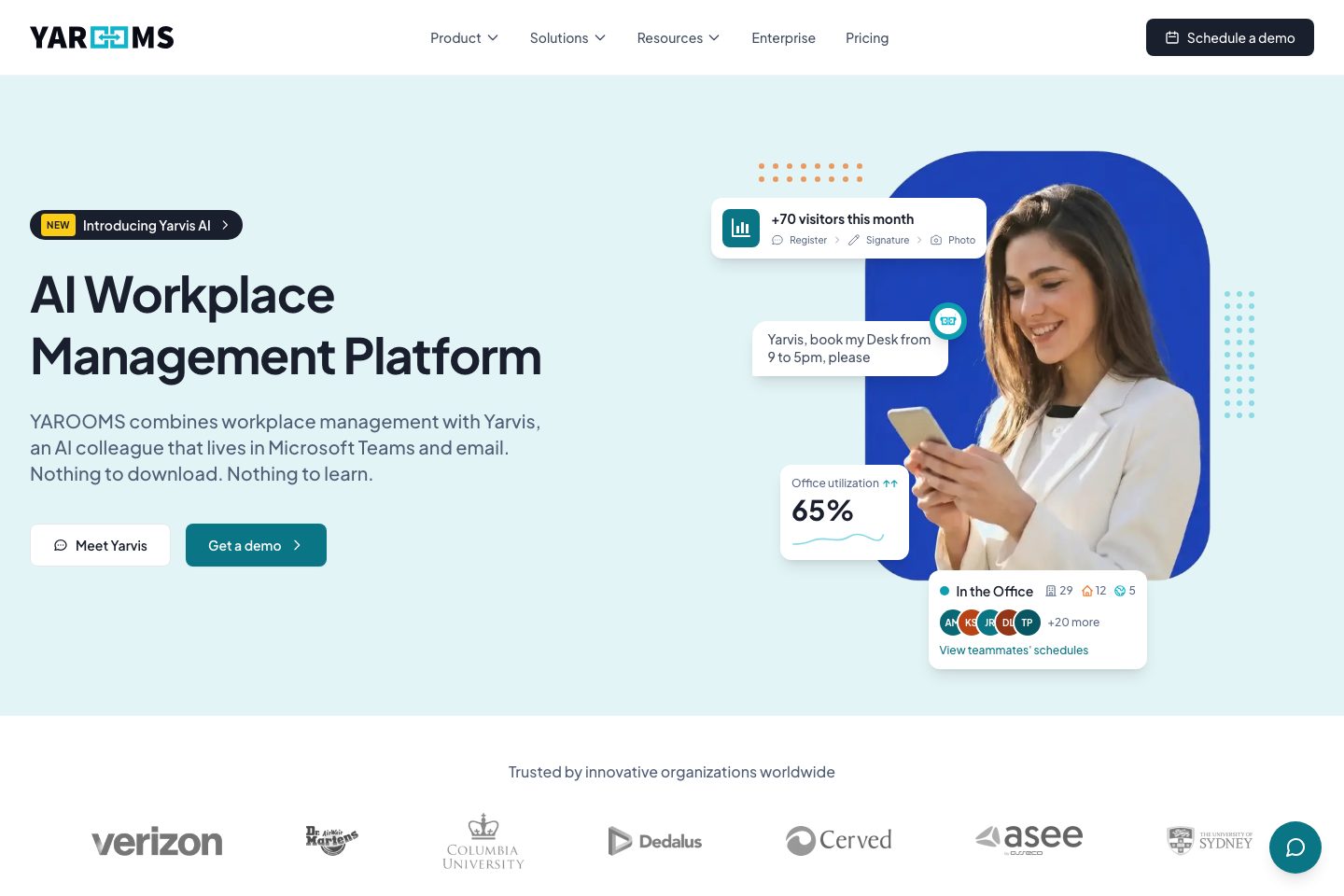
YAROOMS positions itself as an all-in-one workplace management platform focused on hybrid work: desk and room booking, visitor management, analytics and an AI assistant (Yarvis) that works via Microsoft Teams and email. It targets facility, HR and IT teams and highlights integrations with Microsoft and calendar systems, plus mobile and signage apps. The vendor emphasizes security certifications (ISO family, SOC 2 Type II, GDPR) and presents customer testimonials praising implementation support.
- Best for
- Organisations using Microsoft cloud and Teams wanting a Teams-first assistant
- Known strength
- intuitive / easy-to-use interface
Strengths
- intuitive / easy-to-use interface
- interactive floor plans / visual office maps
- desk and meeting-room booking (including hot-desking)
- real-time availability and calendar integration (Outlook/Google/Teams)
- simple booking and check-in workflows (including QR-code booking)
Fit considerations
- occasional performance issues, slowness, or glitches
- mobile app / mobile navigation is cumbersome or limited
- configuration challenges and some integration limitations
- limited flexibility for recurring or multi-slot bookings
- sporadic check-in or processing delays
Questions to ask
- What are the detailed pricing tiers, licensing units and billing options for our organisation?
- Which mobile platforms and room-panel hardware are officially supported?
- How well does YAROOMS match your busiest visitor, contractor, or reception workflow?
- Which locations, teams, and visitor types should be included in the first rollout?
Implementation notes
- Plan for guided-setup and coordinate with YAROOMS for map/desk configuration and rollout
- Engage IT early to configure integrations (Azure AD, calendars, Teams) and SSO
Scoring criteria
How YAROOMS scores
Every system is scored against the same published-data criteria. Public scores are intended as comparison prompts alongside your own procurement needs.
Customer review sentiment
4. 5/5 from 403 published reviews across 7 sources, with 166 stored feedback themes
18 point weighting · 403 reviews across review sourcesVisitor and contractor workflows
4 visitor, contractor, badge, host, delivery, identity, and QR workflow signals
10 point weighting · Published vendor and profile signalsEvacuation management
No evacuation management evidence captured
7 point weighting · Published vendor and profile signalsAdvanced reporting
2 reporting, analytics, audit, export, or visitor-history signals
7 point weighting · Published vendor and profile signalsPublished feature breadth
8 documented capabilities
10 point weighting · Published vendor and profile signalsMobile and kiosk flexibility
No public evidence captured yet
8 point weighting · Published vendor and profile signalsOngoing free access
No public evidence captured yet
6 point weighting · Published vendor and profile signalsDeployment and integrations
6 published deployment and integration options
7 point weighting · Published vendor and profile signalsIndustry coverage
10 documented sectors
5 point weighting · Published vendor and profile signalsSource coverage
1 vendor page analysed, 7 review sources captured
5 point weighting · 1 source page analysedVisitor management focus
100% fit against visitor-management-specific positioning signals
5 point weighting · Published vendor and profile signalsAccess-control integrations
No access-control integration evidence captured
5 point weighting · Published vendor and profile signalsRegional hosting and data residency
Regional hosting signal published
3 point weighting · Published vendor and profile signalsPricing transparency
No public evidence captured yet
4 point weighting · Published vendor and profile signalsA lower score can mean the directory found less public evidence, not that a product cannot support the workflow. Use these criteria as shortlist prompts alongside your own procurement needs.
Overview
YAROOMS is an AI-enhanced workplace management platform that combines desk and room booking, hybrid work planning, visitor management, workplace analytics and an AI assistant (Yarvis) that operates via Microsoft Teams and email.
The platform offers mobile apps, digital signage and connected hardware-agnostic panels, plus integrations with Microsoft Teams, Google Calendar, Microsoft 365, Outlook and Azure AD.
YAROOMS emphasizes security and compliance (listing ISO 27001, ISO 27701, ISO 9001, ISO 14001, SOC 2 Type II and GDPR) and highlights implementation support and customer onboarding assistance. com)
Best for
- Workplace managers coordinating hybrid work and space utilization
- Facility teams managing room and desk bookings
- HR and employee-experience teams implementing reception/visitor flows
- IT teams seeking integrations with Microsoft cloud services
- Organisations needing combined booking, analytics and visitor features
Target industries
Key capabilities
Yarvis AI assistant
AI assistant that handles bookings and queries through Microsoft Teams and email
Security & compliance
describes conformance to multiple ISO standards, SOC 2 Type II and GDPR compliance
Desk booking system
Interactive desk booking with floor maps for hotdesking and desk hoteling
Room booking system
Meeting-room scheduling with real-time availability and smart suggestions
Visitor management system
Guest pre-registration and automated notifications for professional check-in
Integrations
Integrates with calendars and identity systems to sync workplace tools
Workplace analytics
Insights into space utilization and trends to inform decisions
Hardware & apps
Mobile app, digital reception/lobby displays and room/desk panels; hardware-agnostic signage
Comparison data
Published signals used in the Overall Score ranking.
- Deployment complexity
- Guided setup
- Hardware requirement
- Optional kiosk
Customer review summary
What users like
- Easy to use
- Useful reporting
- Helpful support
- Limited integrations
- Real-time availability
- Reliable host notifications
What users dislike
- Limited hardware flexibility
- Reliability or performance issues
- Usability friction
- Adjusting bookings or finding rooms may be difficult
- Booking changes and room-finding could be easier
- Cancellation or deletion can be difficult
Review sources
Deployment & integrations
- guided-setup
- Microsoft Teams
- Google Calendar
- Microsoft 365
- Outlook Add-in
Security, compliance & support
- ISO 27001
- ISO 27701
- ISO 9001
- ISO 14001
- SOC 2 Type II

