
VPass
vpass.io
- Last checked
- 1 Sept 2026
- Sources
- 13
- Evidence confidence
- High
Product media
Buyer notes
What to know about VPass
VPass is a phone-first, cloud visitor management solution suited to organisations wanting contactless sign-ins without mandatory kiosks. It combines QR-code phone sign-in, a kiosk app, digital wallet passes and printed badges plus a DIY form builder for capture of photos, documents and signatures. Safety features include a dedicated Emergency Evacuation app with preset SMS alerts and on-site roll-call export. Integration points emphasise school MIS syncs and Microsoft Entra ID SSO. Published pricing shows tiered monthly and annual plans and a free trial, with enterprise customisation available. Data residency and GDPR measures are documented for UK/EU customers, and selected live ID checks are available for specific Australian card types.
- Best for
- Organizations wanting low-hardware or phone-first visitor workflows
- Known strength
- contactless visitor check-in
Strengths
- contactless visitor check-in
- customizable visitor questions and fields
- helpful/responsive customer support
- good value/competitive pricing
- frequent feature updates
Fit considerations
- limited badge layout customization
- limited reporting customization
Questions to ask
- Can you specify exact regional hosting locations and contractual data residency commitments for my account?
- What are per-message SMS costs and limits for evacuation or notification use at my expected volume?
- Does the Enterprise plan include SLAs, dedicated support and onboarding for multi-site rollouts?
- How well does VPass match your busiest visitor, contractor, or reception workflow?
- Which locations, teams, and visitor types should be included in the first rollout?
Implementation notes
- Use QR-code posters and the VPass In app to enable immediate phone-based check-ins without kiosk hardware
- For badge printing, budget for Brother QL-820NWB printers and labels if printed passes are required
Scoring criteria
How VPass scores
Every system is scored against the same published-data criteria. Public scores are intended as comparison prompts alongside your own procurement needs.
Customer review sentiment
5. 0/5 from 1 published reviews across 2 sources, with 52 stored feedback themes
18 point weighting · 1 review across review sourcesVisitor and contractor workflows
5 visitor, contractor, badge, host, delivery, identity, and QR workflow signals
10 point weighting · Published vendor and profile signalsEvacuation management
3 evacuation, mustering, roll-call, occupancy, or emergency signals
7 point weighting · Published vendor and profile signalsAdvanced reporting
2 reporting, analytics, audit, export, or visitor-history signals
7 point weighting · Published vendor and profile signalsPublished feature breadth
8 documented capabilities
10 point weighting · Published vendor and profile signalsMobile and kiosk flexibility
iOS and Android; Optional kiosk
8 point weighting · Published vendor and profile signalsOngoing free access
Free trial published
6 point weighting · Published vendor and profile signalsDeployment and integrations
7 published deployment and integration options
7 point weighting · Published vendor and profile signalsIndustry coverage
11 documented sectors
5 point weighting · Published vendor and profile signalsSource coverage
13 vendor pages analysed, 2 review sources captured
5 point weighting · 13 source pages analysedVisitor management focus
100% fit against visitor-management-specific positioning signals
5 point weighting · Published vendor and profile signalsAccess-control integrations
1 access-control integration signal
5 point weighting · Published vendor and profile signalsRegional hosting and data residency
Regional hosting signal published
3 point weighting · Published vendor and profile signalsPricing transparency
4 published pricing plans
4 point weighting · Published vendor and profile signalsA lower score can mean the directory found less public evidence, not that a product cannot support the workflow. Use these criteria as shortlist prompts alongside your own procurement needs.
Overview
VPass is a cloud-based visitor management system offering contactless QR-code and kiosk sign-ins, DIY form builder, digital wallet passes and printed badge support. It supports multi-site accounts, pre-registration, visitor profiles that pre-fill forms, and multi-language operation.
Safety features include an Emergency Evacuation app with preset SMS alerts and roll-call reporting. Admins get role-based access, sign-in/sign-out control from a dashboard, reporting and exports. VPass also offers live ID card checks for select Australian card types and integrations with school MIS and Microsoft Entra ID (Azure AD).
Free 30-day trials and tiered monthly or annual plans are published on the vendor site. io pages)
Best for
- Reception and front-desk teams wanting contactless sign-in
- Organisations needing multi-site or event check-in workflows
- Schools and education providers requiring student/visitor sync
- Facilities requiring evacuation roll-call and SMS alerts
- Teams wanting a low-hardware kiosk or phone-first solution
Target industries
Key capabilities
Emergency evacuation
Emergency Evacuation App with preset SMS alerts, muster roll-call and CSV roll-call report export
Notifications
Email and SMS notifications to staff and visitors; preset SMS used in evacuation flow; admin-hosted notifications per plan
Badge printing
Support for Brother QL-820NWB printer with templates and custom badge/lanyard options; Bluetooth/Wi‑Fi/print-server options
Integrations
Pre-built integrations with school MIS partners (Simon, Arbor, Wonde, nForma) and Microsoft Entra ID (Azure AD) SSO
Visitor journey
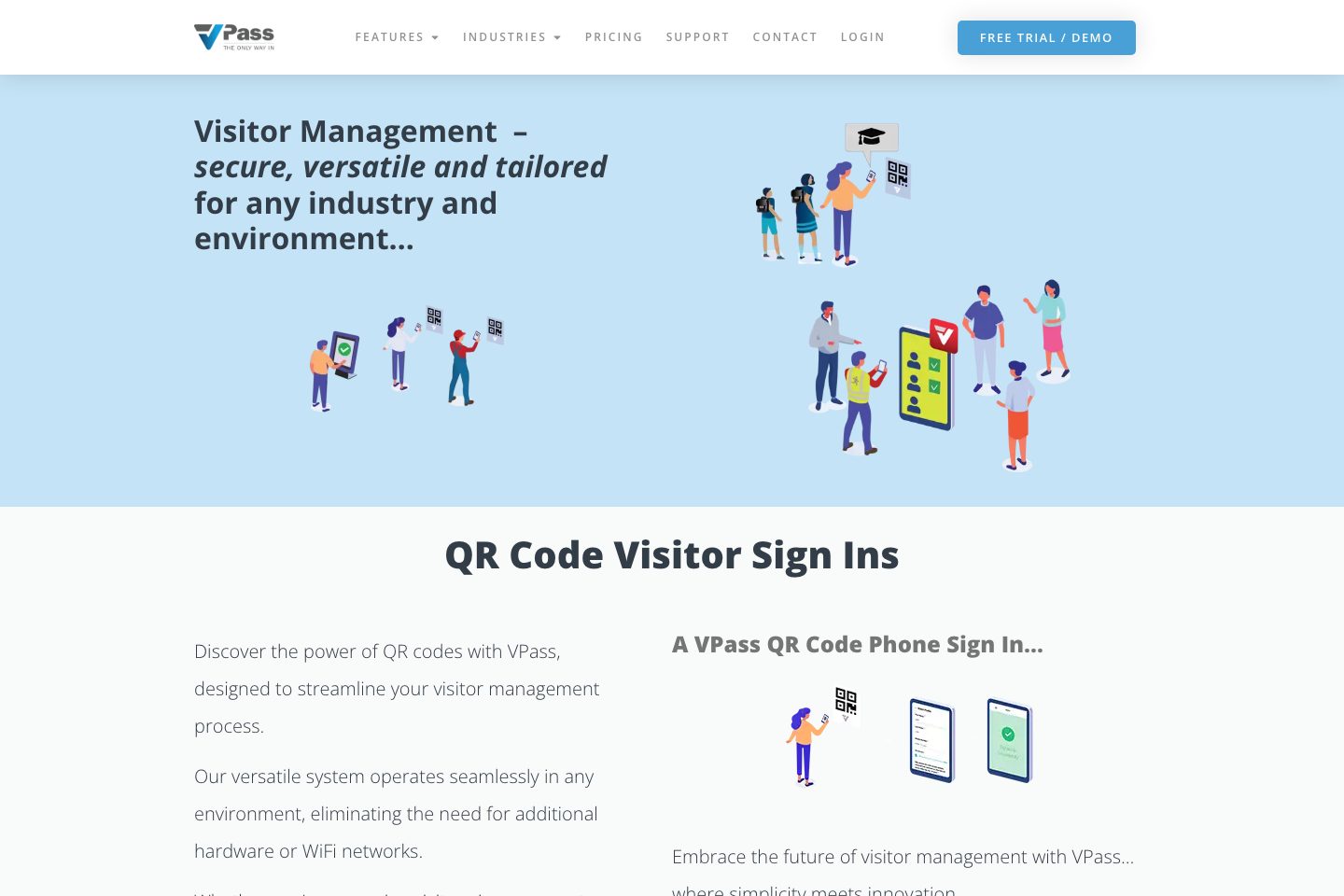
Phone QR-code sign ins, kiosk app, VPass In mobile app and digital wallet passes for fast sign-in/out
DIY Forms & Visitor Types
Form builder with text, photo upload, signature, ID fields and configurable visitor types including registered visitors
Contractor/ID checks
Live ID card checks for specific Australian cards (Working With Children, VIT, Blue Card) and photo/document upload
Reporting & export
Admin dashboard showing who is on site, reporting page with tagging, CSV exports and data filters
Pricing
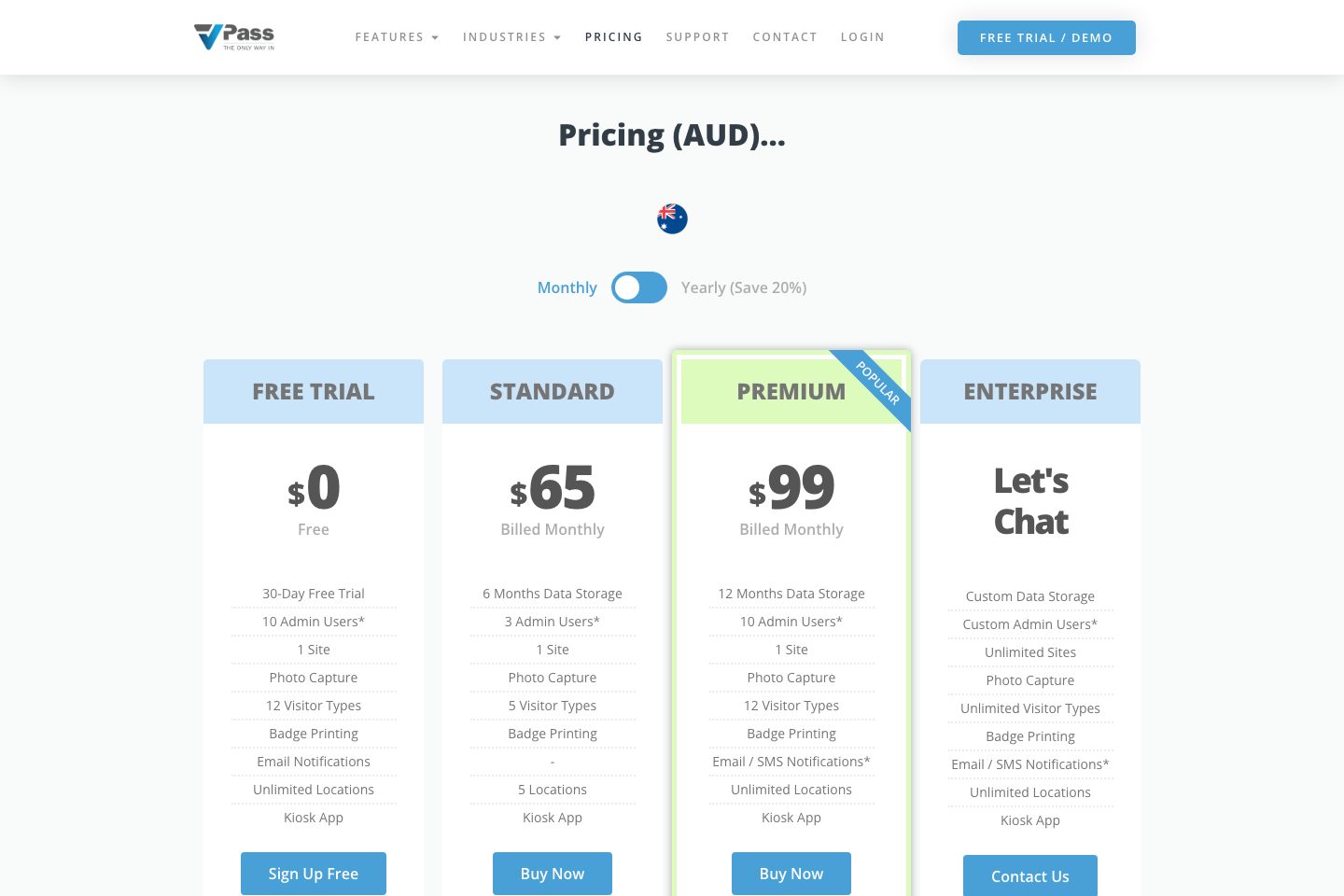
Vendor publishes Monthly and Yearly fixed-tier plans (Free Trial, Standard, Premium) and Enterprise custom plans; details and limits shown on pricing page (. Additional SMS charges and hardware sold separately are noted
Free Trial
30-day free trial with feature limits (10 admin users, 1 site photo capture, 12 visitor types, kiosk app) as described on pricing page (
- 30-Day Free Trial
- 10 Admin Users*
- Kiosk App
Standard (Monthly)
Standard monthly tier with 6 months data storage, 3 admin users, 5 visitor types and up to 5 locations (
- 6 Months Data Storage
- 3 Admin Users
- 5 Visitor Types
Premium (Monthly)
Premium monthly tier with 12 months data storage, 10 admin users, unlimited locations, email/SMS notifications (additional SMS charges may apply) (
- 12 Months Data Storage
- 10 Admin Users
- Unlimited Locations
Enterprise
Custom enterprise plan with configurable data storage, admin users, unlimited sites and features; contact vendor (
- Custom Data Storage
- Unlimited Sites
- Custom Admin Users
Comparison data
Published signals used in the Overall Score ranking.
- Free access
- Free trial
- Mobile apps
- iOS and Android
- Pricing approach
- Fixed tiers
- Deployment complexity
- Self serve
- Hardware requirement
- Optional kiosk
Customer review summary
What users like
- Helpful support
- Smooth visitor check-in
- Customizable visitor questions and fields
- Customizable visitor workflows and questions
- Customization
- Frequent feature updates
What users dislike
- Pricing concerns
- Customization limits
- Badge customization was unavailable
- Badge layout is not sufficiently flexible
- Badge layouts are less flexible
Review sources
Deployment & integrations
- self-serve (admin dashboard, kiosk app download and QR code posters for locations)
- Simon student management
- Arbor (described on integrations page)
- Wonde
- nForma
Security, compliance & support
- GDPR support and regional data retention options; UK/EU visitor storage packages
- Data retention controls: visitor data storage periods per selected package
- Two-factor authentication for admin logins (listed in pricing/features)
- Data processing and privacy commitments plus DPA reference
- Regional data residency choices asserted (data primarily stays where customer decides)

