

Start with an approved rule—not a new retention decision
Run warehouse visitor log retention as a controlled disposal process: establish what is due, separate authorised incident evidence, delete each applicable copy, then verify the result. Do not treat a retention setting or a successful job notification as the completion test.
This procedure is recommended operating practice for UK warehouse operations managers and visitor-system administrators working with their privacy lead. It assumes an approved retention policy already exists; it does not prescribe a retention period or establish a legal basis for keeping incident evidence.
Keep routine disposal separate from an individual erasure request. Use this process for scheduled policy-based deletion. Route a person's request to the privacy lead's individual-rights procedure rather than treating the next scheduled run as the response. Coordinate any overlapping records through that owner.
For the underlying storage-limitation principle, HMRC's Records and Information Collection Policy, checked 7 November 2026, explains that personal information should not be kept longer than needed. Its departmental arrangements are not a warehouse retention schedule. Have your privacy lead confirm the current ICO guidance and legal requirements applicable to your organisation before resolving any policy uncertainty.
For demonstrable destruction, National Records of Scotland's destruction guidance, checked 7 November 2026, calls for controlled destruction across formats and evidence that it happens—not merely a retention schedule. That guidance addresses Scottish public authorities; its operational distinction between a policy and evidence of execution is useful here, without importing public-records obligations into every warehouse.
1. Identify the trigger and the records due for deletion
Recommended owner: visitor-system administrator, with the privacy lead approving ambiguities.
Identify the applicable policy version, visitor categories, sites, retention trigger and deletion deadline. Establish whether the trigger is confirmed departure, another approved event or a defined reporting period. Apply the policy's actual calculation, including time zone and inclusive or exclusive boundaries; do not substitute record creation time for departure.
Set a fixed run time and identify the records due at that point. Count candidate visit records separately from their spreadsheet, export and paper copies. Keep any temporary record-level selection restricted and remove it after verification under the approved procedure; do not create a permanent export of everything being deleted.
Have another authorised person check the selection boundary and exclusions before execution. Escalate missing triggers, contradictory rules or unclear record classifications to the privacy or legal owner. Continue with an unaffected, clearly authorised batch only where it can be safely separated.
If an active visit appears overdue: exclude it from this deletion batch and assign the gatehouse or host a departure-reconciliation task. Never close an active visit merely to make its record eligible for deletion. If departure is subsequently established, record the supported correction and recalculate eligibility. If it remains unknown, retain the uncertainty and obtain a specific owner, next action and review date—not an indefinite administrative exemption.
2. Map operational copies and downstream ownership
The NCSC's Data security guidance, published and reviewed 11 May 2021 and checked 7 November 2026, recommends knowing what data is held and where, avoiding unnecessary storage, and protecting replicated or cached copies.
Recommended application: walk the data path with gatehouse staff, IT and the relevant records owners. For each location, establish who controls it, what deletion method is supported and how the result will be checked.
| Location to inspect | What to establish before deletion |
|---|---|
| Visitor software | Applicable sites and record types; attachments; retained profiles; supported deletion or purge method; any separate recycle-bin or pending-deletion stage. |
| Gatehouse spreadsheets | Shared-drive and local copies, copied worksheets, synchronised versions and any file-history retention. Distinguish removing rows from deleting an entire expired file. |
| Scheduled exports | Export destinations, emailed attachments, downloads, reporting imports and jobs that could recreate old data. Identify mixed-period files requiring selective cleanup. |
| Paper outage logs | Cabinets, folders, scans and photocopies; which entries remain current or preserved; the approved confidential-destruction route. |
| Backups | Systems covered, owner, expiry arrangements, restore controls and evidence available from the supplier. |
For paper created during an interruption, use the warehouse outage recovery procedure to resolve outstanding reconciliation before deciding which records are disposable. Do not repeat outage recovery during the deletion run.
Check downstream access-control records separately. Obtain the access-system owner's acknowledgement of its approved retention rule, preservation instructions and disposal responsibility. Do not assume deleting a visit also deletes access events, or that those events should automatically inherit the visitor-log schedule. Keep credential validity separate from visit status; use the lost-badge procedure if a credential issue emerges.
3. Authorise and isolate narrowly scoped incident evidence
Recommended owners: the authorised incident decision-maker and privacy or legal owner. Before executing deletion, obtain written preservation instructions identifying the investigation purpose, authority for continued retention, exact record scope and responsible reviewer.
Specify the relevant incident reference, time window, location, visits and necessary fields or attachments. Include enough original context to make the evidence usable, but do not preserve a whole day's visitor history simply because the incident happened that day.
If the incident concerns only part of a day: have the authorised owner identify the relevant subset and confirm that the remainder can proceed to deletion. If the necessary scope is uncertain, request an urgent, bounded interim instruction with a review deadline. Do not silently broaden a preservation instruction to all records.
Separate the authorised subset from the deletion batch using a supported exclusion or an approved transfer to a restricted evidence repository. If transferring evidence, verify completeness, provenance and readability before deleting the original location. Have the incident owner decide whether an original paper sheet or file must remain intact; administrators should not redact or fragment potential evidence on their own initiative.
Restrict access to named investigation and oversight roles, record access and changes, and exclude the preserved material from routine reception searches, mailing lists and exports where the approved system design permits. The NCSC's Data security guidance supports access controls limited to authorised users and monitoring access to data.
For preservation arising from an evacuation, refer to the roll-call reconciliation procedure for the incident record's context; keep this task focused on its authorised retention and disposal.
Give each preservation instruction a named reviewer, next review date and release condition. At review, obtain an explicit decision to continue with a documented reason, narrow the scope or release it. An investigation should not become an unreviewed indefinite-retention label. Once the authorised reason ends, check for any other approved requirement, authorise deletion of the released material and verify that disposal across its copies.
4. Execute deletion using supported methods
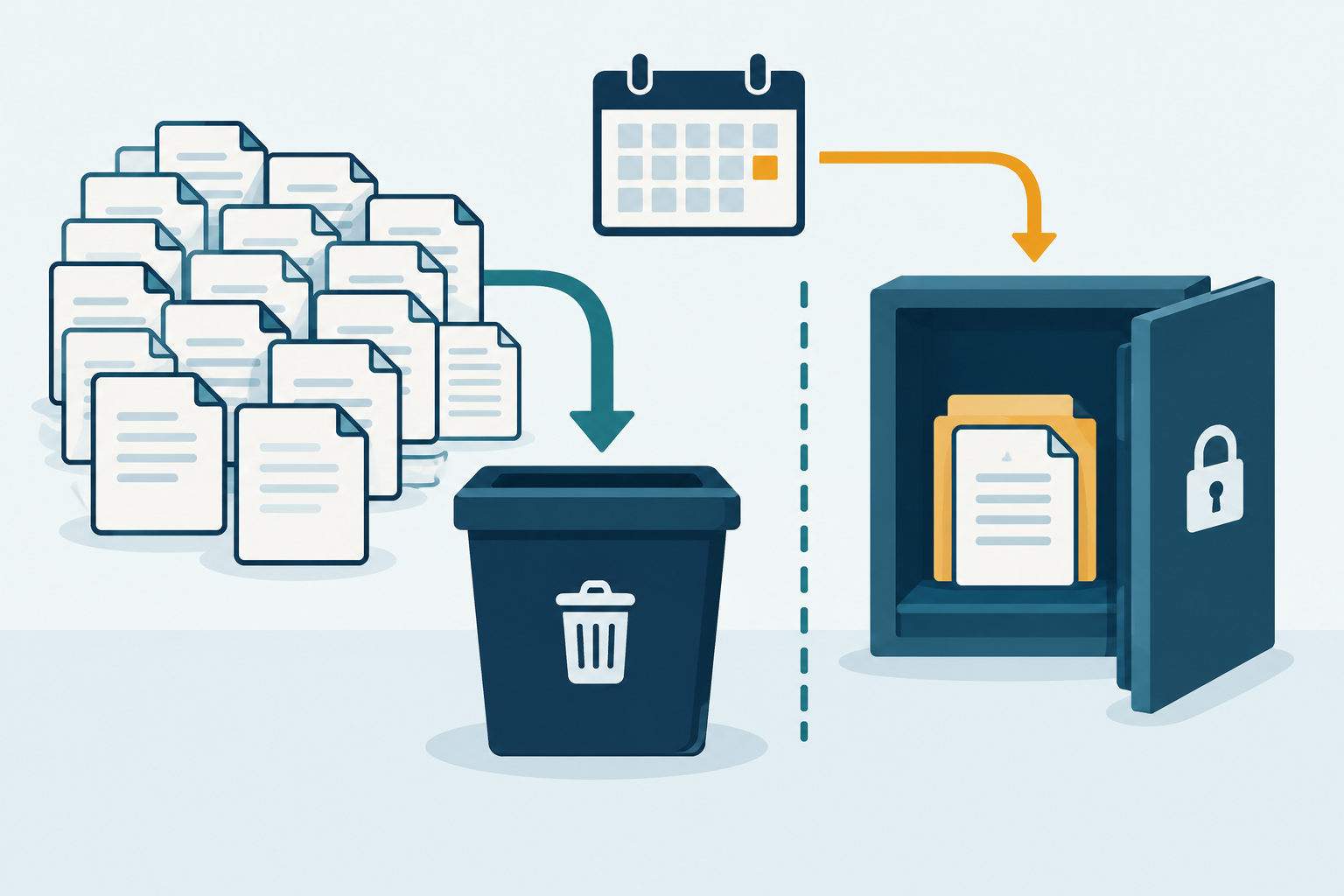
Recommended execution sequence: recheck preservation instructions immediately before submission, confirm the batch count and use only the documented methods approved for the installed system and storage locations.
- Visitor software: use the supported administrative deletion, retention job or supplier-assisted process. Establish whether the action deletes the intended information or merely hides, archives or marks it for later processing. Do not improvise direct database changes.
- Spreadsheets and exports: delete the eligible rows or expired files through the approved storage procedure. Address applicable recycle bins, version histories and replicated locations with IT. Keep preserved or not-yet-due records out of the operation. Coordinate scheduled export jobs so they do not recreate the deleted material.
- Paper: separate authorised retained material, then use the approved secure-destruction route. Keep material awaiting collection secured and describe it as awaiting destruction, not destroyed. Obtain the collection or destruction evidence appropriate to the service.
- Temporary working copies: account for any selection exports or verification extracts created during the run. Remove them when their approved verification purpose ends.
National Records of Scotland's destruction guidance distinguishes destruction methods by format and identifies destruction certificates and staff procedures as examples of supporting evidence. Apply that distinction rather than assuming one software action covers every copy.
Record each operation's time, authorised operator reference, method and job or disposal reference. Keep the summary free of visitor names and visit details.
5. Track backup expiry and prevent deleted records returning
National Records of Scotland's guidance specifically asks organisations to understand how long deleted records remain recoverable from backups and, for third-party continuity services, to understand recovery periods in the service agreement.
Recommended vendor and IT confirmation: obtain an answer covering the actual service, tenant and backup arrangement—not a general assurance that data is deleted.
- Which backup sets, replicas and disaster-recovery copies could still contain the deleted records?
- Can those copies be selectively deleted? If not, what expiry and overwrite process applies, including exceptional or extended-retention backups?
- What is the latest expected expiry date for copies containing this batch, and what evidence will confirm expiry?
- Who can restore or otherwise access them, and how is their use restricted while expiry is pending?
- After restoration, how will the system reapply deletion decisions before the restored records return to ordinary searches, exports, integrations or user access?
- How will authorised incident-preservation exceptions be respected without restoring unrelated expired records?
If selective backup removal is unavailable: do not promise immediate erasure from every backup. Record the affected backup scope, confirmed expiry arrangement, access restrictions, restore safeguards and follow-up owner. Ask the privacy or legal owner to approve the treatment; an administrator should not decide its legal acceptability alone.
Require a documented restoration procedure and an appropriate test with synthetic data. Ask the vendor how it maintains any deletion markers or equivalent control without keeping an unnecessary duplicate visitor log. If expiry or restoration behaviour is unknown, mark it unknown and escalate it as an open exception—not a completed deletion.
6. Verify removal, retained evidence and failures
Recommended verification: reconcile the authorised batch with confirmed removals and remaining exceptions at each location. Keep counts of unique visits separate from counts of copies, files and paper entries.
Rerun the same bounded selection after the documented processing interval. Check the supported administrative view or report as well as ordinary search results; an empty reception screen alone is not sufficient evidence for this procedure. Confirm retained incident evidence is still readable and access-restricted, and check that records just outside the cutoff and active visits were not unintentionally removed.
Inspect export destinations and gatehouse storage after cleanup. Confirm scheduled jobs have not recreated the deleted cohort. Check paper destruction evidence against the intended disposal batch, and record backups separately from live-system results.
| Result | Recommended decision |
|---|---|
| Expected deletions confirmed; authorised exceptions remain | Record the verified result and the continuing owner of each exception. |
| Job reports success but eligible records remain | Treat the discrepancy as unresolved. Check scope, processing delay and deletion semantics with IT or the supplier. |
| Deletion job fails or partly succeeds | Establish what actually completed. Restrict residual copies appropriately, assign an owner and deadline, and retry only the confirmed residual batch using the supported method. |
| Preserved evidence or out-of-scope records appear missing | Stop further destructive actions and escalate immediately through the incident and privacy routes. Do not perform an uncontrolled restore. |
| Export or paper cleanup cannot be verified | Keep that location open even if software deletion succeeded. |
The NCSC's Data security guidance recommends periodically verifying sanitisation and testing destruction processes. Here, use an independent authorised checker where practicable, and retain the check outcome rather than screenshots containing visitor details.
Worked example: 240 eligible visits and one failed export cleanup
Fully hypothetical example: all dates, counts, approvals, technical outcomes and retention arrangements below are invented. The retention rule is illustrative—not legally prescribed or recommended for every warehouse.
A fictional warehouse's approved rule retains completed visit records through the end of the third calendar month after the departure month, then deletes them in the next monthly run. Its run on 1 November 2026 at 09:00 GMT therefore selects completed visits with confirmed departures on or before 31 July 2026. August departures are outside this batch.
The administrator finds 240 eligible completed visits. A separate anomaly search identifies six older arrivals still marked active. Those six are not included in the eligible total and are assigned to the gatehouse supervisor for investigation; none is signed out to enable deletion.
On 30 October 2026, the privacy lead and authorised incident owner approve preservation of eight of the 240 visits, concerning a yard incident on 15 July 2026 between 14:00 and 15:00. The instruction names the exact visits and necessary evidence, limits access to the investigation team and privacy lead, and sets a review for 16 November 2026. The rest of that day's visits remain eligible.
The supported preservation exclusion is verified before the administrator submits 232 visits for deletion. All mapped operational copies below relate only to those 232 non-preserved visits; the copies overlap with the software records and are not additional unique visits.
| Location | Authorised action | Verified result on 1 November |
|---|---|---|
| Visitor software | Delete 232 visits; preserve eight | 232 removed. Eight preserved visits remain readable with restricted access. The six active anomalies and out-of-scope records remain unchanged. |
| Gatehouse spreadsheet | Remove 100 duplicate rows from the deletion cohort | All 100 removed; IT verifies the applicable working-copy and version-history cleanup. |
| Scheduled export A | Delete one expired file containing 40 duplicate rows | File and applicable recoverable working copies removed and checked. |
| Scheduled export B | Delete one expired file containing 40 duplicate rows | Cleanup fails with a permissions error. All 40 rows remain; no deletion is claimed. |
| Paper outage records | Destroy 12 entries, all on wholly eligible sheets | Secure destruction witnessed and the disposal reference recorded. |
The export B failure becomes an open task owned by the IT storage administrator, due 3 November 2026. Access is restricted pending cleanup. On that date, the administrator corrects the permission issue, uses the approved deletion method and obtains an independent check that the file and applicable working copies are gone. The scheduled export configuration is checked to ensure it does not recreate the old cohort. Only then is this exception closed.
In this fictional arrangement, IT confirms that backup sets containing the 1 November deletion batch expire by 30 November 2026 and cannot be selectively edited. The privacy lead accepts the documented interim restrictions and restore-time deletion controls. Backup expiry remains a tracked follow-up, not a claim of immediate erasure.
The 16 November preservation review releases all eight incident visits after the authorised reason ends and the privacy lead checks for other requirements. A separately authorised run on 17 November deletes and verifies those eight records. Their backup expiry is tracked separately; the earlier 30 November date is not assumed to cover this later deletion.
The six active-visit anomalies remain owned reconciliation tasks until evidence resolves them. Neither successful deletion nor incident-evidence release automatically closes those tasks.
7. Close against evidence—not the retention setting
Recommended completion criteria: distinguish completion of operational-copy deletion from expiry of all backup copies and later disposal of preserved evidence.
Close the operational deletion run only when:
- The approved policy version, trigger, cutoff and scope are recorded.
- Candidate totals reconcile with verified deletions and explicitly authorised exclusions.
- Each mapped live-system, spreadsheet, export and paper location has a verified result; failed or unverified cleanup is not labelled complete.
- Preserved evidence has an approval reference, restricted storage, a review owner and date, and a release route.
- Active-visit discrepancies and downstream access-system responsibilities have acknowledged owners.
- Backup scope, expiry and restoration controls are confirmed and accepted by the responsible owner, with outstanding expiry checks tracked separately.
- Temporary selection and verification copies have been disposed of as approved.
If failed deletion work remains, record the run as partially completed, with its residual scope, owner, next action, deadline and escalation point. Do not replace these details with a general statement that retention is enabled.
Keep a small audit record, not a replacement visitor log. Retain a non-sensitive run reference, policy version, system and location identifiers, cutoff and time zone, aggregate counts, execution and verification times, supported method, job outcome, disposal-certificate reference and exception status. Avoid visitor names, registration plates, contact details, row-level exports and incident narratives.
Use restricted approval and operator references to provide accountability without copying their underlying personal details into the run summary. Keep any necessary record-level evidence within the separately authorised investigation or exception record, with its own access and retention controls. Have the privacy lead approve retention of the deletion audit itself rather than keeping it indefinitely by default.
This approach follows the distinction in National Records of Scotland's destruction guidance: describe and evidence the destruction process across formats, rather than relying on the existence of a schedule.
- Define the batch Select Recommended control: apply the approved trigger and cutoff; exclude unresolved active visits.
- Find the copies Map NCSC guidance recommends knowing what data is held, where it is stored and how replicated copies are protected.
- Preserve narrowly Separate Recommended control: isolate only authorised incident evidence, with restricted access and a named review owner.
- Use supported methods Delete NRS guidance calls for controlled destruction suited to the record format and evidence that the process happens.
- Account for backups Track NRS guidance asks organisations to understand how long backup processes could restore deleted records.
- Close only verified work Verify Recommended control: reconcile removals and authorised exceptions; keep failed export cleanup open until checked.
Conclusion
Finish the run with verified removals, narrowly authorised retained evidence and an owned list of anything still outstanding. Do not close visits to force deletion, retain whole days without justification or describe backup copies as erased before their treatment is confirmed. Keep enough audit evidence to demonstrate the work without rebuilding the visitor log.
Sources
Source pages checked 7 November 2026.
Pricing and plan details can change; verify current terms with the vendor.